
Utilities Windows
Disk Space Fan
See which folders occupy your Windows disk with Disk Space Fan's ring chart, file-type filters and duplicate-file tools. The publisher offers a free trial and a paid Pro edition.
- Operating system
- Windows Vista, Windows 7, Windows 8 and Windows 10 (publisher-listed)
- Architecture
- Not specified in the inspected publisher source
- Download package
- EXE installer
Publisher documentation says its MFT scanning mode requires administrator privileges. Windows 11 support was not established; the installer was not downloaded or run.
Link checked · Download guidance
What is Disk Space Fan?
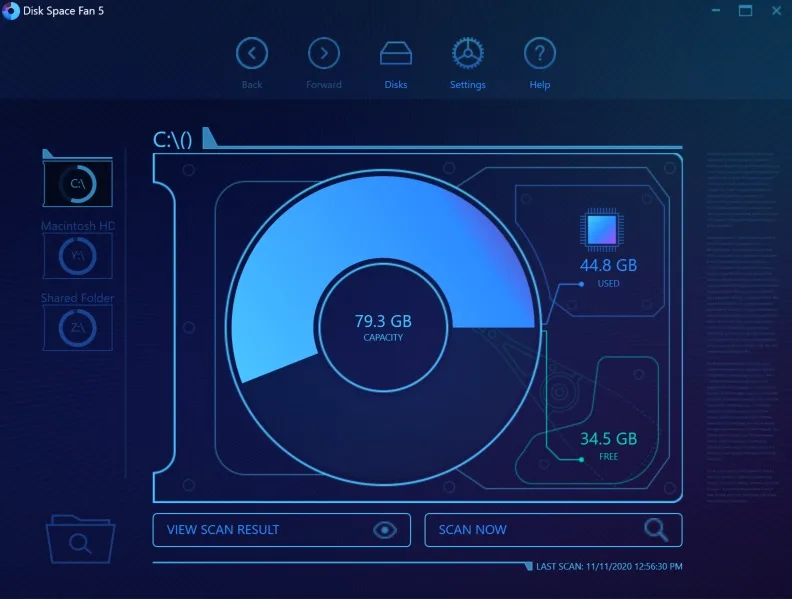
Disk Space Fan helps you investigate a full drive by visualizing how files and folders share its space. Select a drive or folder to scan, then explore the ring chart or the accompanying list to find large items. File-type filters narrow the view to categories such as images, audio or video. The publisher also documents opening items, viewing their properties and deleting selected files after scanning.
Its duplicate-file tools offer a choice between hashing file contents and comparing names, modification times and sizes. The publisher says hashing takes longer but improves matching accuracy; the faster metadata comparison is less accurate. Review matches before deleting anything. The ring chart is not an exhaustive view of every small item: the documentation says it shows five directory levels and omits files or folders smaller than 1/180 of the root folder's size.
The publisher lists Windows Vista, 7, 8 and 10. Windows 11 support and the architecture of the linked EXE are not established by the inspected source. This entry links to the publisher's trial installer; a successful HEAD check confirms its binary response, not installation, security or runtime compatibility.
What it offers
- Visualize disk allocation as nested rings and drill into folders from the chart or list.
- Scan a selected drive or a specific folder and inspect files and folders by size.
- Filter the chart by file type, with configurable extension filters.
- Find duplicate files using content hashes or a faster metadata-based comparison.
- Open items, view properties and delete selected files from scan results.
Good to know
- The publisher offers a free trial and a paid Pro edition; inspected documentation does not establish the trial duration or all edition restrictions.
- The chart shows five directory levels and omits items smaller than 1/180 of the root folder's size.
- Duplicate detection without hashes is less accurate according to the publisher; hashing adds scan time.
- Publisher-listed systems stop at Windows 10; Windows 11 compatibility and installer architecture are unconfirmed.
Product images
Sources
References used for this listing. Retrieval dates do not indicate hands-on testing.
More in utilities
View category ↗
1.1.1.1 with WARP 2026.8.2115.0
Encrypt traffic from your Mac to Cloudflare’s network with WARP, or use DNS-only mode for encrypted DNS queries to the 1.1.1.1 resolver.
1.1.1.1 with WARP 2026.8.2115.0
Encrypt traffic between your Windows PC and Cloudflare, or use encrypted DNS only, with the free 1.1.1.1 with WARP app.


3uTools 9.12.005
Manage iPhone and iPad photos, music, apps and backups from Windows with 3uTools, a free utility that also includes device checks and firmware flashing tools.