

Utilities Windows
DiskCheckup for Windows
Monitor SMART drive attributes, view temperatures and run supported drive self-tests with PassMark DiskCheckup for Windows.
- Operating system
- Windows; Softonic lists Windows 11
- Architecture
- Not established by the inspected publisher page
- Download package
- EXE installer
Requires a SMART-capable drive and compatible drivers. Hardware RAID and SCSI are excluded by PassMark.
Link checked · Download guidance
What is DiskCheckup?
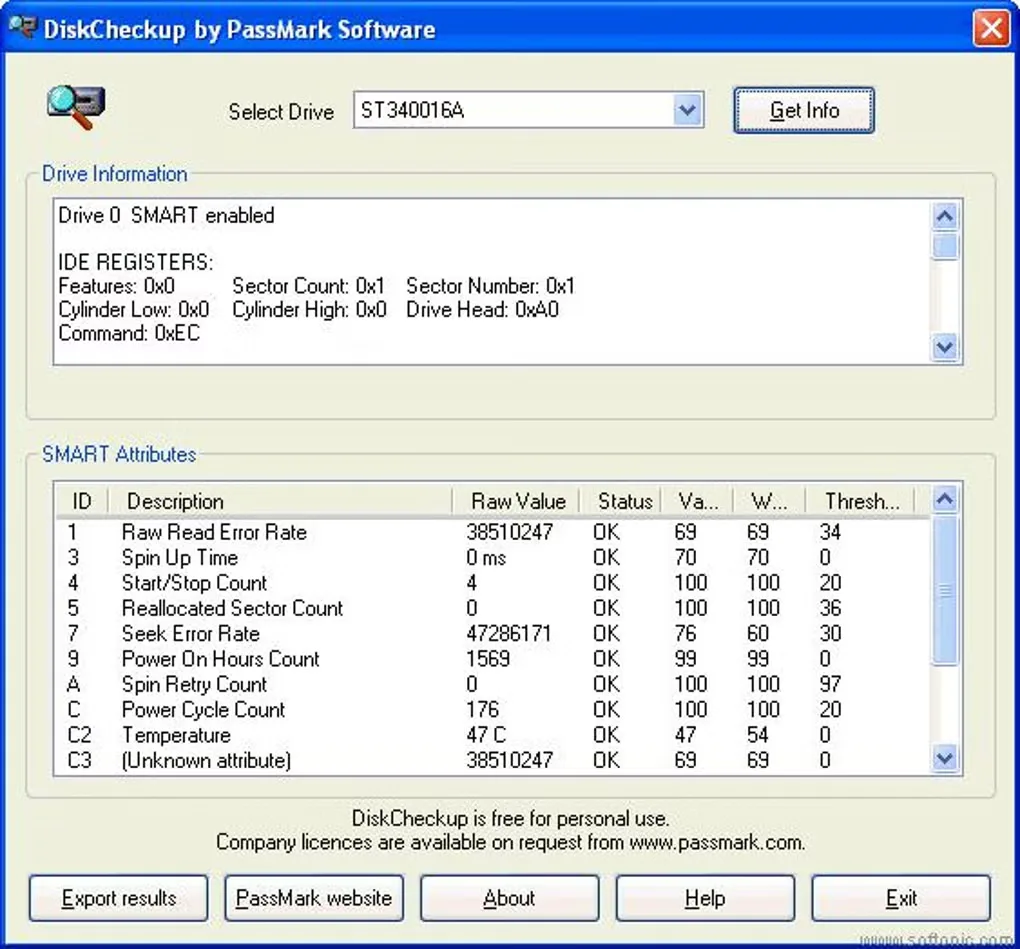
DiskCheckup reads the SMART information exposed by a compatible drive so you can inspect its condition indicators in Windows. It shows current attribute values alongside manufacturer thresholds, including information such as temperature, power-on hours and spin-up time. Device details help identify the drive being monitored.
For drives that implement them, DiskCheckup can run short and extended Disk Self-Test routines and display their results. It can also track attribute changes over time and send email notifications when a threshold condition is detected. Its estimated Threshold Exceed Condition dates are guidance, not reliable predictions of when a drive will fail.
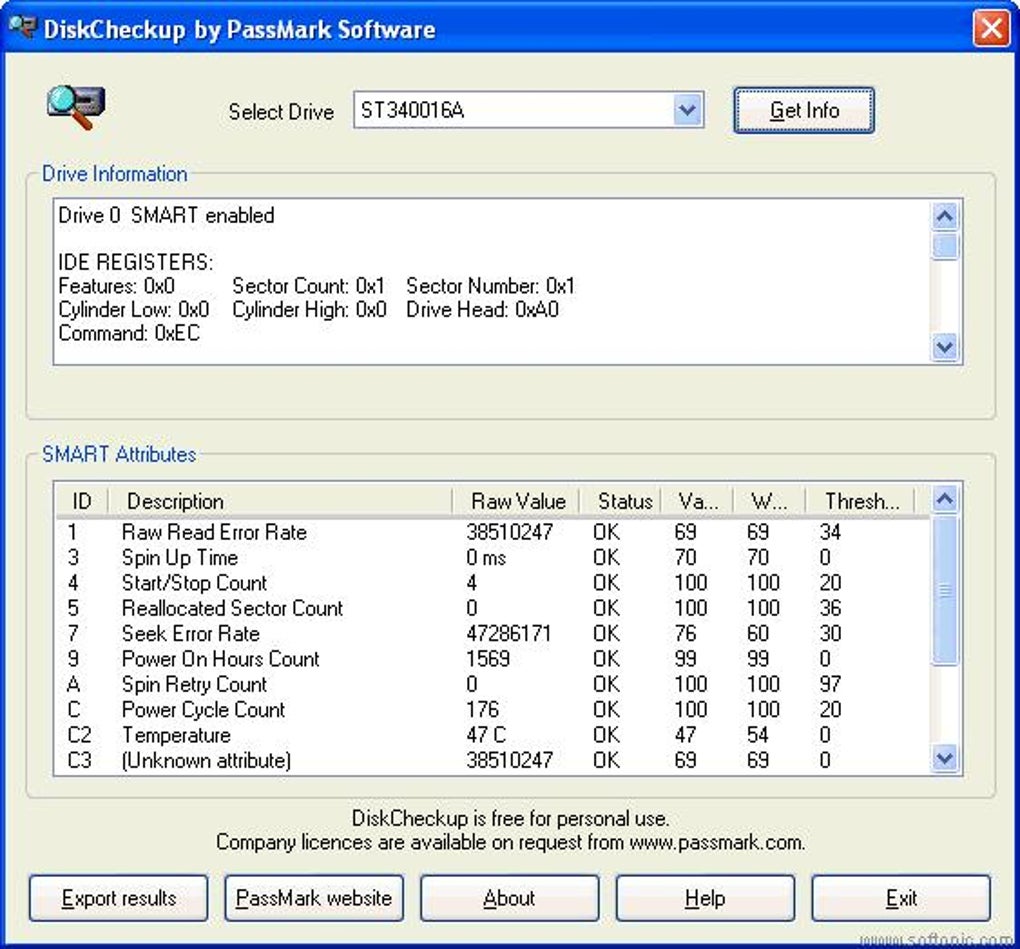
Drive access matters as much as the application: SMART support and compatible drivers are required. PassMark excludes SCSI and hardware RAID, and some older USB or FireWire bridges do not pass SMART commands. The screenshot shows an older DiskCheckup interface supplied by Softonic; it illustrates the drive selector and SMART table, not the appearance of the current release.
What it offers
- View SMART attribute values and their manufacturer-defined thresholds.
- Inspect drive information, including model, serial number and supported features.
- Run short and extended vendor-provided Disk Self-Test routines on supported drives.
- Track SMART changes over time and configure email notifications for threshold conditions.
Good to know
- Requires a SMART-capable drive and compatible drivers; SCSI and hardware RAID are not supported.
- Some older USB and FireWire bridges do not support the SMART commands needed for monitoring.
- Threshold Exceed Condition dates are estimates only and should not be treated as accurate failure predictions.
Product images
Sources
References used for this listing. Retrieval dates do not indicate hands-on testing.
More in utilities
View category ↗
1.1.1.1 with WARP 2026.8.2115.0
Encrypt traffic from your Mac to Cloudflare’s network with WARP, or use DNS-only mode for encrypted DNS queries to the 1.1.1.1 resolver.
1.1.1.1 with WARP 2026.8.2115.0
Encrypt traffic between your Windows PC and Cloudflare, or use encrypted DNS only, with the free 1.1.1.1 with WARP app.

3uTools 9.12.005
Manage iPhone and iPad photos, music, apps and backups from Windows with 3uTools, a free utility that also includes device checks and firmware flashing tools.