

Utilities Windows
Disketch CD Labeling Software for Windows
Design CD, DVD and Blu-ray labels and jewel-case covers with Disketch for Windows. Import artwork, arrange text and print labels; the free edition is for non-commercial use only.
- Operating system
- Windows 7 to 11, as listed by the publisher
- Architecture
- Not specified by the publisher in the retrieved sources
- Download package
- EXE installer
Selected publisher download is the free non-commercial edition. Package version and architecture were not verified; the installer was not downloaded or run.
Link checked · Download guidance
What is Disketch CD Labeling Software?
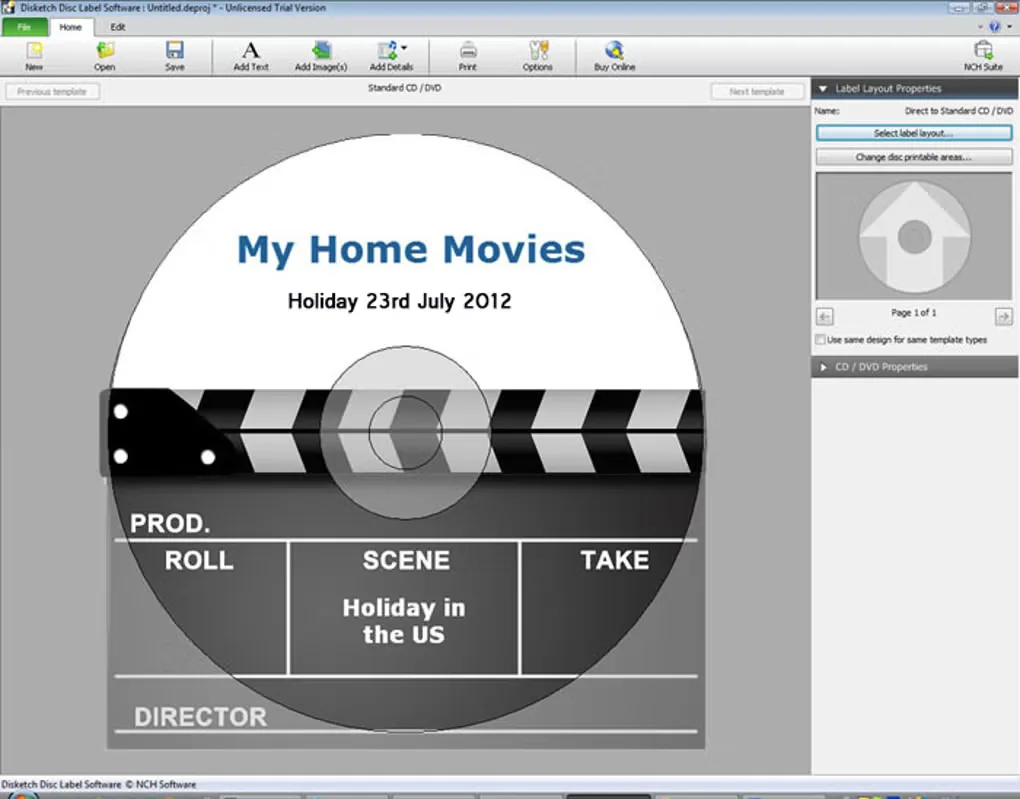
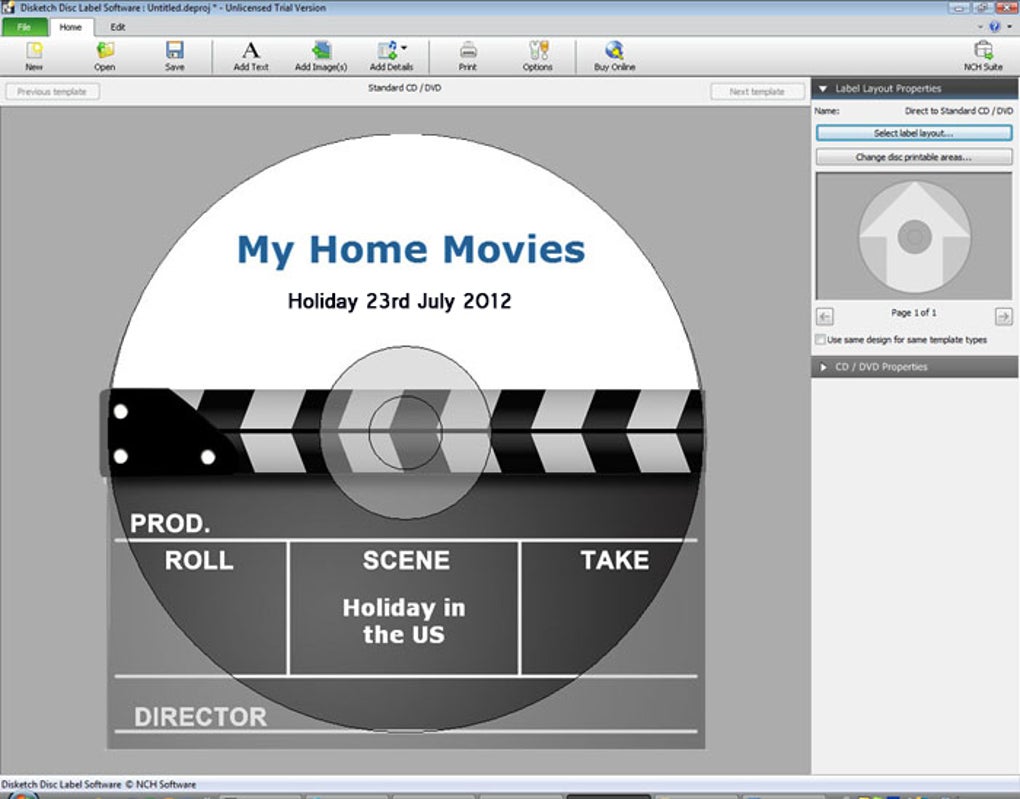
Disketch is a disc-label designer for creating CD, DVD and Blu-ray labels, plus covers for CD and DVD jewel cases. Choose a label layout or template, add your own photos or artwork, and arrange text for titles, artist details or track lists. It suits making matching labels and covers for home music, video and data collections.
The editor lets you move and layer images and text, adjust text size and alignment, and change the disc background color. It can import track names from a CD in your drive. Print to sticky labels, export a design for a print shop, or print directly onto suitable discs if you have a disc printer.
This download is the publisher's free non-commercial edition. That license does not cover commercial use. Printing directly onto a CD or DVD requires a disc printer; an ordinary paper printer does not provide that capability.
What it offers
- Create CD, DVD and Blu-ray disc labels and covers for CD and DVD jewel cases.
- Start from a label layout or template and personalize it with imported photos or artwork.
- Move and layer text and images, format and align text, and change the background color.
- Import track names from a CD in your disc drive.
- Print sticky labels, export designs for a print shop, or use a disc printer for direct-to-disc printing.
Good to know
- The free edition is available for non-commercial use only.
- Printing directly onto CDs or DVDs requires a disc printer.
Product images
Sources
References used for this listing. Retrieval dates do not indicate hands-on testing.
More in utilities
View category ↗
1.1.1.1 with WARP 2026.8.2115.0
Encrypt traffic from your Mac to Cloudflare’s network with WARP, or use DNS-only mode for encrypted DNS queries to the 1.1.1.1 resolver.
1.1.1.1 with WARP 2026.8.2115.0
Encrypt traffic between your Windows PC and Cloudflare, or use encrypted DNS only, with the free 1.1.1.1 with WARP app.

3uTools 9.12.005
Manage iPhone and iPad photos, music, apps and backups from Windows with 3uTools, a free utility that also includes device checks and firmware flashing tools.