
Utilities Windows
DiskPulse Server
Monitor file creation, modification, deletion and renaming with DiskPulse Server for Windows. Run parallel disk-change monitors, save reports and trigger email alerts or commands.
- Operating system
- Windows 11 and 10; Windows Server 2025, 2022, 2019 and 2016; older versions also listed by publisher
- Architecture
- x64
- Download package
- EXE installer
Selected download is DiskPulse Server for 64-bit Windows. Separate 32-bit and Enterprise packages are available.
Link checked · Download guidance
What is DiskPulse Server?
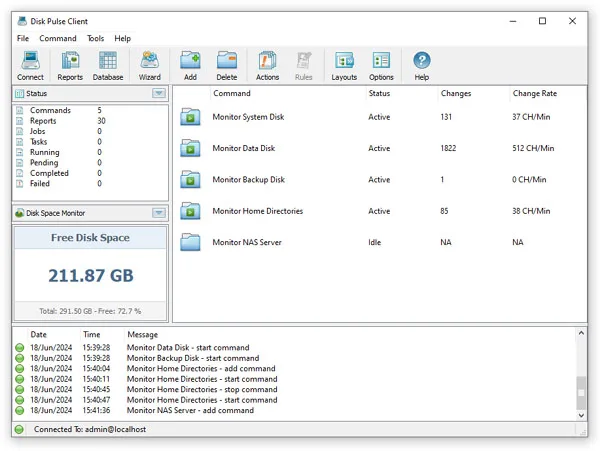
DiskPulse Server watches selected disks and directories for file-system changes. It records created, modified, deleted and renamed files so administrators can review activity without manually comparing directory listings. The service runs in the background, while a client GUI or command-line utility controls monitoring locally or over the network.
Monitoring profiles let you choose directories, event types and file-type rules. Detected changes can be reviewed by category, exported as reports or sent to an SQL database. Configurable actions send email notifications, save a report or run a custom command after a specified number of changes.
This download is the commercial Server edition, not a free desktop edition or DiskPulse Enterprise. The publisher limits Server to 100 million files, 100 TB of storage and 100 monitors. Enterprise adds its own centralized reports database, centralized analysis rules and a web-based management interface; those features are not included in Server.
What it offers
- Detect file creation, modification, deletion and renaming in selected disks and directories.
- Run multiple monitoring operations as a background service, controlled through a client GUI or command line.
- Choose event types and use file-type rules to focus monitoring.
- Save reports in HTML, PDF, Excel, JSON, XML, text or CSV formats.
- Export changes to an SQL database and trigger email notifications or custom commands at configured change counts.
Good to know
- Server is a commercial edition that requires a purchased license and registration; this listing does not claim a free license.
- Server is limited to 100 million files, 100 TB of storage and 100 monitors.
- The built-in centralized reports database, centralized analysis rules and web management interface require Enterprise.
Product images
Sources
References used for this listing. Retrieval dates do not indicate hands-on testing.
- DiskPulse - Disk Change Monitor - Downloads ↗Retrieved
- DiskPulse - Disk Change Monitor - Product Overview ↗Retrieved
- DiskPulse - Disk Change Monitor - Product Versions and Features ↗Retrieved
- DiskPulse - Disk Change Monitor - DiskPulse Server Registration ↗Retrieved
- DiskPulse - Disk Change Monitor - DiskPulse GUI Screenshots ↗Retrieved
- DiskPulse - Disk Change Monitor - Supported Operating Systems ↗Retrieved
- DiskPulse - Disk Change Monitor - About ↗Retrieved
More in utilities
View category ↗
1.1.1.1 with WARP 2026.8.2115.0
Encrypt traffic from your Mac to Cloudflare’s network with WARP, or use DNS-only mode for encrypted DNS queries to the 1.1.1.1 resolver.
1.1.1.1 with WARP 2026.8.2115.0
Encrypt traffic between your Windows PC and Cloudflare, or use encrypted DNS only, with the free 1.1.1.1 with WARP app.


3uTools 9.12.005
Manage iPhone and iPad photos, music, apps and backups from Windows with 3uTools, a free utility that also includes device checks and firmware flashing tools.