
Utilities macOS
Displaperture
Round your Mac's display corners with Displaperture, a free utility from Many Tricks with adjustable corner radius and display selection.
- Operating system
- macOS 10.13 High Sierra or newer
- Architecture
- Apple silicon and Intel; publisher documents universal support since version 2.0
- Download package
- DMG disk image
Publisher download selector resolves to displaperture300.dmg. Package contents were not downloaded or inspected.
Link checked · Download guidance
What is Displaperture?
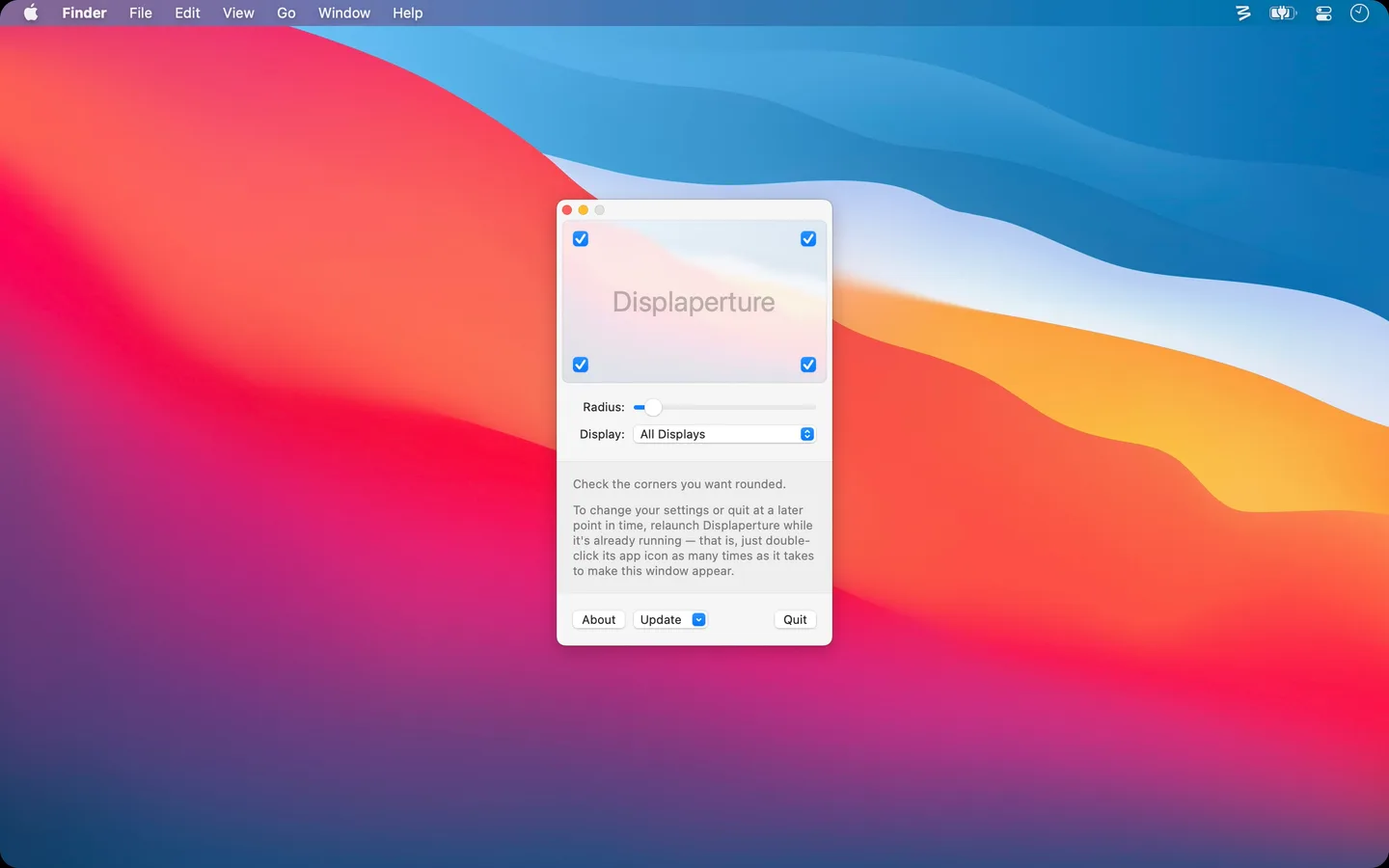
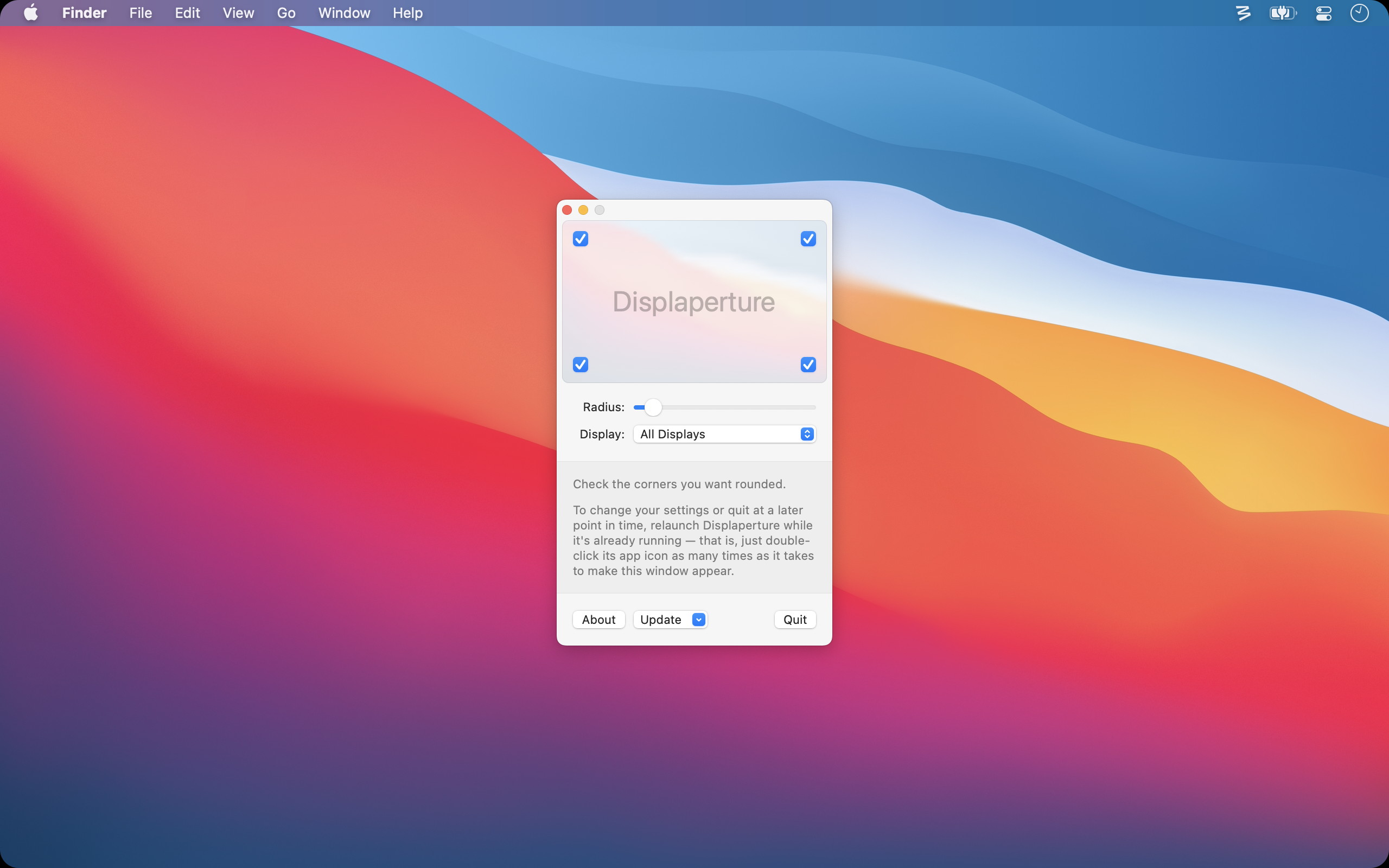
Displaperture adds rounded corners to your Mac's display. It is a small visual customization utility for people who prefer a rounded screen outline, rather than a tool for rearranging windows. Its publisher screenshot shows individual corner switches, a radius slider and a display selector.
Version 3.0 can draw rounded corners behind windows when the menu bar is transparent or the top corners are disabled, improving how the effect works with full-screen windows. The release notes also describe a continuous-rounding, or squircle, option introduced in version 2.3. At small radii, the publisher says this shape is almost indistinguishable from ordinary rounding.
Many Tricks lists the app as free and requires macOS 10.13 High Sierra or newer. On macOS 27, reopening an already-running copy to show its settings incurs a one-second delay, a documented side effect of a Siri compatibility workaround. The screenshot is the publisher's older interface illustration, not a capture of version 3.0, whose release notes report an updated interface.
What it offers
- Add rounded corners to the Mac display and adjust their radius.
- Choose which corners to round; the publisher illustration also shows a display selector.
- Use continuous rounding (squircle), introduced in version 2.3, as an alternative corner shape.
- Version 3.0 can draw the corners behind windows when the menu bar is transparent or the top corners are disabled.
Good to know
- Requires macOS 10.13 High Sierra or newer.
- The difference between continuous rounding and ordinary rounding is almost impossible to see at small radii, according to the publisher.
- On macOS 27, reopening the running app to show settings takes one second because of a documented compatibility workaround.
Product images
Sources
References used for this listing. Retrieval dates do not indicate hands-on testing.
- Displaperture · Many Tricks ↗Retrieved
- Displaperture: Release Notes · Many Tricks ↗Retrieved
More in utilities
View category ↗
1.1.1.1 with WARP 2026.8.2115.0
Encrypt traffic from your Mac to Cloudflare’s network with WARP, or use DNS-only mode for encrypted DNS queries to the 1.1.1.1 resolver.
1.1.1.1 with WARP 2026.8.2115.0
Encrypt traffic between your Windows PC and Cloudflare, or use encrypted DNS only, with the free 1.1.1.1 with WARP app.

3uTools 9.12.005
Manage iPhone and iPad photos, music, apps and backups from Windows with 3uTools, a free utility that also includes device checks and firmware flashing tools.