

Utilities Windows
Ditto for Windows
Save, search and reuse copied text, images and HTML with Ditto, a free, open-source clipboard manager for Windows.
- Operating system
- Windows; Windows 11 listed by Softonic
- Architecture
- x64-compatible
- Download package
- EXE installer
Publisher installer source restricts installation to x64-compatible systems. A separate portable ZIP is available. Runtime compatibility was not tested.
Link checked · Download guidance
What is Ditto?
Ditto keeps a history of items copied to the Windows clipboard so you can retrieve an earlier clip instead of copying it again. It stores clipboard entries in a database and handles text, images, HTML and custom clipboard formats. That makes it useful when moving several pieces of information between documents or returning to a frequently used snippet.
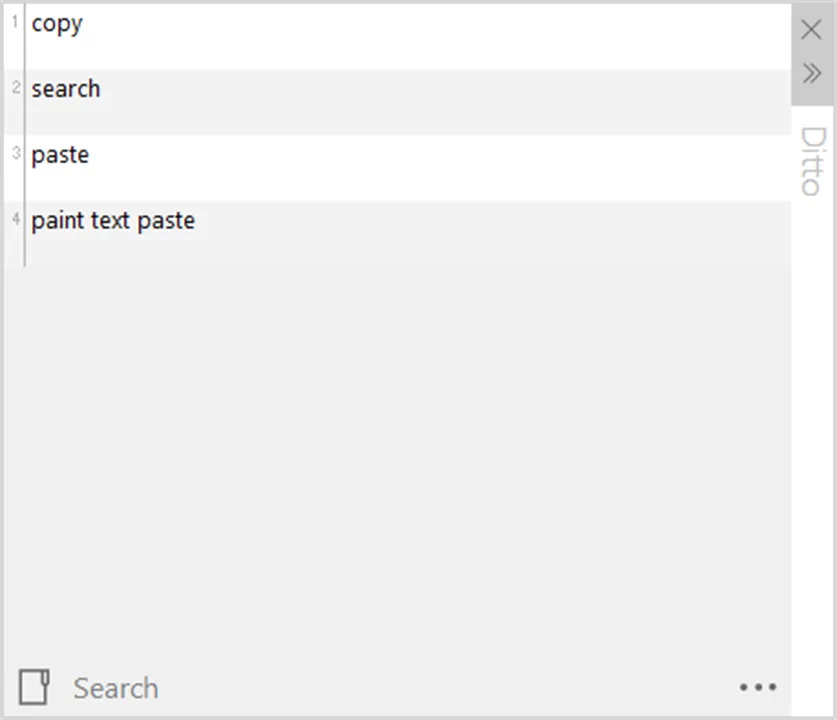
Open the clip list from the system tray or with the default Ctrl + backquote shortcut, search for an entry, and double-click it or press Enter to paste it into the previous window. The publisher also documents customizable keyboard shortcuts, groups for organizing clips and a plain-text paste command.
The linked download is the publisher's version 3.25.113.0 EXE installer, not the separate portable ZIP. Its installer is restricted to x64-compatible Windows systems; it is not a 32-bit Windows package. Ditto retains copied information in its history, so sensitive clipboard content needs the same care as other stored data. The screenshot comes from the publisher-linked Microsoft Store listing and illustrates the clip list, not a verified capture of this exact release.
What it offers
- Keep earlier clipboard entries in a database for later reuse.
- Save text, images, HTML and custom clipboard formats.
- Search previous clips and paste a selected entry with Enter or a double-click.
- Open the history through a tray icon or global hotkey, with customizable keyboard shortcuts.
- Organize clips into groups or paste text without its formatting.
Good to know
- The linked installer requires x64-compatible Windows and is not a 32-bit Windows package.
- Copied information is retained in a clipboard-history database; sensitive clips need deliberate management.
Product images
Sources
References used for this listing. Retrieval dates do not indicate hands-on testing.
- Ditto - Download — normal-browser product page ↗Retrieved
- Ditto - Clipboard Manager | Ditto — publisher homepage ↗Retrieved
- sabrogden/Ditto — publisher repository and license ↗Retrieved
- Home — Ditto publisher wiki ↗Retrieved
- Ditto 3.25.113.0 — publisher installer source ↗Retrieved
- Ditto Clipboard — Microsoft Store publisher-linked listing ↗Retrieved
More in utilities
View category ↗
1.1.1.1 with WARP 2026.8.2115.0
Encrypt traffic from your Mac to Cloudflare’s network with WARP, or use DNS-only mode for encrypted DNS queries to the 1.1.1.1 resolver.
1.1.1.1 with WARP 2026.8.2115.0
Encrypt traffic between your Windows PC and Cloudflare, or use encrypted DNS only, with the free 1.1.1.1 with WARP app.

3uTools 9.12.005
Manage iPhone and iPad photos, music, apps and backups from Windows with 3uTools, a free utility that also includes device checks and firmware flashing tools.