

Utilities Windows
DMDE for Windows
Recover lost files, inspect partitions and work with disk images using DMDE for Windows. The free edition recovers up to 4,000 files from one selected directory per request.
- Operating system
- 64-bit Windows; publisher recommends Windows Vista or higher
- Architecture
- x64
- Download package
- ZIP archive, graphical application
Extract the whole package into one directory; administrator privileges are required for device access. Separate 32-bit and console packages are available. Run from a disk other than the one containing lost data.
Link checked · Download guidance
What is DMDE?
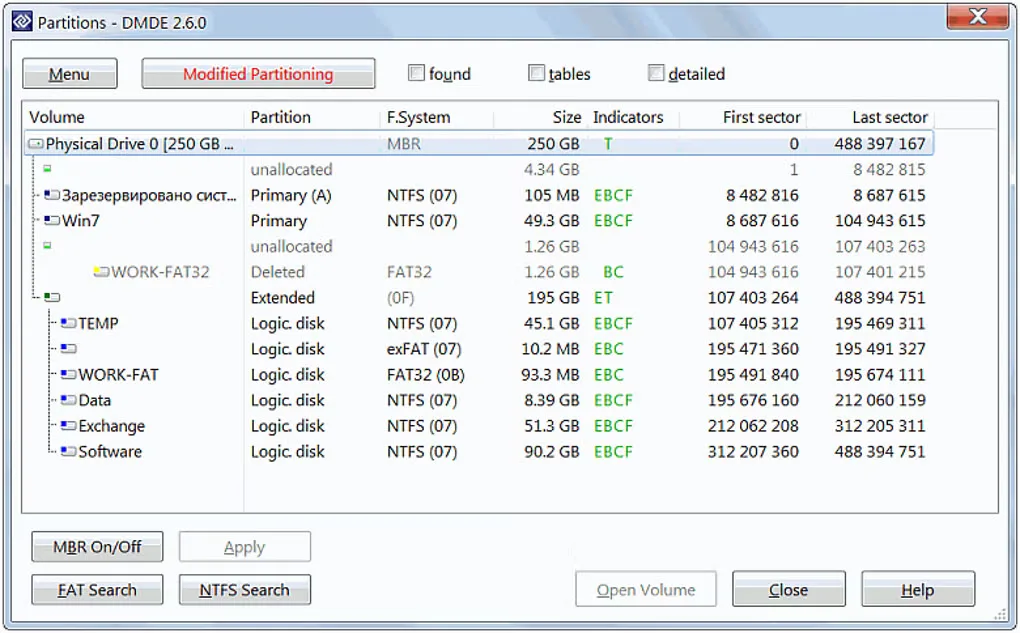
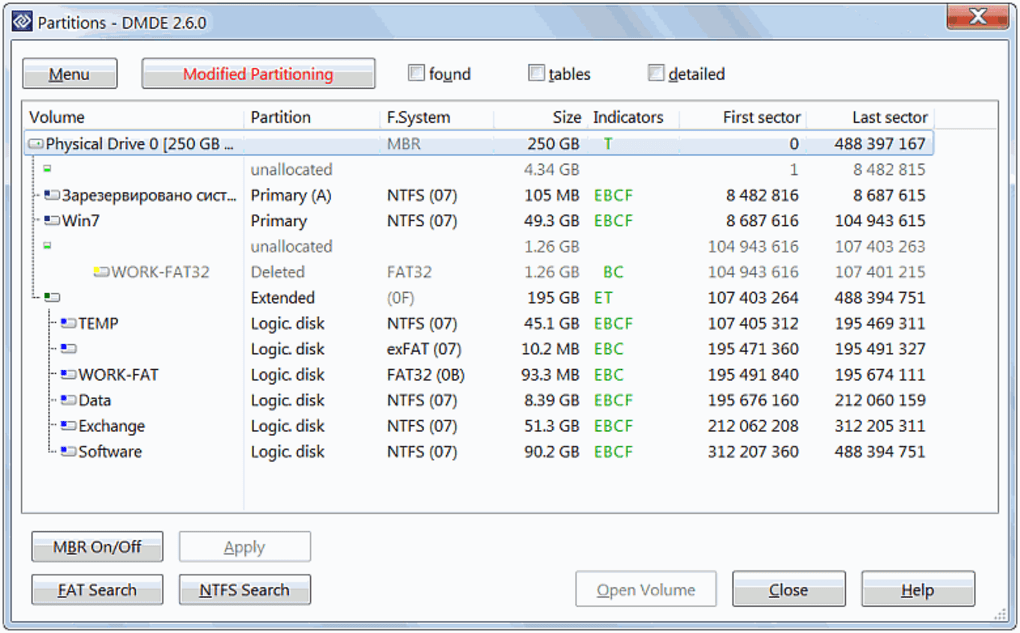
DMDE searches disks for lost files and partitions and lets you inspect the results before recovering data to another drive. It combines a file browser with full-scan tools, a disk editor, disk imaging and a virtual RAID constructor. Supported file systems include NTFS, FAT, exFAT, ReFS, Ext2/3/4, HFS+, APFS and Btrfs; file-system support is not restricted to the operating system running DMDE.
The linked download is the publisher's Windows 64-bit graphical ZIP package, version 4.4.4. Extract the complete package into a separate folder to run it; administrator privileges are required for device access. Keep the program and recovered files off the disk containing lost data, because writing to that disk can overwrite recoverable content.
The free edition permits repeated recovery requests, but each request is limited to up to 4,000 files from one selected directory. Paid editions add bulk-folder recovery. Buying a license does not repair inaccessible or corrupted files: the publisher advises checking recovery with the free version first. For drives showing physical problems, including input/output errors or abnormal slowness, the publisher recommends contacting specialists.
What it offers
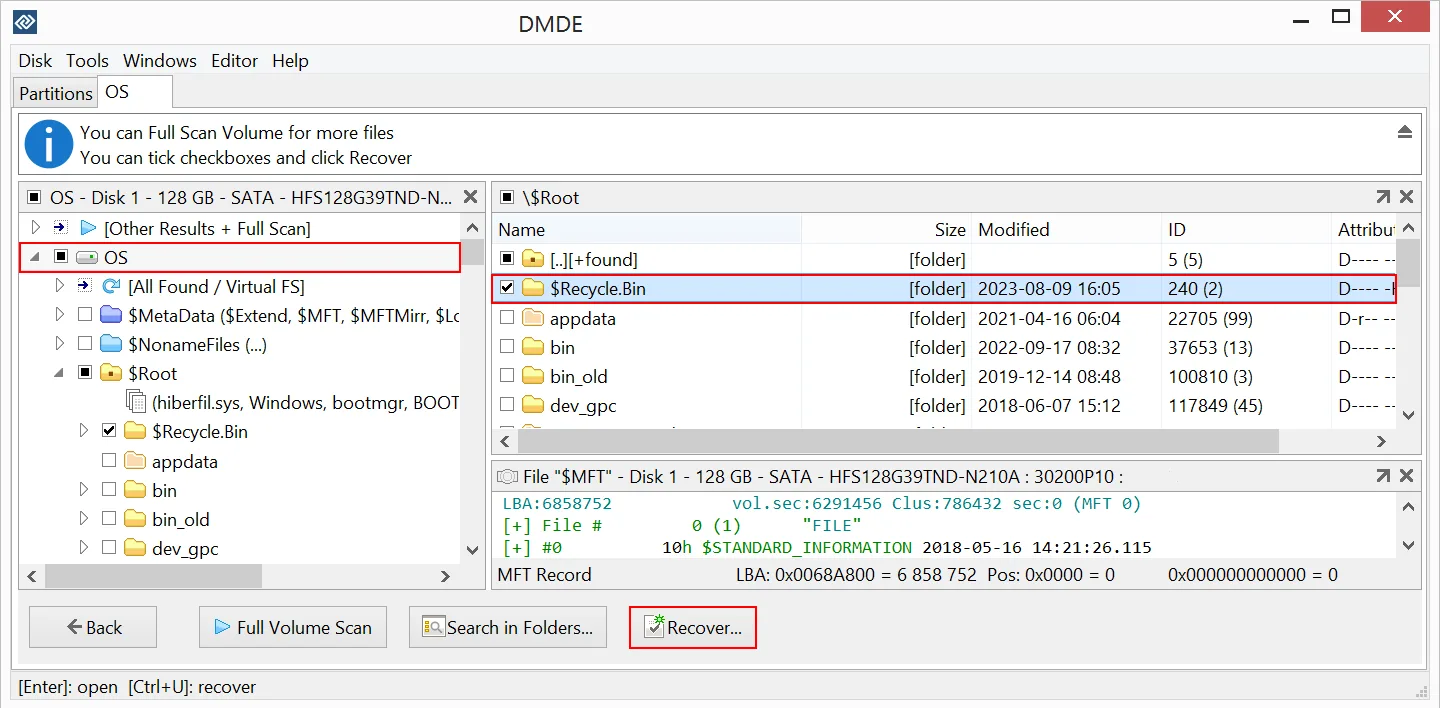
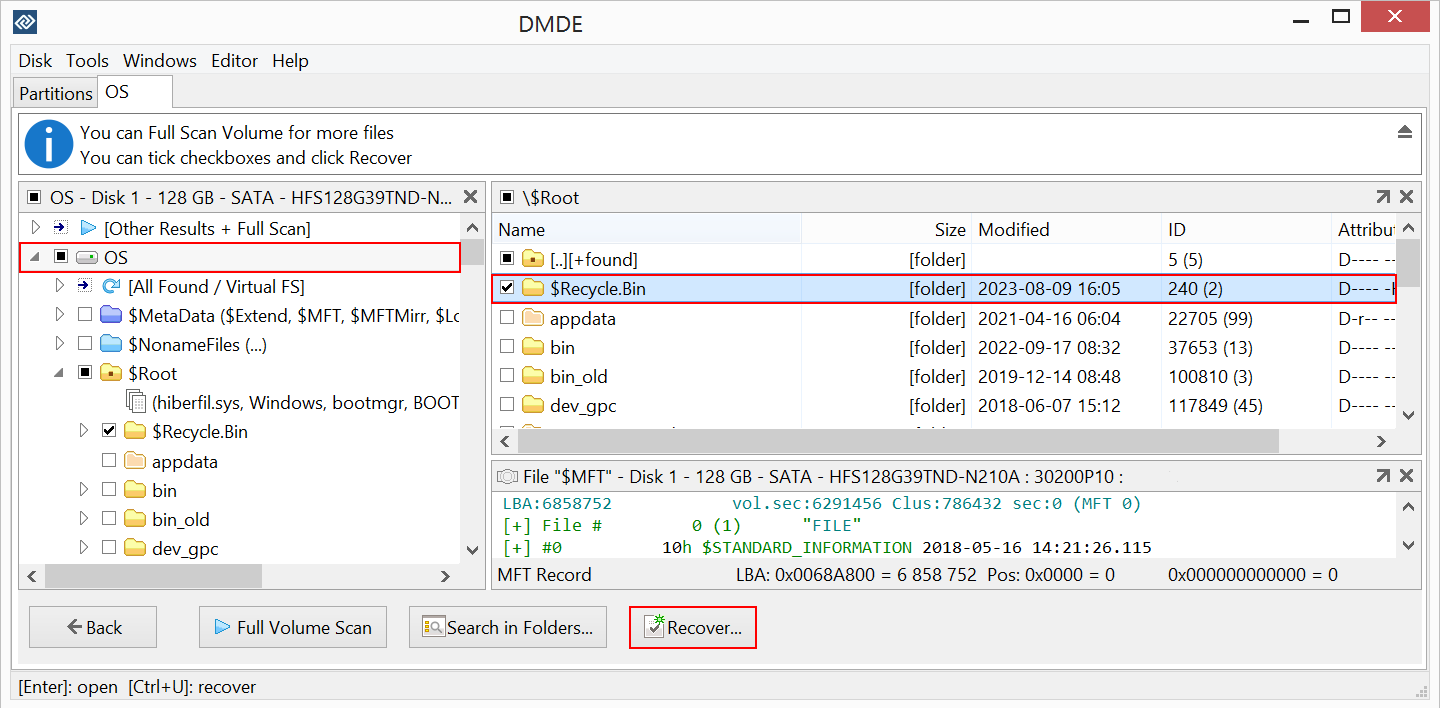
- Search for lost volumes and files with full scans and file-signature recovery.
- Browse recovered directory structures and preview common image formats before choosing files to recover.
- Read supported Windows, Linux and Mac file systems from the Windows application.
- Create disk images and clones, inspect disk structures with the disk editor, and virtually reconstruct supported RAID layouts.
Good to know
- Free recovery is for non-commercial use and is limited to up to 4,000 files from one selected directory per request, without nested directories; bulk-folder recovery requires a paid edition.
- A paid license cannot make inaccessible or corrupted files recoverable; verify recovered files with the free edition before purchasing.
- Do not write to the disk containing lost data. Recover to a different disk, and seek specialist help for drives with physical problems.
Product images
Sources
References used for this listing. Retrieval dates do not indicate hands-on testing.
- DMDE Data Recovery for PC and Mac [2026 Updated] ↗Retrieved
- Download DMDE - All Versions (DM Disk Editor and Data Recovery Software) ↗Retrieved
- Buy DMDE (DM Disk Editor and Data Recovery Software) ↗Retrieved
- DMDE - Installation and Run ↗Retrieved
- DMDE - System Requirements ↗Retrieved
- DMDE - How to Use (DM Disk Editor and Data Recovery Software) ↗Retrieved
- DMDE 4.4 - End-User License Agreement ↗Retrieved
- DMDE - DM Disk Editor and Data Recovery - Download ↗Retrieved
More in utilities
View category ↗
1.1.1.1 with WARP 2026.8.2115.0
Encrypt traffic from your Mac to Cloudflare’s network with WARP, or use DNS-only mode for encrypted DNS queries to the 1.1.1.1 resolver.
1.1.1.1 with WARP 2026.8.2115.0
Encrypt traffic between your Windows PC and Cloudflare, or use encrypted DNS only, with the free 1.1.1.1 with WARP app.

3uTools 9.12.005
Manage iPhone and iPad photos, music, apps and backups from Windows with 3uTools, a free utility that also includes device checks and firmware flashing tools.