

Utilities Windows
DNS Jumper for Windows
Change Windows DNS settings, compare DNS resolution times and restore previous settings with DNS Jumper, a free portable utility from Sordum.
- Operating system
- Windows 11, 10, 8.1, 8, 7, Vista and XP, as listed by Sordum
- Architecture
- x86 and x64, as listed by Sordum
- Download package
- ZIP archive containing the portable application
No installation required. Publisher compatibility statements were not independently runtime-tested; archive contents were not downloaded or inspected.
Link checked · Download guidance
What is DNS Jumper?
DNS Jumper changes the DNS servers used by your Windows network adapters without making you edit each adapter through Windows network menus. Choose a provider from its list or enter custom DNS addresses, then apply the selection. IPv4 and IPv6 settings are supported. The portable application needs no installation and does not need to remain running after a DNS change.
The Fastest DNS tool compares resolution times to help you choose a server; backup and restore controls let you return to previous settings. Treat the results as DNS lookup measurements, not a guarantee of faster downloads or lower gaming latency: Sordum explains that the test resolves a domain name rather than measuring the same thing as the Windows ping command. Security software can also affect measured times or block the tool's ping feature.
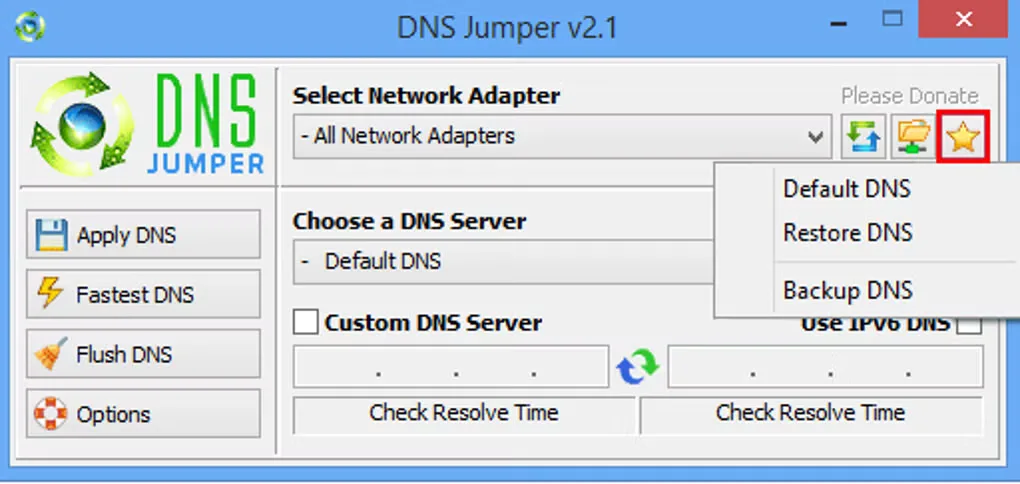
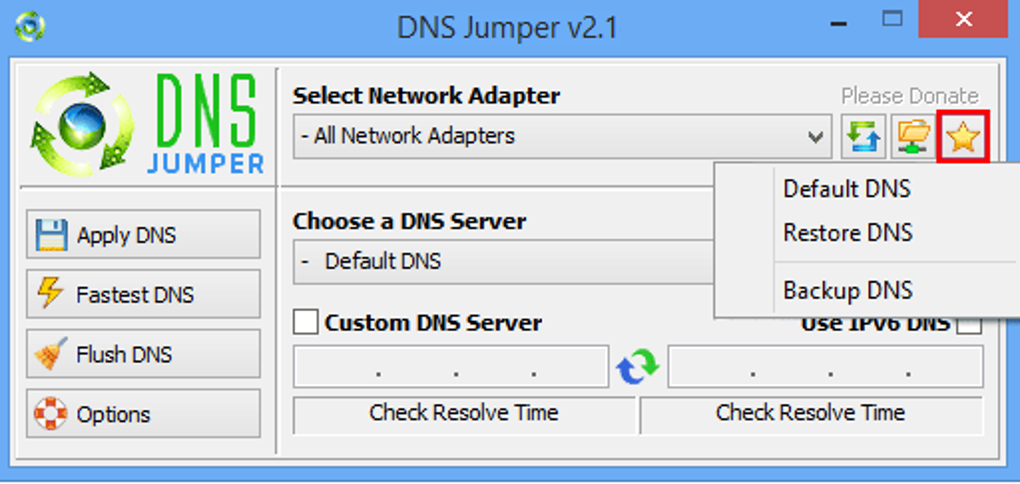
This entry links to the publisher-hosted ZIP archive for version 2.3. Sordum's version history dates that release to November 9, 2023. The gallery image shows the older v2.1 interface with the DNS backup and restore menu open; it illustrates the controls rather than documenting a run of the current download.
What it offers
- Apply a listed DNS provider or custom DNS addresses to Windows network adapters.
- Configure IPv4 and IPv6 DNS settings.
- Compare DNS resolution times with the Fastest DNS tool.
- Back up DNS settings, restore previous settings or return to default DNS.
- Use a portable application without installation; close it after applying a DNS change.
Good to know
- DNS resolution timings are not equivalent to Windows ping results and do not establish faster download speeds or lower gaming latency.
- Sordum warns that security software can inflate resolution timings or block the ping feature.
Product images
Sources
References used for this listing. Retrieval dates do not indicate hands-on testing.
More in utilities
View category ↗
1.1.1.1 with WARP 2026.8.2115.0
Encrypt traffic from your Mac to Cloudflare’s network with WARP, or use DNS-only mode for encrypted DNS queries to the 1.1.1.1 resolver.
1.1.1.1 with WARP 2026.8.2115.0
Encrypt traffic between your Windows PC and Cloudflare, or use encrypted DNS only, with the free 1.1.1.1 with WARP app.

3uTools 9.12.005
Manage iPhone and iPad photos, music, apps and backups from Windows with 3uTools, a free utility that also includes device checks and firmware flashing tools.