

Utilities macOS
DockDoor for macOS
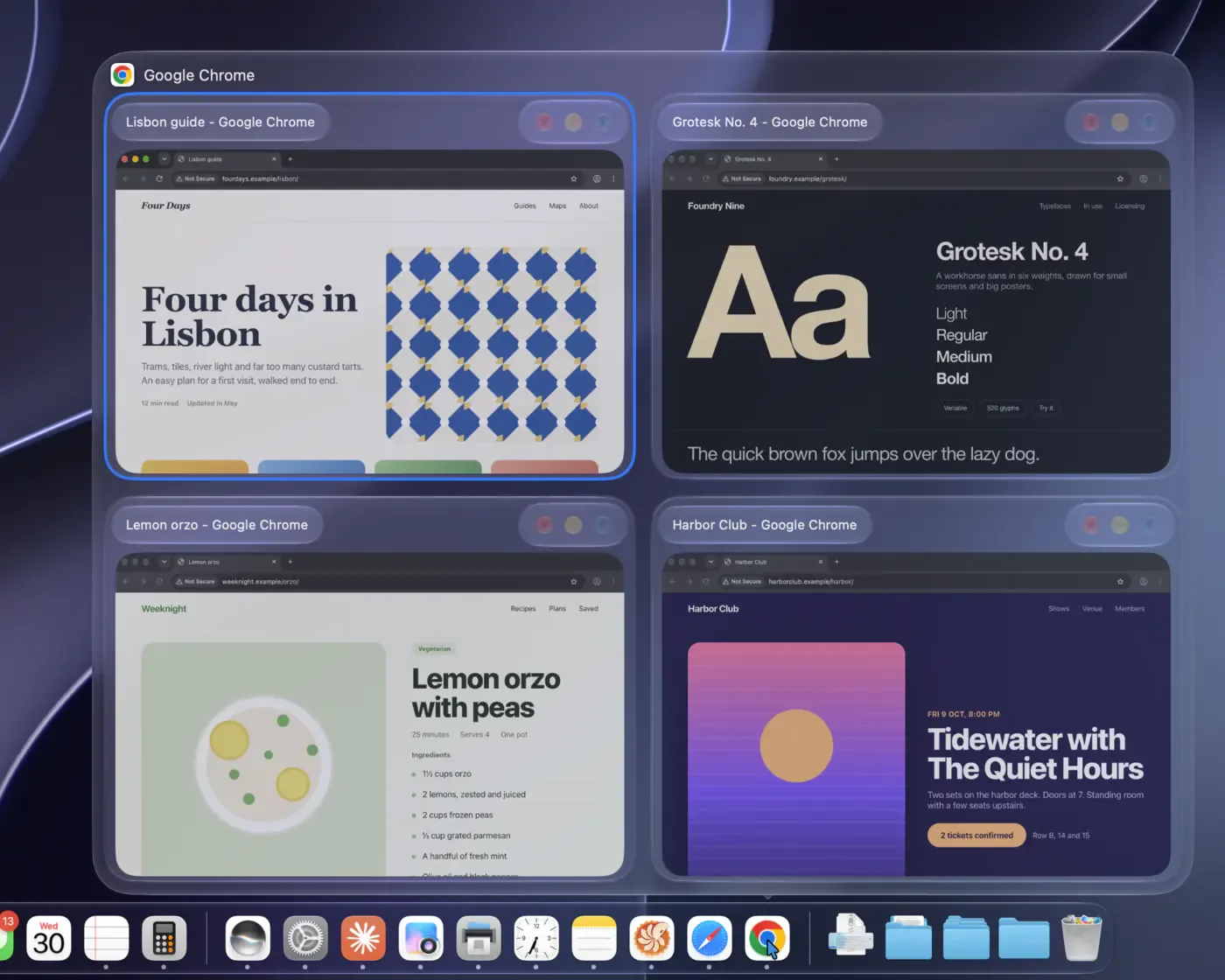
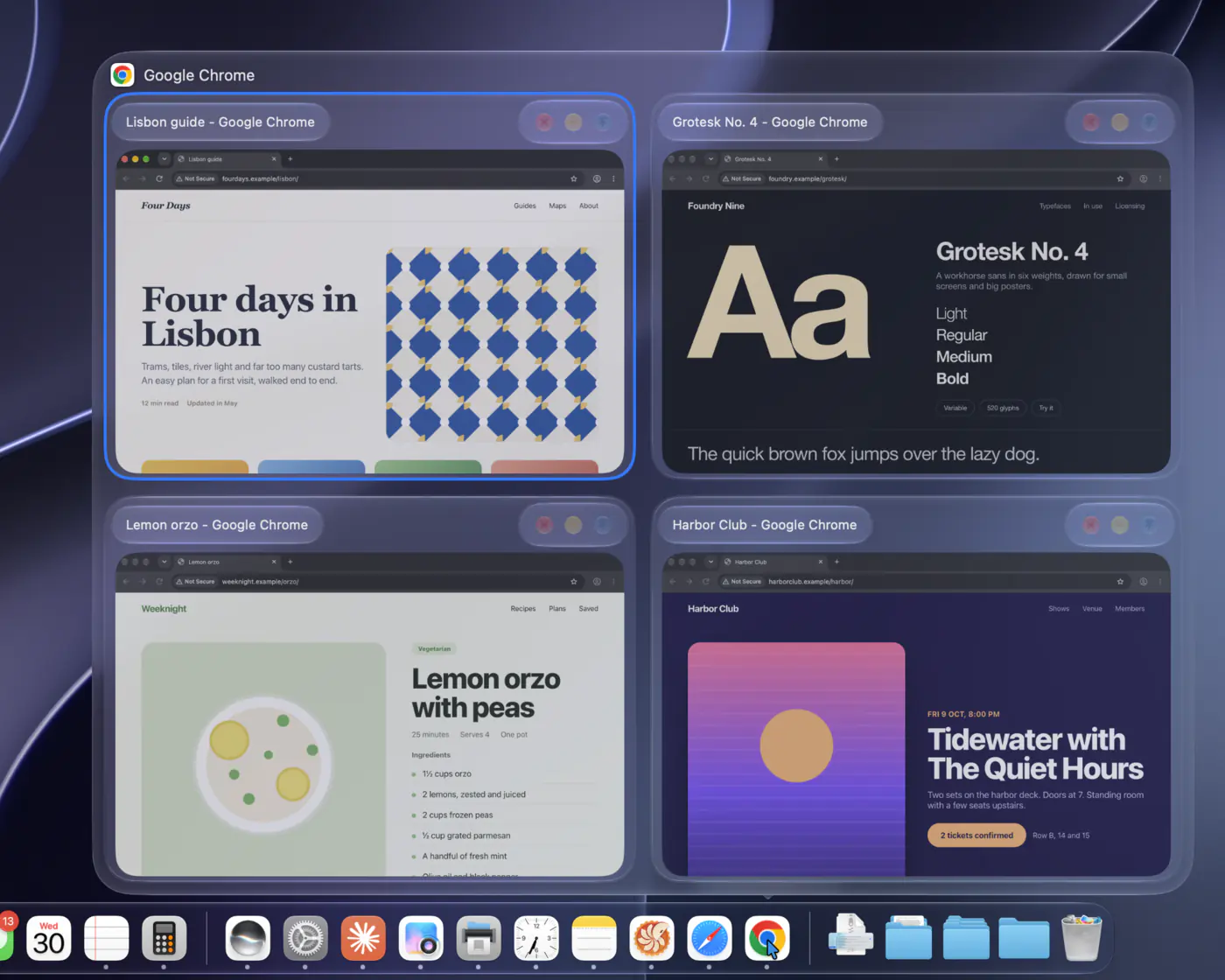
Preview an app's open windows from the Mac Dock and switch between individual windows with Option-Tab using DockDoor, a free, open-source utility.
- Operating system
- macOS 13 Ventura or later
- Architecture
- Apple silicon and Intel
- Download package
- DMG disk image
Requires Accessibility and Screen Recording permissions. Liquid Glass styling requires macOS 26 or later.
Link checked · Download guidance
What is DockDoor?
DockDoor adds window previews to the built-in macOS Dock. Hover over an app's icon to see its windows, then select a thumbnail to bring that window forward. Preview controls can close or minimize windows without first switching into the app. This is useful when several documents or browser windows share one Dock icon.
Its Option-Tab switcher works with individual windows rather than just applications. You can search for a window, change the shortcut and choose thumbnail, compact-list or larger preview layouts. Optional gestures add window snapping and minimize or restore actions.
DockDoor requires macOS Accessibility and Screen Recording permissions to find windows and display their previews. The publisher notes that some apps with unusual UI frameworks may expose fewer windows or miss actions. Liquid Glass styling requires macOS 26 or later, although the app supports macOS 13 Ventura and later. DockDoor extends the existing Dock; the paid DockDoor Pro replacement is a separate app, not an included upgrade.
What it offers
- Hover over a Dock icon to preview its windows, including windows on other desktops and displays.
- Switch between individual windows with Option-Tab, searchable results and a customizable shortcut.
- Select thumbnails or use preview controls to close or minimize windows.
- Choose thumbnail grids, compact title lists or larger previews.
- Enable optional gestures for snapping, minimizing and restoring windows.
Good to know
- Accessibility and Screen Recording permissions are required for window discovery and previews.
- Some apps with unusual UI frameworks may show fewer windows or skip actions, according to the publisher.
- Liquid Glass styling requires macOS 26 or later.
- DockDoor Pro is a separate paid Dock replacement; this free app extends the built-in Dock.
Product images
Sources
References used for this listing. Retrieval dates do not indicate hands-on testing.
More in utilities
View category ↗
1.1.1.1 with WARP 2026.8.2115.0
Encrypt traffic from your Mac to Cloudflare’s network with WARP, or use DNS-only mode for encrypted DNS queries to the 1.1.1.1 resolver.
1.1.1.1 with WARP 2026.8.2115.0
Encrypt traffic between your Windows PC and Cloudflare, or use encrypted DNS only, with the free 1.1.1.1 with WARP app.

3uTools 9.12.005
Manage iPhone and iPad photos, music, apps and backups from Windows with 3uTools, a free utility that also includes device checks and firmware flashing tools.