
Development macOS
Docker Desktop for macOS
Build container images and manage containers on your Mac with Docker Desktop. This download is the publisher's Apple silicon DMG; Intel Macs need a separate package.
- Operating system
- macOS: current and two previous major releases supported by Docker
- Architecture
- Apple silicon (ARM64)
- Download package
- DMG disk image
At least 4 GB of RAM. A separate Intel DMG is available from Docker. Rosetta 2 is recommended, not strictly required; some optional Darwin/AMD64 command-line tools still need it.
Link checked · Download guidance
What is Docker Desktop?
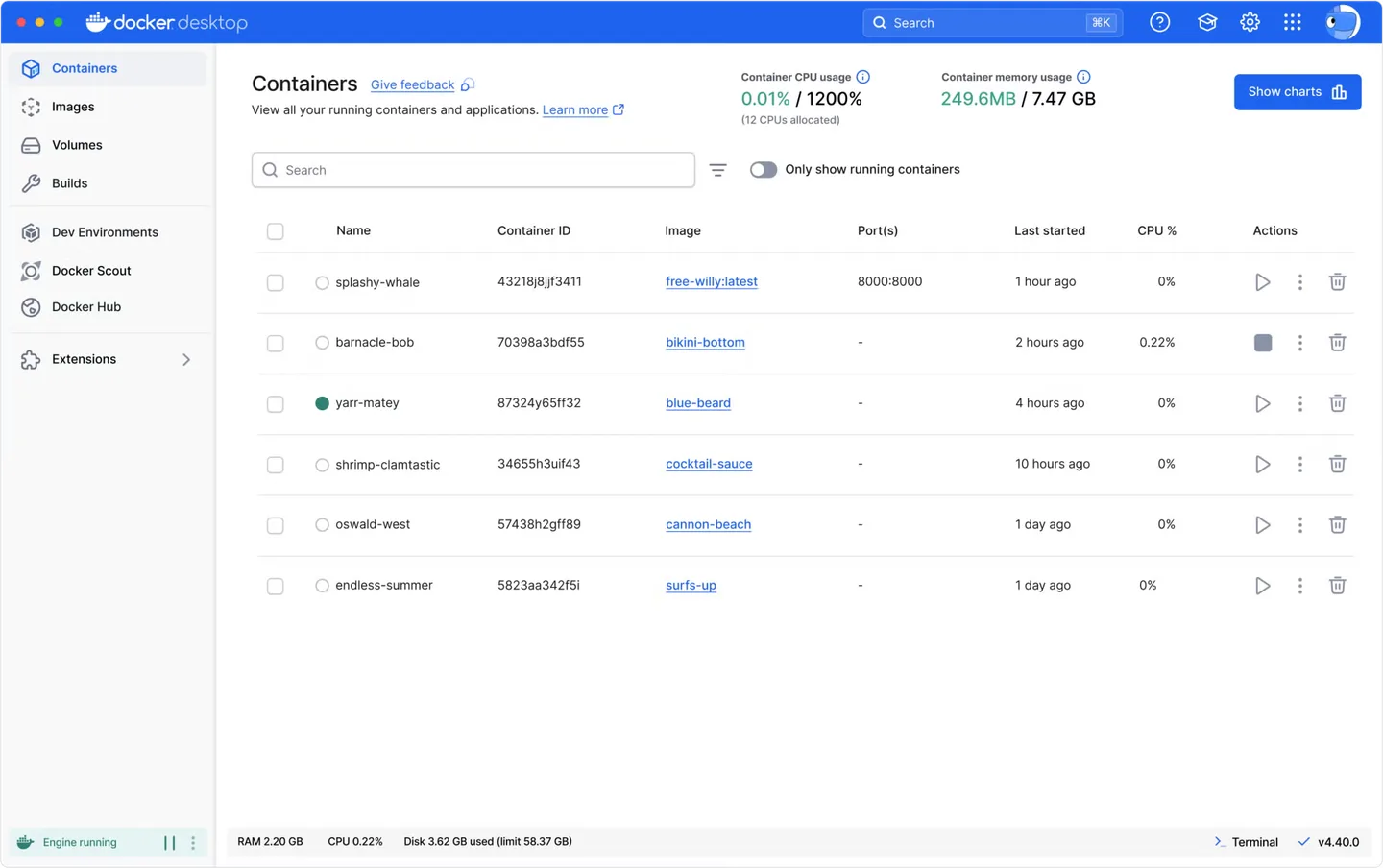
Docker Desktop brings container development tools into a Mac application. Its Dashboard gives you a central place to manage containers, images, volumes and builds, while the Docker CLI supports command-line workflows. Docker Compose handles applications made up of multiple containers, and built-in Kubernetes support provides another option for local development.
The download here targets Apple silicon Macs. Docker also offers a separate Intel package, so choose the installer that matches your processor. The publisher requires at least 4 GB of RAM and supports the current and two previous major macOS releases.
Free use depends on your circumstances: Docker lists personal use, education, non-commercial open source projects and qualifying small businesses as eligible. Other professional use and government entities require a paid subscription. Review the publisher's terms before using it at work.
What it offers
- Manage containers, images, volumes and builds from the Docker Desktop Dashboard.
- Build container images with Docker Build and run containers with Docker Engine.
- Use the Docker CLI for command-line container workflows.
- Define and run multi-container applications with Docker Compose.
- Use built-in Kubernetes support for local container orchestration.
Good to know
- Free use is conditional. Qualifying small businesses must have fewer than 250 employees and less than US$10 million in annual revenue; other professional use and government entities require a paid subscription.
- Requires at least 4 GB of RAM and a supported macOS release; support covers the current and two previous major releases.
- The linked DMG is for Apple silicon, not Intel Macs.
Product images
Sources
References used for this listing. Retrieval dates do not indicate hands-on testing.
More in development
View category ↗
010 Editor 17.0
Inspect and edit binary files on Mac with 010 Editor, a paid text and hex editor with Binary Templates, file comparison and a 30-day trial.
010 Editor 17.0
Inspect and edit binary files with 010 Editor for Windows, a text and hex editor with Binary Templates, file comparison and scripting. Includes a 30-day trial.
10x Editor
Edit and navigate C++ projects on Windows with a built-in parser, workspace search and Visual Studio project support. A paid license is required after the 30-day trial.