
Utilities Windows
DocPad
Edit plain-text files in tabs with DocPad, a free Windows Notepad alternative with regular-expression search, keyboard macros and restorable file backups.
- Operating system
- Windows Vista or later, according to the publisher
- Architecture
- Not specified on the publisher product page
- Download package
- EXE installer
Publisher lists Windows Vista or later without separate build requirements. Processor architecture and individual Windows-build behavior were not independently verified.
Link checked · Download guidance
What is DocPad?
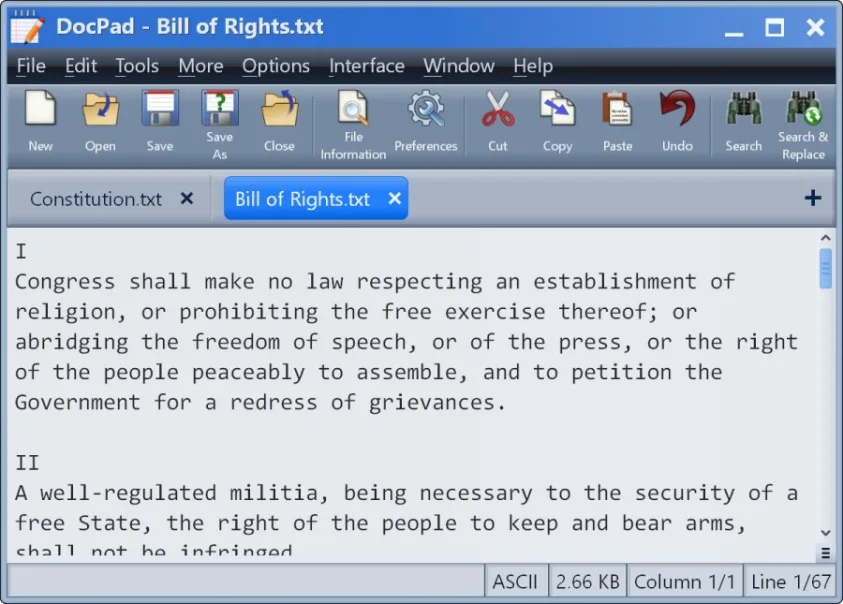
DocPad is Gammadyne Corporation's freeware plain-text editor for Windows. Its tabbed interface keeps several files in one window, while bookmarks, jump-to-line commands and block selection help you navigate and edit longer documents. It suits text cleanup: search and replace supports regular expressions, and built-in commands change case, trim trailing spaces and alphabetize paragraphs.
For repeated edits, DocPad offers keyboard macros and Quick Text snippets. Changed-file backups can be restored, and the editor supports undoing up to 100 changes. English and Spanish spell checking, print preview, a character map and a calculator are also included.
Choose it for plain text rather than formatted documents: the publisher says HTML import converts the content to plain text. The official product page lists version 35.0, released August 24, 2026, and requires Windows Vista or later. The linked EXE is the publisher's installer; the page does not specify its processor architecture. This entry documents publisher claims and a publisher screenshot, not a hands-on software test.
What it offers
- Open multiple plain-text files in a tabbed document interface.
- Search and replace using case-insensitive, whole-word or regular-expression matching.
- Automate repeated edits with keyboard macros and insert saved Quick Text snippets.
- Clean up text with case conversion, block indentation, paragraph alphabetization and trailing-space removal.
- Restore changed-file backups and undo up to 100 changes.
Good to know
- Plain-text editing is its purpose; HTML import converts to plain text rather than preserving formatted HTML documents.
- Undo history is limited to 100 changes, according to the publisher.
Product images
Sources
References used for this listing. Retrieval dates do not indicate hands-on testing.
More in utilities
View category ↗
1.1.1.1 with WARP 2026.8.2115.0
Encrypt traffic from your Mac to Cloudflare’s network with WARP, or use DNS-only mode for encrypted DNS queries to the 1.1.1.1 resolver.
1.1.1.1 with WARP 2026.8.2115.0
Encrypt traffic between your Windows PC and Cloudflare, or use encrypted DNS only, with the free 1.1.1.1 with WARP app.


3uTools 9.12.005
Manage iPhone and iPad photos, music, apps and backups from Windows with 3uTools, a free utility that also includes device checks and firmware flashing tools.