

Utilities macOS
Dolphin Emulator for macOS
Play GameCube and Wii games on a Mac with Dolphin, a free, open-source emulator with controller mapping and higher-resolution graphics.
- Operating system
- macOS 11.0 Big Sur and later, according to the publisher FAQ
- Architecture
- Universal: Apple silicon (ARM64) and Intel (x86-64)
- Download package
- DMG disk image
Publisher release-channel download. Requirements are publisher-stated; this package was not installed or run.
Link checked · Download guidance
What is Dolphin Emulator?
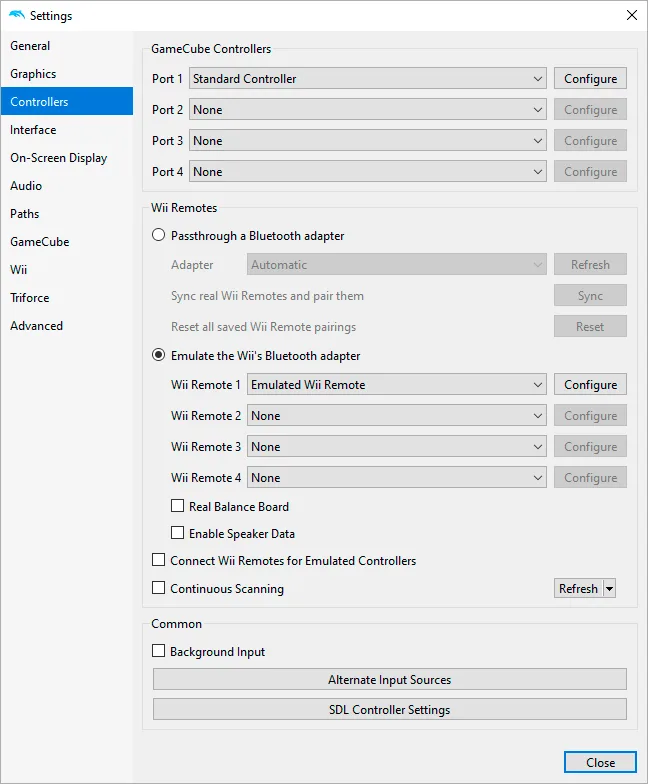
Dolphin Emulator runs GameCube and Wii games on macOS. It is useful for playing your own dumped games with configurable controls and graphics enhancements, including higher rendering resolutions. Controller settings support emulated GameCube controllers and real or emulated Wii Remotes, with keyboard or gamepad input mappings that can be saved as profiles.
This entry links to the publisher’s 2609a release as a universal macOS DMG for Apple silicon and Intel Macs. The publisher separates release builds from more frequently changing development versions; the older version shown on Softonic is not the download selected here.
Game compatibility and speed depend on the title, hardware and settings. Some games have visual or audio defects or can crash, and audio may stutter when emulation cannot maintain full speed. Consult the publisher’s game-specific documentation for known issues. Supply your own game dumps following the publisher’s guidance.
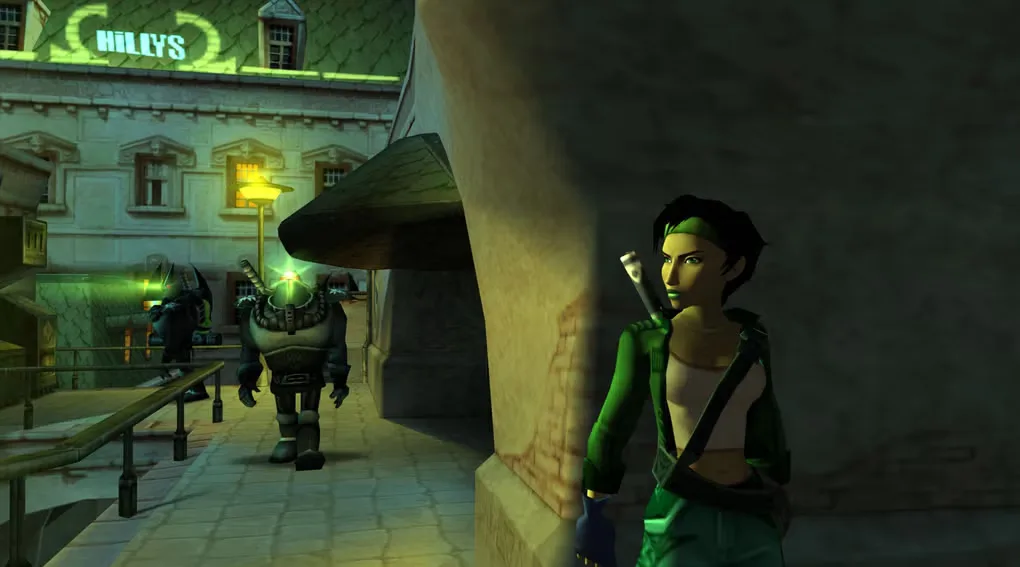
The controller-settings image is a publisher documentation screenshot with Windows-style window controls; it illustrates Dolphin’s desktop controls rather than the native Mac appearance. The gameplay image comes from Softonic’s Mac gallery and is not a benchmark or proof of the selected release.
What it offers
- Emulate GameCube and Wii games from supported game dumps.
- Adjust graphics for higher-resolution output, including full HD where hardware and game support allow.
- Map keyboard or gamepad inputs to emulated controllers and save controller profiles.
- Configure real or emulated Wii Remotes through Dolphin’s controller settings.
Good to know
- Compatibility is game-specific: some titles have sound or graphics defects, game-breaking errors or crashes.
- Full-speed emulation is not guaranteed on every Mac; demanding games can slow down and produce audio stuttering.
- Requires a 64-bit Mac; the publisher FAQ lists macOS 11.0 Big Sur or later.
Product images
Sources
References used for this listing. Retrieval dates do not indicate hands-on testing.
More in utilities
View category ↗
1.1.1.1 with WARP 2026.8.2115.0
Encrypt traffic from your Mac to Cloudflare’s network with WARP, or use DNS-only mode for encrypted DNS queries to the 1.1.1.1 resolver.
1.1.1.1 with WARP 2026.8.2115.0
Encrypt traffic between your Windows PC and Cloudflare, or use encrypted DNS only, with the free 1.1.1.1 with WARP app.

3uTools 9.12.005
Manage iPhone and iPad photos, music, apps and backups from Windows with 3uTools, a free utility that also includes device checks and firmware flashing tools.