

Utilities Windows
Don't Sleep for Windows
Keep a Windows PC awake during long tasks with Don't Sleep, a portable freeware utility that blocks selected sleep, shutdown and display actions and offers a timer.
- Operating system
- Windows 11, 10, 8.1 and 7; publisher also lists Windows Server
- Architecture
- x64 download; separate x86 package available
- Download package
- ZIP archive containing a portable Windows utility
The publisher's PAD metadata links DontSleep_x64.zip separately from DontSleep.zip. Compatibility is publisher-declared; the program was not installed or run.
Link checked · Download guidance
What is Don't Sleep?
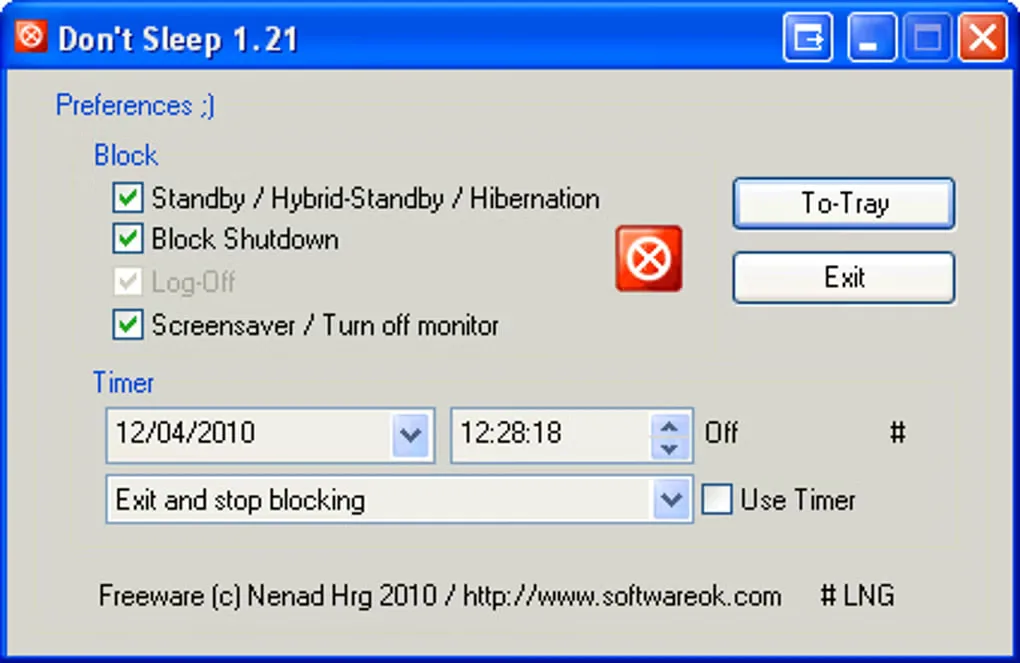
Don't Sleep temporarily blocks selected Windows power-management actions while a long-running task needs the computer to stay awake. You can choose whether to prevent standby and hibernation, shutdown, logoff, or the screen saver and monitor turning off. It is useful when an older application does not tell Windows that it is still busy.
The utility works without replacing your saved Windows power-plan settings. Its timer can release blocking or shut down the computer at a chosen time, while tray commands provide access to power actions. The publisher also documents CPU-load and network-traffic rules for controlling sleep and shutdown. The portable program does not require installation.
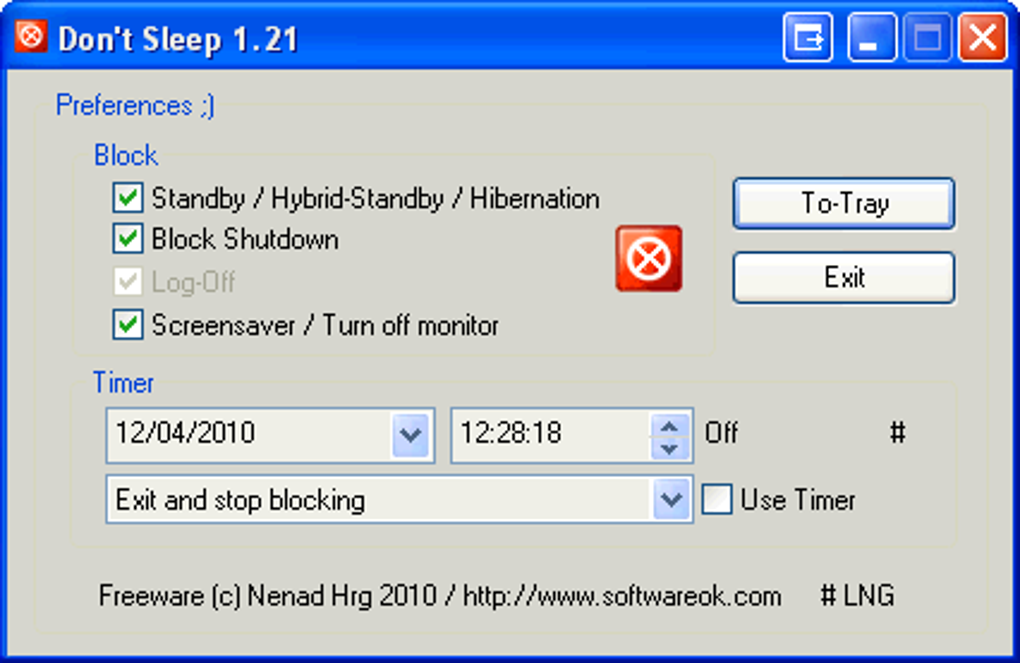
Keeping the computer awake can use battery power faster than allowing it to sleep. Disable blocking when the task ends, or set a timer to release it. The gallery image shows the older 1.21 interface supplied by Softonic, not the appearance of version 10.22. This entry links to the publisher's separate x64 ZIP package.
What it offers
- Selectively block standby, hibernation, shutdown, logoff and screen-saver or monitor-off actions.
- Use a timer to end blocking or shut down the computer at a specified time.
- Keep saved Windows power settings unchanged while blocking selected actions.
- Use CPU-load and network-traffic rules to control sleep or shutdown.
- Run the portable utility without installation and access power actions from the tray.
Good to know
- Keeping the PC awake can drain a laptop battery faster than allowing normal sleep; turn off blocking or use the timer when it is no longer needed.
- The supplied gallery screenshot depicts version 1.21, not version 10.22.
Product images
Sources
References used for this listing. Retrieval dates do not indicate hands-on testing.
- Don't Sleep 10.22 — publisher product page ↗Retrieved
- Don't Sleep — publisher PAD distribution metadata ↗Retrieved
- Don't Sleep — License Agreement ↗Retrieved
- Does Don't Sleep change the power saving options on the system? ↗Retrieved
- Don't Sleep - Download — Windows product page and gallery ↗Retrieved
More in utilities
View category ↗
1.1.1.1 with WARP 2026.8.2115.0
Encrypt traffic from your Mac to Cloudflare’s network with WARP, or use DNS-only mode for encrypted DNS queries to the 1.1.1.1 resolver.
1.1.1.1 with WARP 2026.8.2115.0
Encrypt traffic between your Windows PC and Cloudflare, or use encrypted DNS only, with the free 1.1.1.1 with WARP app.

3uTools 9.12.005
Manage iPhone and iPad photos, music, apps and backups from Windows with 3uTools, a free utility that also includes device checks and firmware flashing tools.