
Utilities Windows
Doro PDF Writer
Create color PDFs through a Windows application's Print command with Doro PDF Writer, a free virtual printer with metadata and password-protection options.
- Operating system
- Windows 11 and 10; publisher also lists Windows 8.1, 8, 7, Vista, XP, older Windows and Windows Server versions
- Architecture
- Windows 11: 64-bit and ARM64; Windows 10: 32-bit, 64-bit and ARM64 (publisher-listed)
- Download package
- Windows ZIP package (DoroSetup.zip)
Publisher lists one Windows ZIP link rather than architecture-specific downloads. Setup installs GhostScript. Older-system support is a publisher claim, not independently tested compatibility.
Link checked · Download guidance
What is Doro PDF Writer?
Doro PDF Writer adds a virtual printer to Windows so you can turn a printable document into a PDF. Use it when you already have a document open in an application that can print: choose Doro PDF Writer as the printer, then click Create in the Doro window to save the PDF. The publisher offers it free for personal and commercial use.
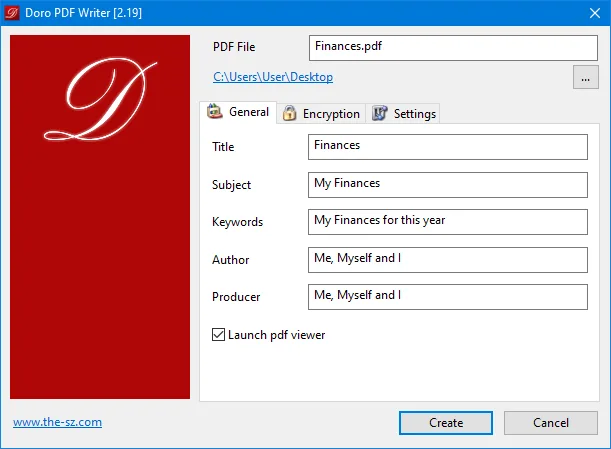
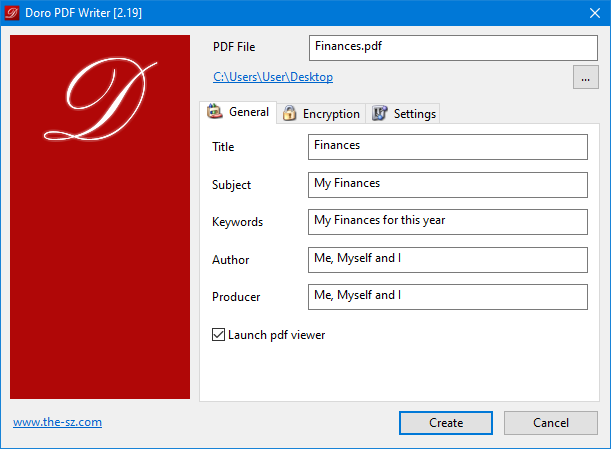
The output options include PDF/A creation and 128-bit password protection, with controls to restrict copying and printing. The publisher's General-tab screenshot shows fields for the PDF title, subject, keywords, author and producer, plus an option to launch a PDF viewer after creation. That screenshot depicts version 2.19; the Windows package listed on the publisher's product page is version 2.27.
This workflow requires a source application that can print. Setup also installs GhostScript to perform the conversion, according to the publisher's FAQ. The download linked here is the publisher's Windows ZIP package, not the separate macOS package. Compatibility and features are publisher-documented; no installation or conversion test is claimed.
What it offers
- Create color PDFs by printing from a Windows application to the Doro PDF Writer virtual printer.
- Enable PDF/A output for PDF creation.
- Apply 128-bit password protection and restrict copying or printing.
- Set document metadata, including title, subject, keywords, author and producer.
- Convert PostScript files to PDF by opening Doro.exe after installation, as described in the publisher's FAQ.
Good to know
- The virtual-printer workflow requires an application that can print the source document.
- Setup installs GhostScript as a conversion dependency; this is not a standalone, no-install document workflow.
- The publisher-provided screenshot depicts version 2.19 rather than the currently listed Windows package version 2.27.
Product images
Sources
References used for this listing. Retrieval dates do not indicate hands-on testing.
More in utilities
View category ↗
1.1.1.1 with WARP 2026.8.2115.0
Encrypt traffic from your Mac to Cloudflare’s network with WARP, or use DNS-only mode for encrypted DNS queries to the 1.1.1.1 resolver.
1.1.1.1 with WARP 2026.8.2115.0
Encrypt traffic between your Windows PC and Cloudflare, or use encrypted DNS only, with the free 1.1.1.1 with WARP app.

3uTools 9.12.005
Manage iPhone and iPad photos, music, apps and backups from Windows with 3uTools, a free utility that also includes device checks and firmware flashing tools.