

Utilities macOS
Double Commander for macOS
Manage files in two side-by-side panels with Double Commander for Mac, a free, open-source file manager with tabs, full-text search and batch renaming.
- Operating system
- macOS 11.0 or later
- Architecture
- Apple Silicon (AArch64)
- Download package
- Cocoa DMG disk image
This link is the Apple Silicon build. Intel Macs need the separate x86_64 DMG listed by the publisher.
Link checked · Download guidance
What is Double Commander?
Double Commander puts two folders side by side so you can work with a source and destination in the same window. Tabs and custom columns help organize file lists, while the multi-rename tool handles groups of filenames. A built-in viewer opens text, binary and hexadecimal views; the internal text editor includes syntax highlighting.
You can browse supported archives as folders and copy files between an archive and a file panel. Archive capabilities vary: some formats are read-only, and additional operations can depend on plugins or a configured external archiver.
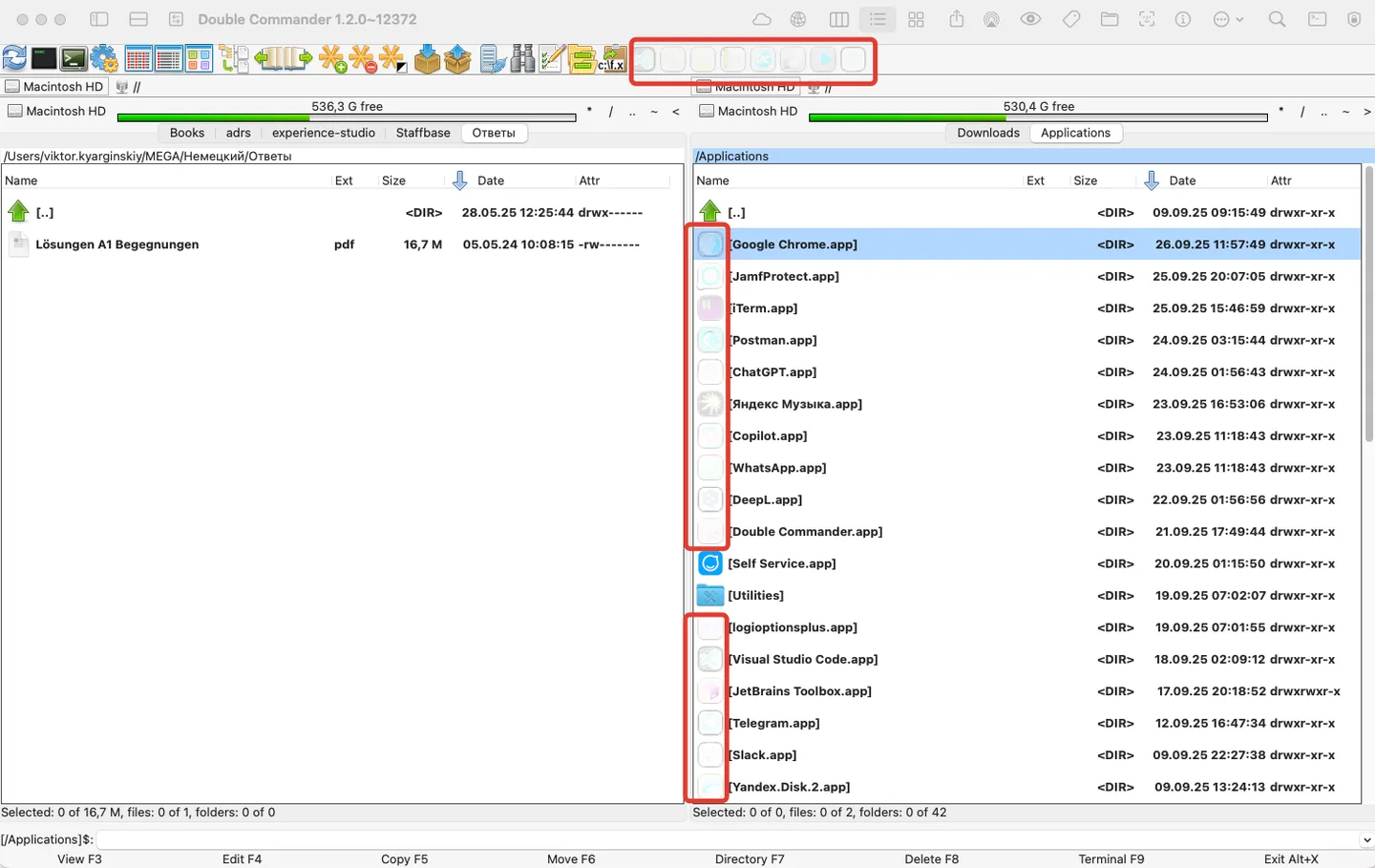
The linked download is the Cocoa DMG for Apple Silicon Macs running macOS 11 or later. The publisher offers a separate Intel x86_64 build. On macOS, access to Finder Tags, Time Machine snapshots and iCloud Drive can require additional system authorization. The screenshot is a historical macOS 1.2.0 alpha image from the project's issue tracker, with the reporter's red annotations; it is not a capture of the linked 1.2.9 release.
What it offers
- Use two file panels, folder tabs and customizable columns.
- Search file contents with the extended full-text search function.
- Rename groups of files with the multi-rename tool.
- View text, binary and hexadecimal data, or edit text with syntax highlighting.
- Browse supported archives as folders; available operations depend on the format and archiver.
Good to know
- Some archive formats are read-only; other operations may require a plugin or a configured external archiver.
- macOS authorization is required for correct access to some protected resources, including Finder Tags, Time Machine snapshots and iCloud Drive.
- The linked Apple Silicon DMG is not the Intel build; Intel Macs need the separate x86_64 package.
Product images
Sources
References used for this listing. Retrieval dates do not indicate hands-on testing.
- Double Commander — official overview and features ↗Retrieved
- Double Commander 1.2.9 gamma — publisher release ↗Retrieved
- Publisher release metadata — v1.2.9 ↗Retrieved
- Double Commander — supported platforms ↗Retrieved
- DC — Archive handling ↗Retrieved
- DC — Frequently Asked Questions: macOS permissions ↗Retrieved
- Double Commander — publisher repository and license metadata ↗Retrieved
- Publisher-hosted issue 2519 — historical macOS UI screenshot ↗Retrieved
More in utilities
View category ↗
1.1.1.1 with WARP 2026.8.2115.0
Encrypt traffic from your Mac to Cloudflare’s network with WARP, or use DNS-only mode for encrypted DNS queries to the 1.1.1.1 resolver.
1.1.1.1 with WARP 2026.8.2115.0
Encrypt traffic between your Windows PC and Cloudflare, or use encrypted DNS only, with the free 1.1.1.1 with WARP app.

3uTools 9.12.005
Manage iPhone and iPad photos, music, apps and backups from Windows with 3uTools, a free utility that also includes device checks and firmware flashing tools.