
Development Windows
dprint
Format code with dprint for Windows, a free, plugin-based command-line formatter with project configuration and checks for unformatted files.
- Operating system
- Windows; minimum Windows version not specified in the consulted publisher sources
- Architecture
- x64 (x86_64)
- Download package
- EXE installer
Selected download is the Windows x64 installer. The release separately lists Windows x64 and ARM64 ZIP packages. Project setup requires formatter plugins.
Link checked · Download guidance
What is dprint?
dprint brings multiple code formatters behind one command-line workflow. A project configuration selects the plugins, formatting options and files to include or exclude. Its plugin ecosystem includes TypeScript and JavaScript, JSON, Markdown and TOML, so a repository can keep formatting choices together rather than maintain a separate command for every file type.
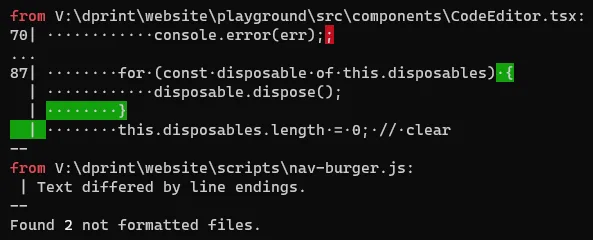
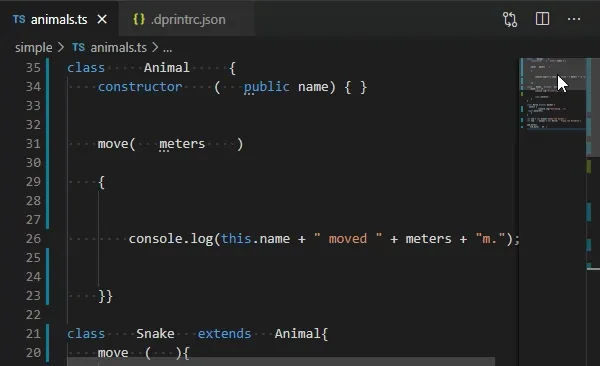
Start in the project directory with dprint init to create a configuration and select plugins. Use dprint fmt to rewrite matching files, or dprint check to report files that need formatting without rewriting them. The CLI also supports editor integration through its language server; the official installation guide links extensions for Visual Studio Code and IntelliJ.
This entry links to the Windows x64 EXE installer for release 0.64.3. The publisher also lists Windows ZIP packages, including a separate ARM64 build. A minimum Windows release is not specified in the sources consulted. dprint is a developer tool, not a standalone graphical editor: supported languages depend on the configured plugins, and remote plugins must be acquired before they can be used from the cache.
What it offers
- Use one CLI with configurable plugins for TypeScript, JavaScript, JSON, Markdown, TOML and other supported languages.
- Create project configuration and select plugins with dprint init.
- Rewrite matching files with dprint fmt or report formatting differences with dprint check.
- Set file inclusion and exclusion rules and reuse cached plugins and incremental formatting information.
- Integrate formatting with editors through the language server or publisher-linked editor extensions.
Good to know
- Language support depends on the selected plugins; installing the CLI alone does not configure a project's formatters.
- Remote plugins need to be downloaded before their cached copies can be used.
- The linked installer is x64, not ARM64; a separate Windows ARM64 ZIP is listed by the publisher.
- The consulted publisher pages do not establish a minimum supported Windows version.
Product images
Sources
References used for this listing. Retrieval dates do not indicate hands-on testing.
- Install - dprint - Code Formatter ↗Retrieved
- Overview - dprint - Code Formatter ↗Retrieved
- Setup - dprint - Code Formatter ↗Retrieved
- CLI - dprint - Code Formatter ↗Retrieved
- Official dprint release 0.64.3 metadata and assets ↗Retrieved
- dprint/dprint official repository ↗Retrieved
- Client Challenge - protected normal-browser observation ↗Retrieved
More in development
View category ↗
010 Editor 17.0
Inspect and edit binary files on Mac with 010 Editor, a paid text and hex editor with Binary Templates, file comparison and a 30-day trial.
010 Editor 17.0
Inspect and edit binary files with 010 Editor for Windows, a text and hex editor with Binary Templates, file comparison and scripting. Includes a 30-day trial.
10x Editor
Edit and navigate C++ projects on Windows with a built-in parser, workspace search and Visual Studio project support. A paid license is required after the 30-day trial.