
Utilities macOS
DriveDx for macOS
Monitor SSD and hard-drive health on your Mac with DriveDx, a trial utility that tracks S.M.A.R.T. indicators, warns about drive problems and offers diagnostic self-tests.
Version 1.12.1 · Direct publisher file
Link checked · Download guidance
What is DriveDx?
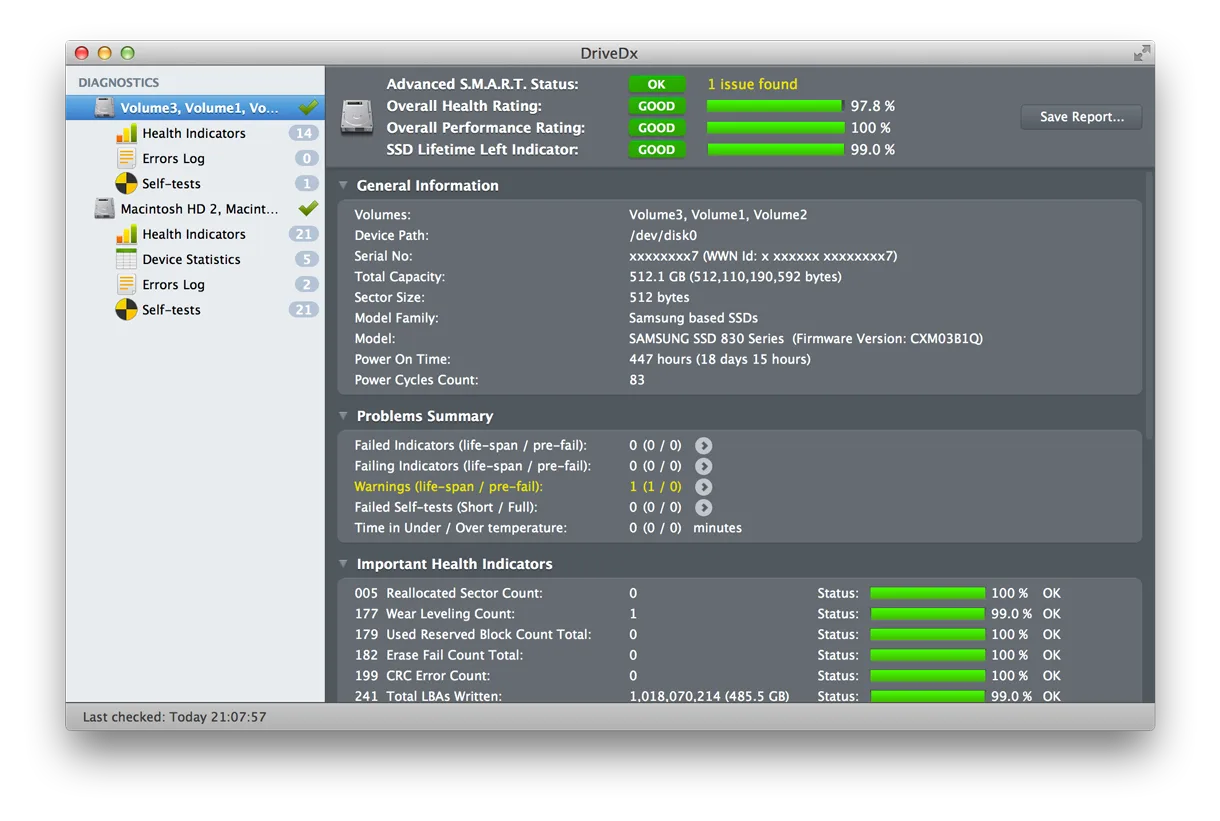
DriveDx monitors the health of SSDs and hard drives on a Mac. It runs in the background, checks drive-health indicators and alerts you when it detects a problem. Its dashboard brings together health and performance ratings, an SSD lifetime-left indicator and individual S.M.A.R.T. attributes, helping you investigate a warning beyond a simple pass-or-fail status.
You can start and control drive self-tests, configure email reports and set free-space alerts. External USB and FireWire diagnostics need additional attention: BinaryFruit says they require a third-party SAT SMART driver, and some enclosures cannot pass the necessary data even with that driver. This is a trial download, not a free license.
What it offers
- Monitor SSD and HDD health periodically in the background with alerts for detected problems.
- Inspect S.M.A.R.T. health indicators alongside drive-health, performance and SSD lifetime-left ratings.
- Start and control diagnostic self-tests for SSDs and hard drives.
- Configure automatic email notifications and drive-status reports.
- Set a free-space threshold to receive low-space alerts.
Good to know
- Trial software; the publisher offers a separate purchase for a license.
- External USB and FireWire drive diagnostics require a third-party SAT SMART driver. Unsupported enclosures may still prevent access to drive-health data.
Product images
Sources
References used for this listing. Retrieval dates do not indicate hands-on testing.
More in utilities
View category ↗
1.1.1.1 with WARP 2026.8.2115.0
Encrypt traffic from your Mac to Cloudflare’s network with WARP, or use DNS-only mode for encrypted DNS queries to the 1.1.1.1 resolver.
1.1.1.1 with WARP 2026.8.2115.0
Encrypt traffic between your Windows PC and Cloudflare, or use encrypted DNS only, with the free 1.1.1.1 with WARP app.

3uTools 9.12.005
Manage iPhone and iPad photos, music, apps and backups from Windows with 3uTools, a free utility that also includes device checks and firmware flashing tools.