
Utilities Windows
DSView
Inspect logic signals, decode digital protocols and review waveforms with DSView, the open-source interface for DreamSourceLab measurement instruments.
- Operating system
- Windows; exact supported Windows versions are not specified in the cited download catalog
- Architecture
- x64
- Download package
- EXE installer
Selected package is DSView_v1.3.2_x64_setup.exe. A separate x86 installer is listed. Live measurement requires supported DreamSourceLab hardware.
Link checked · Download guidance
What is DSView?
DSView turns captures from supported DreamSourceLab logic analyzers and oscilloscopes into a waveform workspace. For digital debugging, it combines channel traces with protocol decoding, so you can compare signal transitions with decoded I²C, SPI or UART traffic rather than interpret every pulse manually. The software is based on sigrok and is released under the GNU GPL version 3 or later.
The logic-analyzer interface supports base and stacked decoders, searching and exporting decoder results, mouse-based zoom and cursor measurements. Saved files and settings can be loaded again to review, share or reprocess a capture. The publisher's Windows download is version 1.3.2, with separate 64-bit and 32-bit installers; this entry selects the 64-bit EXE.
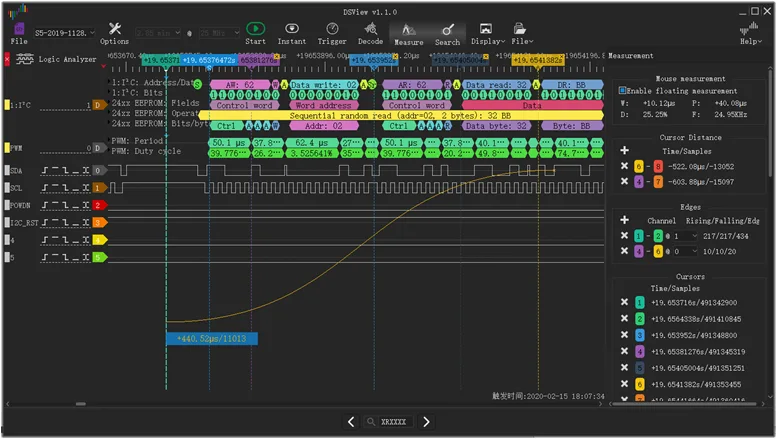
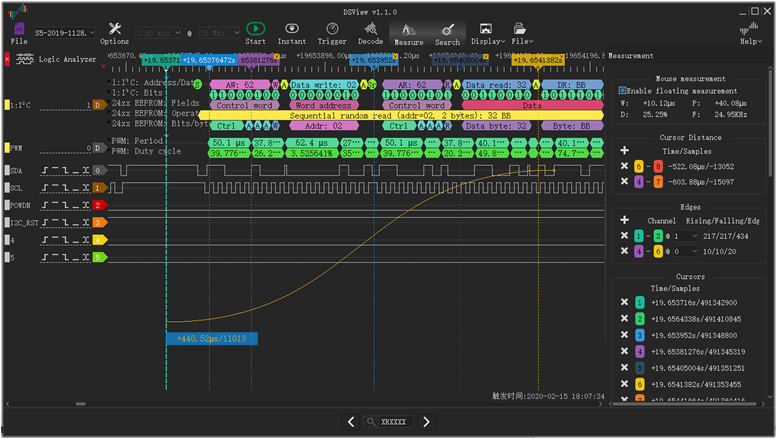
Live acquisition requires a compatible measurement instrument: installing DSView does not turn a computer into a logic analyzer or oscilloscope. Demo and file modes are distinct from connected hardware, and capture capabilities depend on the instrument. The publisher screenshot illustrates the older 1.1.0 interface, not a fresh capture of version 1.3.2.
What it offers
- View logic-analyzer and oscilloscope captures in a graphical waveform workspace.
- Decode digital protocols including I²C, SPI and UART, with base and stacked decoders.
- Search and export protocol-decoder results.
- Zoom into traces and use cursors for edge and interval measurements.
- Save and reload capture files and settings for later review and reprocessing.
Good to know
- Live acquisition requires compatible measurement hardware; demo or file playback is not a live signal measurement.
- Available capture rates, channel counts and acquisition modes depend on the connected instrument, not the software alone.
- The cited Windows catalog identifies 32-bit and 64-bit packages but does not establish exact supported Windows releases.
Product images
Sources
References used for this listing. Retrieval dates do not indicate hands-on testing.
More in utilities
View category ↗
1.1.1.1 with WARP 2026.8.2115.0
Encrypt traffic from your Mac to Cloudflare’s network with WARP, or use DNS-only mode for encrypted DNS queries to the 1.1.1.1 resolver.
1.1.1.1 with WARP 2026.8.2115.0
Encrypt traffic between your Windows PC and Cloudflare, or use encrypted DNS only, with the free 1.1.1.1 with WARP app.

3uTools 9.12.005
Manage iPhone and iPad photos, music, apps and backups from Windows with 3uTools, a free utility that also includes device checks and firmware flashing tools.