
Utilities Windows
Dual Monitor Taskbar
Add a taskbar to a second monitor with Dual Monitor Taskbar, a free Windows utility with pinned programs and window-management rules for older multi-monitor setups.
- Operating system
- Windows; publisher-tested on Windows Server 2008 R2 and Windows 7
- Architecture
- Not specified in the inspected publisher evidence
- Download package
- EXE installer (DualMonitor 1.22 Setup.exe)
Legacy project. Modern Windows compatibility is unconfirmed; the publisher marks the Start button beta.
Link checked · Download guidance
What is Dual Monitor Taskbar?
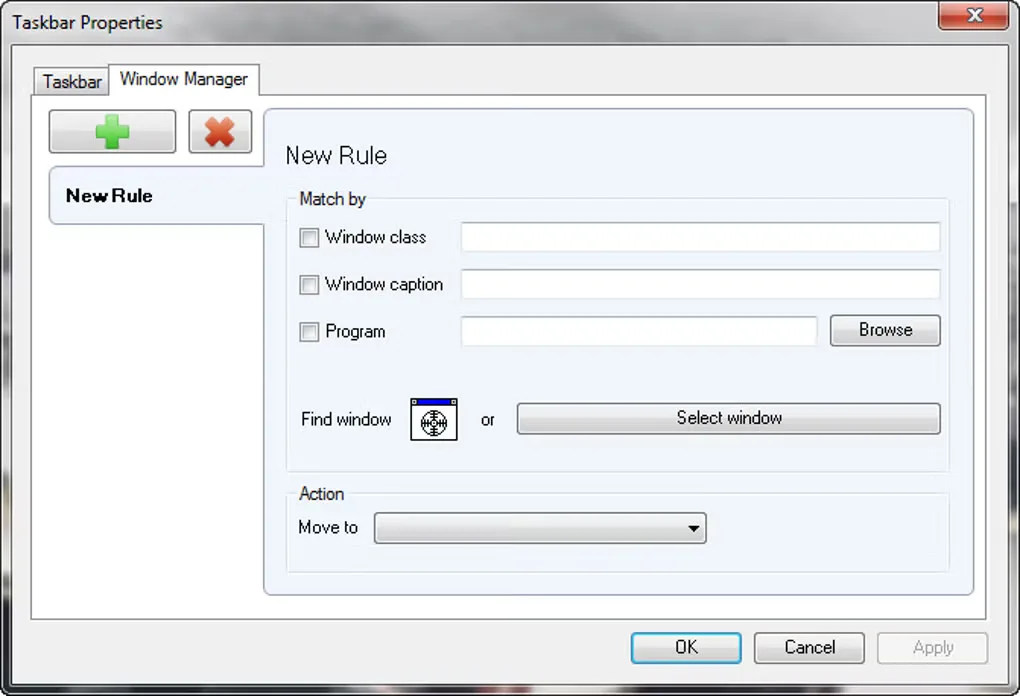
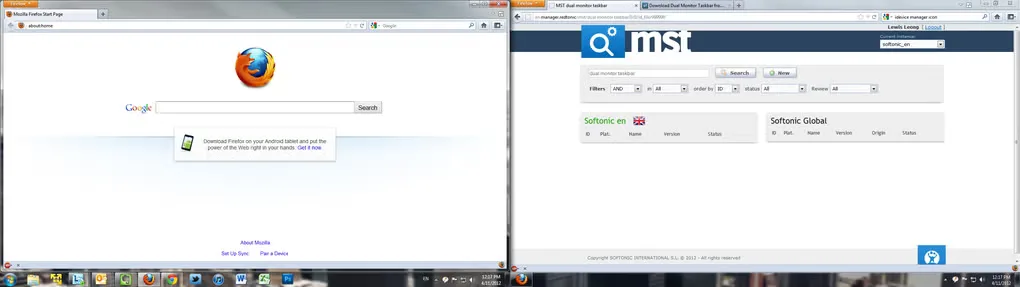
Dual Monitor Taskbar puts application access on a second screen instead of leaving all taskbar controls on the primary monitor. It is aimed at older Windows multi-monitor setups and includes pinned programs, mirror mode, auto-hide and a notification area. Its window manager provides rules matched by window class, caption or program, with a move-to action.
Treat this as a legacy utility, not a confirmed Windows 10 or Windows 11 solution. The publisher says it was only tested on Windows Server 2008 R2 and Windows 7, and the project page lists its last update as November 18, 2016. The Start button feature is explicitly marked beta. The linked publisher-hosted download is the DualMonitor 1.22 EXE installer; processor architecture is not established by the available evidence.
What it offers
- Add a taskbar to each monitor in a multi-monitor setup.
- Pin programs and use mirror mode, auto-hide and a notification area.
- Use Aero support on the older Windows environments described by the publisher.
- Create window-management rules matching a window class, caption or program.
Good to know
- The publisher reports testing only on Windows Server 2008 R2 and Windows 7; compatibility with Windows 10 or Windows 11 is not established.
- The project page lists its last update as November 18, 2016; do not assume active maintenance.
- The Start button feature is marked beta by the publisher.
Product images
Sources
References used for this listing. Retrieval dates do not indicate hands-on testing.
More in utilities
View category ↗
1.1.1.1 with WARP 2026.8.2115.0
Encrypt traffic from your Mac to Cloudflare’s network with WARP, or use DNS-only mode for encrypted DNS queries to the 1.1.1.1 resolver.
1.1.1.1 with WARP 2026.8.2115.0
Encrypt traffic between your Windows PC and Cloudflare, or use encrypted DNS only, with the free 1.1.1.1 with WARP app.

3uTools 9.12.005
Manage iPhone and iPad photos, music, apps and backups from Windows with 3uTools, a free utility that also includes device checks and firmware flashing tools.