
Utilities Windows
Dual Monitor Tools for Windows
Move windows between monitors, control cursor crossings and manage multi-screen wallpaper with Dual Monitor Tools, a free, open-source Windows utility package.
- Operating system
- Windows 7, 8, 8.1, 10 and 11 listed by publisher
- Architecture
- Not specified in the cited publisher documentation
- Download package
- MSI installer
Requires .NET Framework 4.0 or later. Some features are unavailable on older Windows versions; a separate portable ZIP is also offered.
Link checked · Download guidance
What is Dual Monitor Tools?
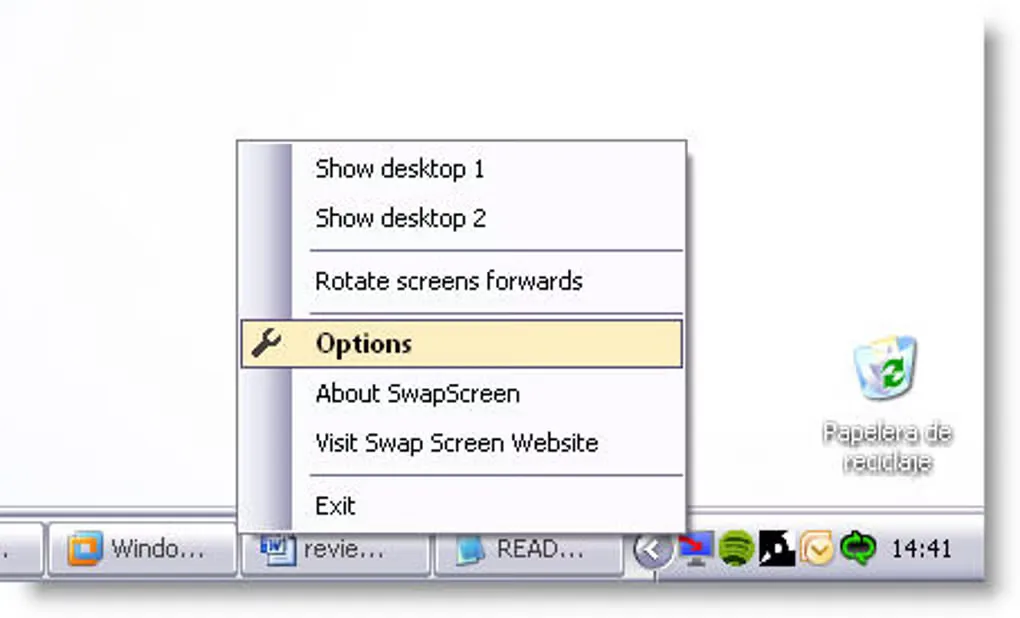
Dual Monitor Tools adds keyboard shortcuts and cursor controls to a Windows desktop with two or more monitors. Its main DMT application runs in the notification area and groups settings for moving windows, launching applications at chosen positions, capturing the primary display and changing wallpaper. Use Swap Screen hotkeys to send an active window to another monitor or a predefined area instead of dragging it across the desktop.
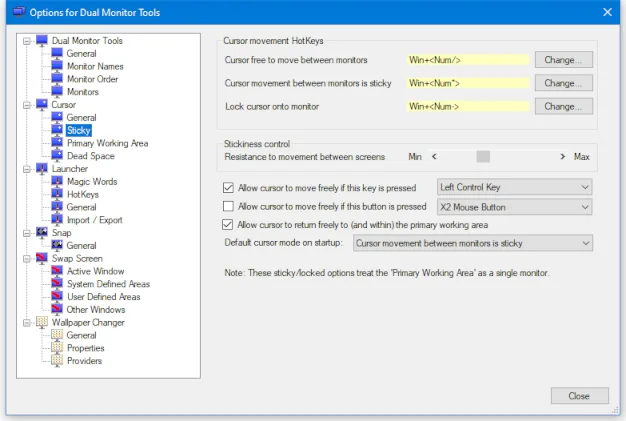
The Cursor module can leave the pointer free, add resistance at monitor boundaries or lock it to one screen. Its settings also allow selected keys or mouse buttons to temporarily release that restriction. Wallpaper tools can assign different images to individual monitors or spread an image across several screens.
Version 2.13 is listed by the publisher; the linked package is its MSI installer hosted on SourceForge. A portable ZIP is also described by the publisher but is not the selected download. Microsoft .NET Framework 4.0 or later is required, and the publisher warns that some features are unavailable on older Windows versions. The documentation screenshot shows the Cursor settings; the separate Softonic gallery image is historical Swap Screen UI, not a claim about the appearance of version 2.13.
What it offers
- Move the active window to another monitor or a predefined position using Swap Screen hotkeys.
- Keep the cursor on one monitor or add adjustable resistance when crossing between displays.
- Launch applications with keyboard commands and place their windows at configured monitor positions.
- Take a snapshot of the primary monitor and display it on a secondary monitor.
- Change multi-monitor wallpaper and use separate images or one image across several screens.
Good to know
- Requires Microsoft .NET Framework 4.0 or later.
- The publisher lists Windows 7, 8, 8.1, 10 and 11, but warns that some features are unavailable on older Windows versions.
Product images
Sources
References used for this listing. Retrieval dates do not indicate hands-on testing.
- Dual Monitor Tools - Home ↗Retrieved
- Dual Monitor Tools - Download page ↗Retrieved
- Dual Monitor Tools - DMT Cursor ↗Retrieved
- Dual Monitor Tools - SourceForge file catalog RSS ↗Retrieved
- Dual Monitor Tools - Download ↗Retrieved
More in utilities
View category ↗
1.1.1.1 with WARP 2026.8.2115.0
Encrypt traffic from your Mac to Cloudflare’s network with WARP, or use DNS-only mode for encrypted DNS queries to the 1.1.1.1 resolver.
1.1.1.1 with WARP 2026.8.2115.0
Encrypt traffic between your Windows PC and Cloudflare, or use encrypted DNS only, with the free 1.1.1.1 with WARP app.


3uTools 9.12.005
Manage iPhone and iPad photos, music, apps and backups from Windows with 3uTools, a free utility that also includes device checks and firmware flashing tools.