
Development Windows
DuckDB CLI
Run SQL queries, work with local DuckDB databases and export results from a Windows terminal with the free, open-source DuckDB CLI.
- Operating system
- Windows; minimum Windows version not established by the cited pages
- Architecture
- x64 (AMD64)
- Download package
- TAR.GZ archive containing the command-line executable
Extract before use. Microsoft Visual C++ Redistributable required. A separate Windows ARM64 archive is available.
Link checked · Download guidance
What is DuckDB CLI?
DuckDB CLI brings the DuckDB analytical database to a terminal. Use it to enter SQL, inspect data in formats such as CSV, JSON and Parquet, or run a saved SQL script. Autocompletion and syntax highlighting help when writing queries, while output modes include readable terminal tables, CSV, JSON and Markdown.
Start without a database filename for temporary in-memory work, or provide a file path to open or create a persistent DuckDB database. In-memory work is not saved as a database file when the session closes. The .read command runs SQL and dot commands stored in a file, making repeated query sequences easier to reuse.
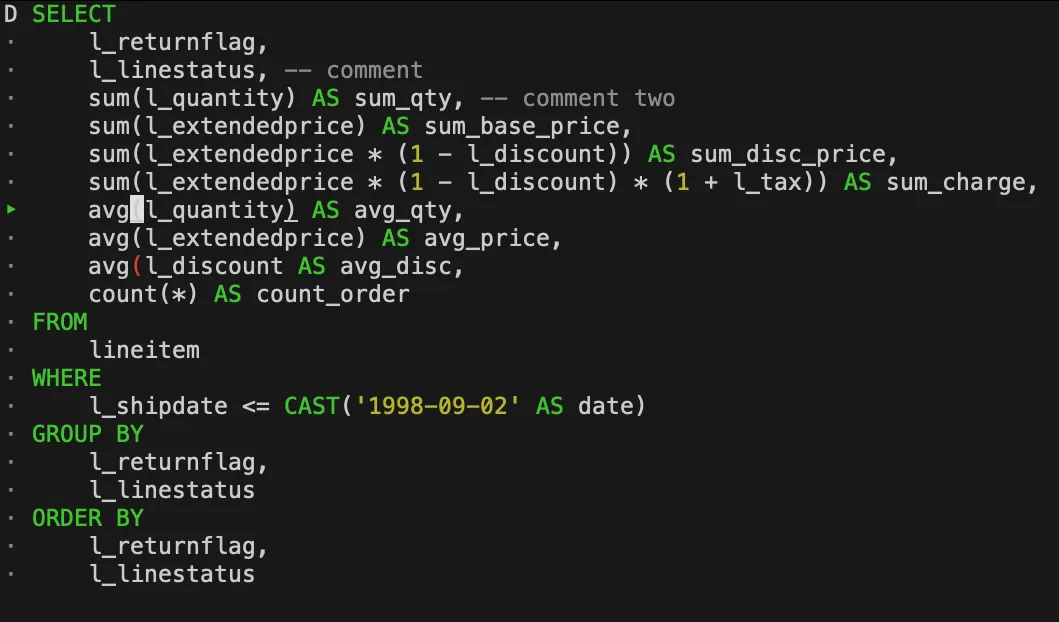
This download is the Windows x64 2.0.0 TAR.GZ archive, not a graphical installer. Extract the archive before launching the CLI from a terminal. The publisher also lists a separate Windows ARM64 build and states that Windows requires the Microsoft Visual C++ Redistributable. The screenshot illustrates the publisher’s CLI syntax highlighting; its host operating system and release are unspecified.
What it offers
- Enter SQL interactively with syntax highlighting and autocompletion.
- Open a persistent DuckDB database file or use a temporary in-memory database.
- Read and write data in formats including CSV, JSON and Parquet.
- Choose terminal-table, CSV, JSON or Markdown output modes.
- Run SQL and dot commands from saved files using .read.
Good to know
- A session started without a database filename uses an in-memory database that is not persisted when the session closes.
- The Windows build requires the Microsoft Visual C++ Redistributable; the selected archive is x64, not ARM64.
Product images
Sources
References used for this listing. Retrieval dates do not indicate hands-on testing.
- Command Line Client – DuckDB ↗Retrieved
- Installation – DuckDB ↗Retrieved
- DuckDB – analytical SQL database management system ↗Retrieved
- Syntax Highlighting – DuckDB ↗Retrieved
More in development
View category ↗
010 Editor 17.0
Inspect and edit binary files on Mac with 010 Editor, a paid text and hex editor with Binary Templates, file comparison and a 30-day trial.
010 Editor 17.0
Inspect and edit binary files with 010 Editor for Windows, a text and hex editor with Binary Templates, file comparison and scripting. Includes a 30-day trial.
10x Editor
Edit and navigate C++ projects on Windows with a built-in parser, workspace search and Visual Studio project support. A paid license is required after the 30-day trial.