
Utilities Windows
Duo Authentication for Windows Logon
Add Duo two-factor authentication to Windows console logins, incoming Remote Desktop connections and credentialed UAC prompts. Requires a configured Duo account and enrolled users.
Version 6.0.0 · Direct publisher file
Link checked · Download guidance
What is Duo Authentication for Windows Logon?
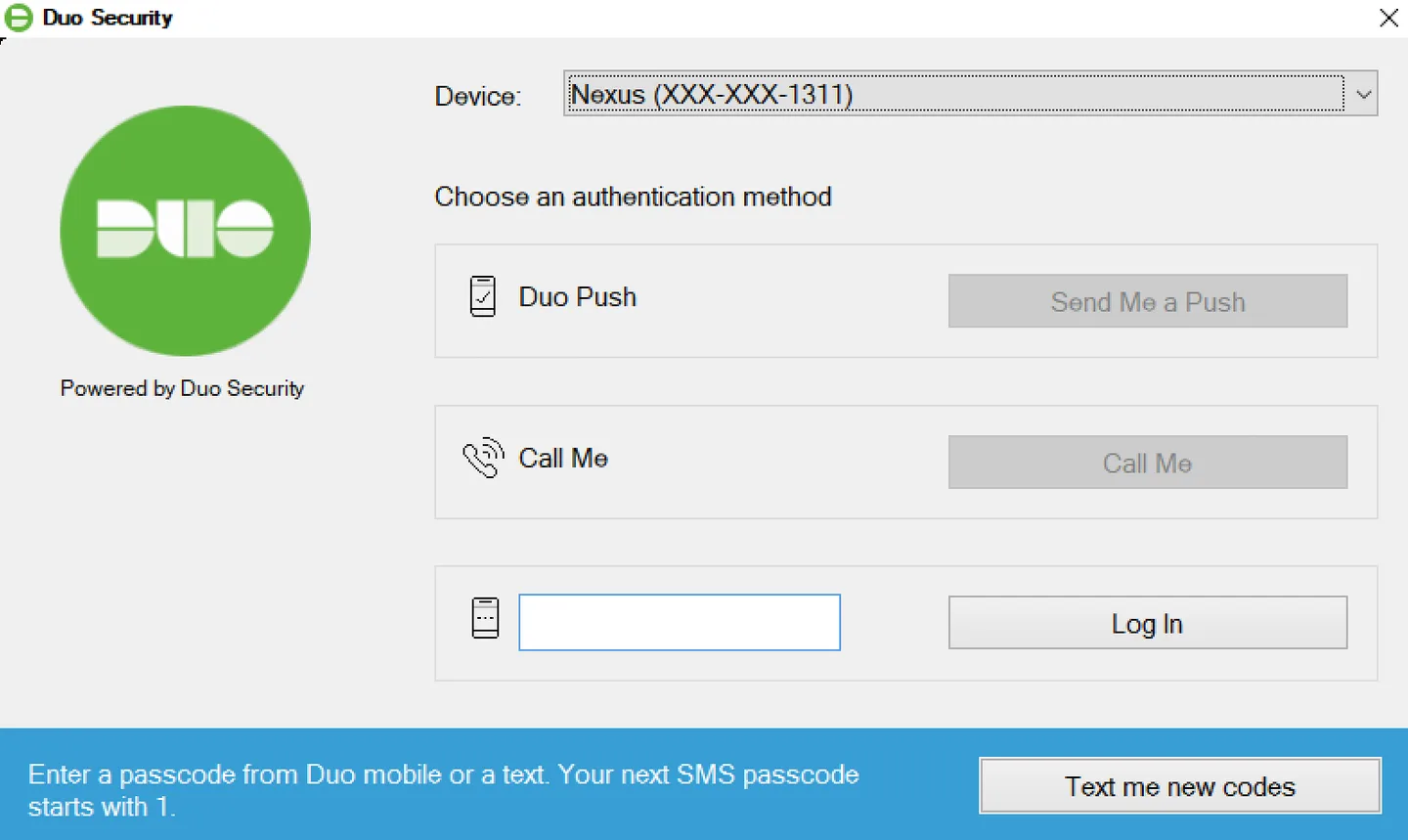
Duo Authentication for Windows Logon adds a second authentication step to local or domain account logins on Windows PCs and servers. Administrators can protect console sign-ins, incoming Remote Desktop sessions and credentialed User Account Control elevation. Users authenticate with an available method such as Duo Push, a phone call or a passcode.
This is a client for the Duo service, not a standalone login utility. Deployment requires a Duo account, a Microsoft RDP integration in the Duo Admin Panel, application access for the intended users and enrollment of their authentication devices. The Windows client does not offer inline self-service enrollment. Review the publisher deployment instructions before changing a machine’s sign-in configuration; an unenrolled user may be unable to log in.
The publisher lists Windows 10 and 11, plus GUI installations of Windows Server 2016, 2019, 2022 and 2025. The EXE installer may install the required Visual C++ 2022 Redistributable, and installation may require a reboot. Version 6.0.0 requires TLS 1.2 or later for communication with Duo’s service.
Protection is limited to the supported sign-in paths: this client does not add a secondary prompt to non-interactive logons, PowerShell remoting or RDP Restricted Admin Mode. Offline access requires separate configuration, while features such as Verified Duo Push and remembered Windows devices depend on the Duo service edition and policy.
What it offers
- Add Duo two-factor authentication to console and incoming RDP logins for local or domain Windows accounts.
- Protect credentialed UAC elevation prompts with Duo authentication.
- Offer Duo Push, phone callback and supported passcodes as online authentication methods.
- Configure offline access and authentication behavior through the publisher’s deployment settings.
- Use Verified Duo Push and remembered Windows devices with an eligible Duo plan and policy.
Good to know
- Requires a Duo service account, configured Microsoft RDP integration, user access and enrolled authentication devices; the Windows client cannot enroll new users inline.
- Does not add secondary authentication to non-interactive logons, PowerShell Enter-PSSession or Invoke-Command, Run as different user, PLAPs or RDP Restricted Admin Mode.
- Verified Duo Push and remembered devices require Duo Essentials, Advantage or Premier; offline access must be configured separately.
- Local console MFA can be bypassed through Windows Safe Mode; follow the publisher’s Windows hardening guidance.
Product images
Sources
References used for this listing. Retrieval dates do not indicate hands-on testing.
More in utilities
View category ↗
1.1.1.1 with WARP 2026.8.2115.0
Encrypt traffic from your Mac to Cloudflare’s network with WARP, or use DNS-only mode for encrypted DNS queries to the 1.1.1.1 resolver.
1.1.1.1 with WARP 2026.8.2115.0
Encrypt traffic between your Windows PC and Cloudflare, or use encrypted DNS only, with the free 1.1.1.1 with WARP app.

3uTools 9.12.005
Manage iPhone and iPad photos, music, apps and backups from Windows with 3uTools, a free utility that also includes device checks and firmware flashing tools.