
Utilities Windows
DWMBlurGlass
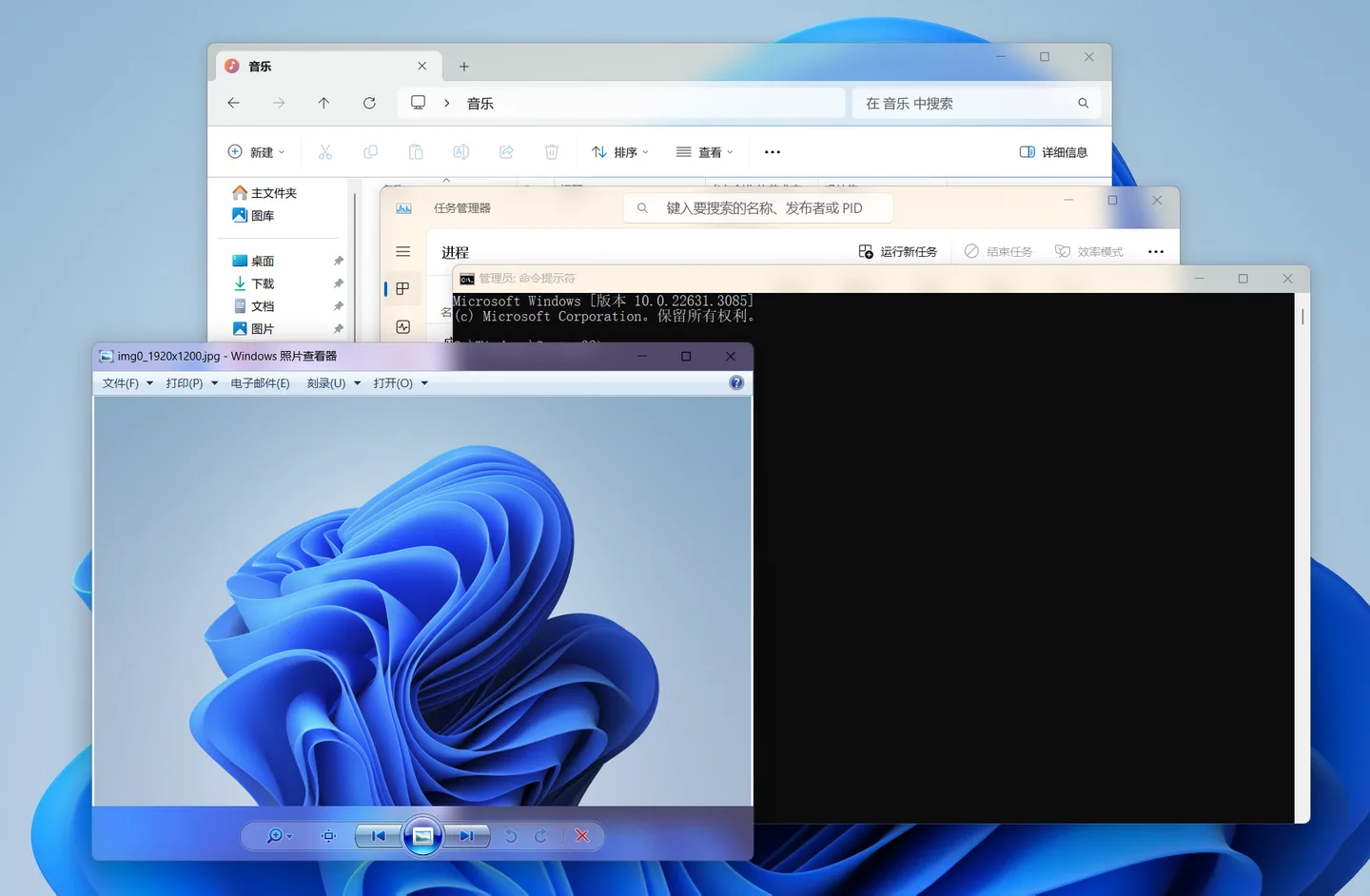
Customize Windows title bars with blur, Aero and Acrylic effects, adjustable colors and Windows 7-style caption buttons. This download is the official 2.3.1 x64 ZIP.
- Operating system
- Windows 10 version 2004 or later; Windows 11, subject to build and blur-method limitations
- Architecture
- x64
- Download package
- ZIP archive containing DWMBlurGlass.exe
Extract the archive and use Install in the GUI. Symbols may need downloading, especially after Windows updates. Some methods do not support Insider builds. Current-build compatibility was not tested.
Link checked · Download guidance
What is DWMBlurGlass?
DWMBlurGlass changes the appearance of Windows title bars through the Desktop Window Manager. It is aimed at desktop customization: adjust blur strength, title-bar blend colors and text colors, or add Aero reflections and Windows 7-style caption-button effects. The publisher also documents a Mica effect for Windows 11, automatic light/dark color switching and support for third-party themes.
The linked package is the official GitHub x64 ZIP for version 2.3.1, not the separate debugging-symbol archive or source code. The versioned documentation lists Windows 10 version 2004 as the minimum and also supports Windows 11; that statement is not a guarantee for every newer Windows build. Some blur methods do not work on Insider versions, and the publisher does not guarantee compatibility with MicaForEveryone.
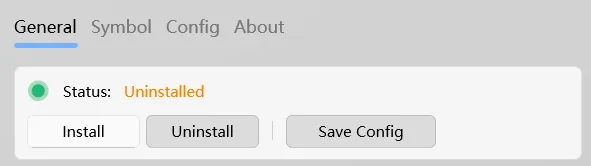
The documented installation is to extract the archive to a location such as Program Files, open DWMBlurGlass.exe and select Install. If installation has no effect, the publisher directs users to the Symbols page to download the required symbols. Missing-symbol notifications can return after Windows updates. To undo the installation, use Uninstall in the same program before deleting its files. These are publisher instructions, not steps tested for this entry.
Use the official project distribution: the publisher warns about impersonated builds containing malicious code. The download link here was checked with HEAD only; the archive was not downloaded, inspected or executed, and no malware-safety claim is made.
What it offers
- Adjust global blur strength or restrict the blur-radius adjustment to title bars.
- Choose Blur, Aero or Acrylic effects, with Mica available on Windows 11.
- Customize title-bar blend colors and text colors, including automatic light/dark color-mode switching.
- Enable Aero reflections and parallax, or restore Windows 7-style caption-button height and glow.
- Choose among CustomBlur, AccentBlur and SystemBackdrop methods and use third-party themes.
Good to know
- Requires Windows 10 version 2004 or later in the documented Windows 10/11 families; some blur methods are unsupported on Windows Insider versions. Compatibility with every current Windows build has not been established here.
- The publisher advises against combining it with MicaForEveryone and does not guarantee compatibility with that tool.
- Windows updates can leave required symbols missing; the publisher documents downloading them through the Symbols page.
- This package is x64. It is not an ARM64 or 32-bit Windows download.
Product images
Sources
References used for this listing. Retrieval dates do not indicate hands-on testing.
- DWMBlurGlass — publisher features, instructions and screenshots ↗Retrieved
- DWMBlurGlass 2.3.1r — versioned compatibility and usage documentation ↗Retrieved
- DWMBlurGlass — 2.3.1 Release ↗Retrieved
- DWMBlurGlass 2.3.1r — official asset list ↗Retrieved
- DWMBlurGlass — GNU Lesser General Public License version 3 ↗Retrieved
More in utilities
View category ↗
1.1.1.1 with WARP 2026.8.2115.0
Encrypt traffic from your Mac to Cloudflare’s network with WARP, or use DNS-only mode for encrypted DNS queries to the 1.1.1.1 resolver.
1.1.1.1 with WARP 2026.8.2115.0
Encrypt traffic between your Windows PC and Cloudflare, or use encrypted DNS only, with the free 1.1.1.1 with WARP app.



3uTools 9.12.005
Manage iPhone and iPad photos, music, apps and backups from Windows with 3uTools, a free utility that also includes device checks and firmware flashing tools.