
Development Windows
Eask CLI
Build, lint and test Emacs Lisp packages, or manage Emacs configuration dependencies, with Eask CLI. This Windows download is the publisher's x64 ZIP archive.
- Operating system
- Windows; minimum version not established by reviewed publisher documentation
- Architecture
- x64; separate ARM64 archive available
- Download package
- ZIP archive of prebuilt binaries
Emacs is required for Lisp tasks. Publisher README indicates Emacs 26.1+. Prebuilt binaries do not require a separate Node.js installation.
Link checked · Download guidance
What is Eask CLI?
Eask CLI brings Emacs Lisp package development tasks into the terminal. It can install project dependencies, byte-compile Lisp files, run linters and test runners, and build package artifacts. It also supports managing dependencies for an Emacs configuration and running Elisp programs. It is a development tool, not a replacement for the Emacs editor.
For a package project, Eask normally uses the current directory as its workspace and keeps its local environment in ./.eask. Its help lists commands such as init, install-deps, compile, lint and test. Configuration mode and global mode use different directories, so choose the scope deliberately before changing dependencies.
The selected download is the 0.12.9 Windows x64 ZIP, not an installer or the separate ARM64 archive. The publisher documents prebuilt binaries that do not require a separate Node.js installation; Emacs is still needed for Emacs Lisp work. Eask uses the emacs command by default, with EMACS or EASK_EMACS available to select another executable. Dependencies are scoped to the Emacs version and must be installed for each version when switching.
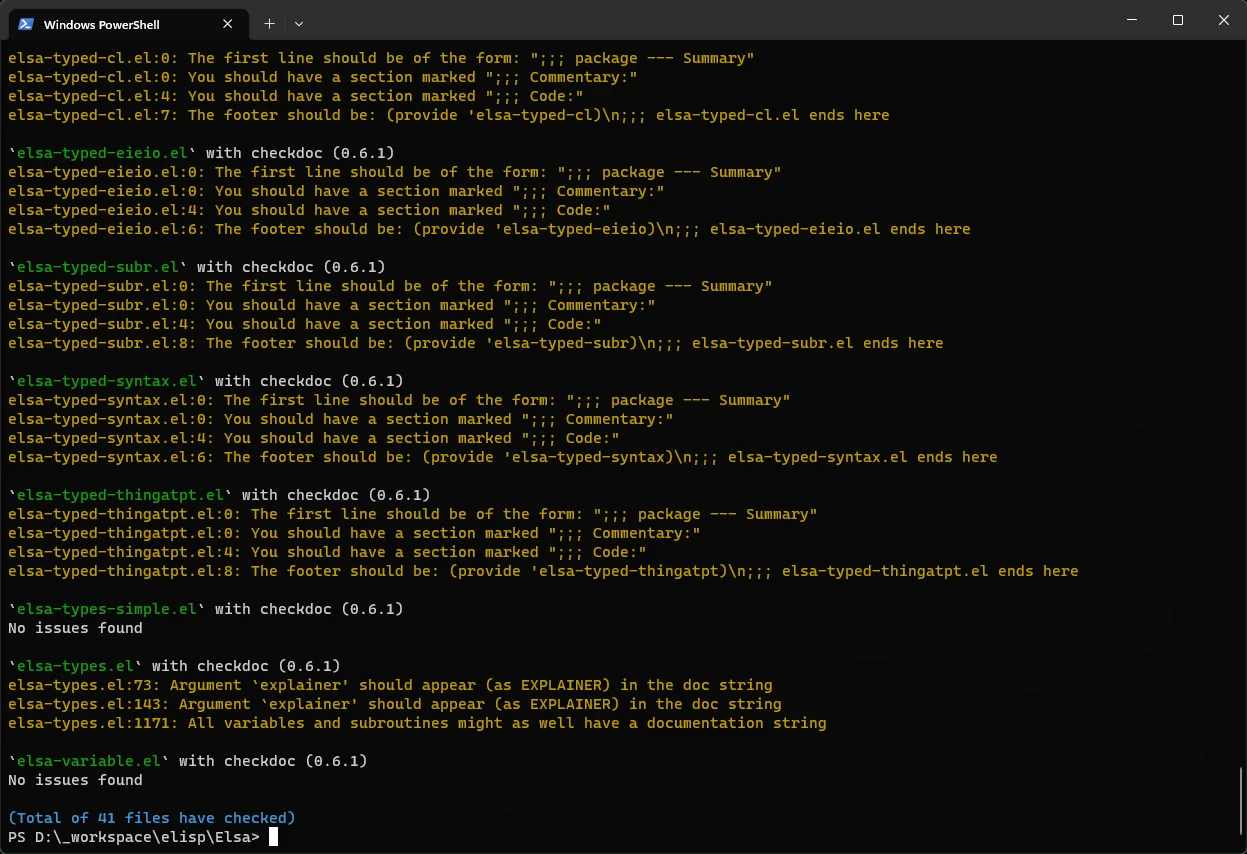
The screenshot is the publisher's Windows PowerShell example of lint output, including checkdoc warnings. It illustrates the interface, not a test of the selected release. The reviewed documentation does not establish a minimum Windows version. The ZIP endpoint was checked using HEAD only; the archive was not downloaded, extracted or executed.
What it offers
- Install and inspect Emacs Lisp dependencies from the command line.
- Byte-compile Lisp files and build package artifacts.
- Run supported linters and test runners through Eask subcommands.
- Use local project, Emacs configuration or global workspace scopes.
- Select the Emacs executable through EMACS or EASK_EMACS.
Good to know
- Requires an accessible Emacs executable for Emacs Lisp tasks; it does not replace Emacs.
- Dependencies are scoped to the Emacs version and need installing separately when switching versions.
- This archive targets Windows x64. ARM64 is a separate release asset; a minimum Windows version was not established by the reviewed sources.
Product images
Sources
References used for this listing. Retrieval dates do not indicate hands-on testing.
- Eask publisher repository — purpose, runtime and license ↗Retrieved
- Install Eask — prebuilt binaries and Windows distribution ↗Retrieved
- Eask 0.12.9 — official release and public release metadata ↗Retrieved
- Finding Emacs — executable selection and version-scoped dependencies ↗Retrieved
- Basic Usage — Eask commands and workspace scopes ↗Retrieved
- Emacs Eask — publisher feature overview and Windows lint screenshot ↗Retrieved
More in development
View category ↗
010 Editor 17.0
Inspect and edit binary files on Mac with 010 Editor, a paid text and hex editor with Binary Templates, file comparison and a 30-day trial.
010 Editor 17.0
Inspect and edit binary files with 010 Editor for Windows, a text and hex editor with Binary Templates, file comparison and scripting. Includes a 30-day trial.
10x Editor
Edit and navigate C++ projects on Windows with a built-in parser, workspace search and Visual Studio project support. A paid license is required after the 30-day trial.