
Utilities Windows
Easy Macro Recorder
Record mouse actions and keystrokes as Windows macros, edit their commands and replay repetitive tasks with Easy Macro Recorder, a paid utility with a trial version.
- Operating system
- Publisher lists Windows 2000, XP, 2003, Vista and 7
- Architecture
- Not specified by the publisher sources
- Download package
- EXE installer
Version 4.9 is dated July 30, 2014. Windows 10/11 support is unconfirmed; the installer was not downloaded, installed or tested.
Link checked · Download guidance
What is Easy Macro Recorder?
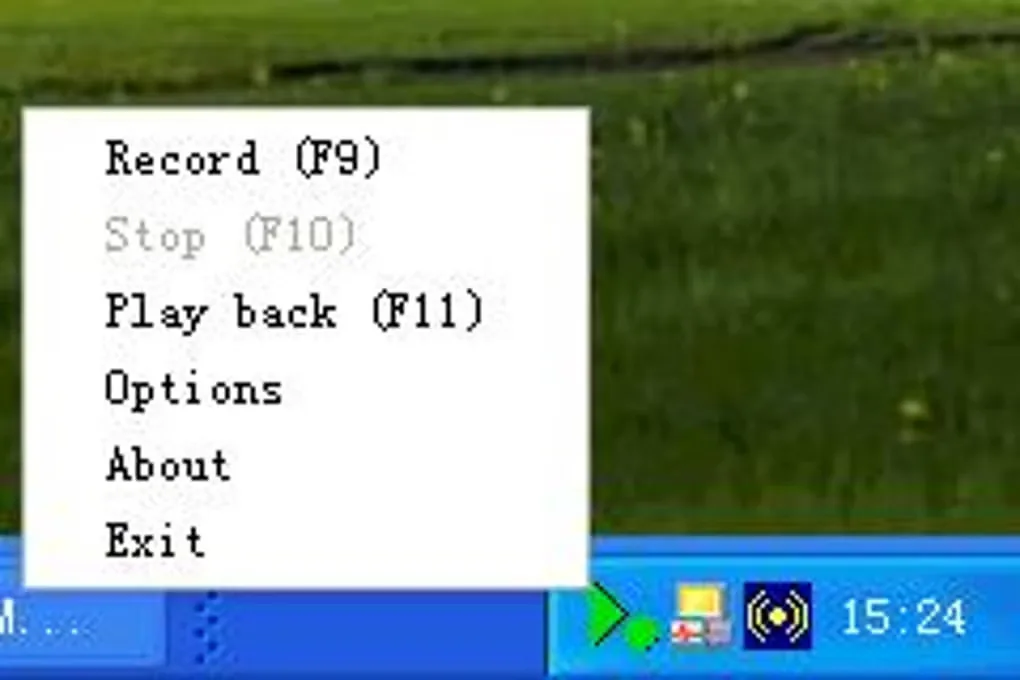
Easy Macro Recorder captures mouse and keyboard actions and saves them as macros for repeated playback. Its system-tray menu provides recording and playback controls, while the macro editor lets you create or change a sequence without writing a program. Scheduled playback can run a saved routine at a chosen time.
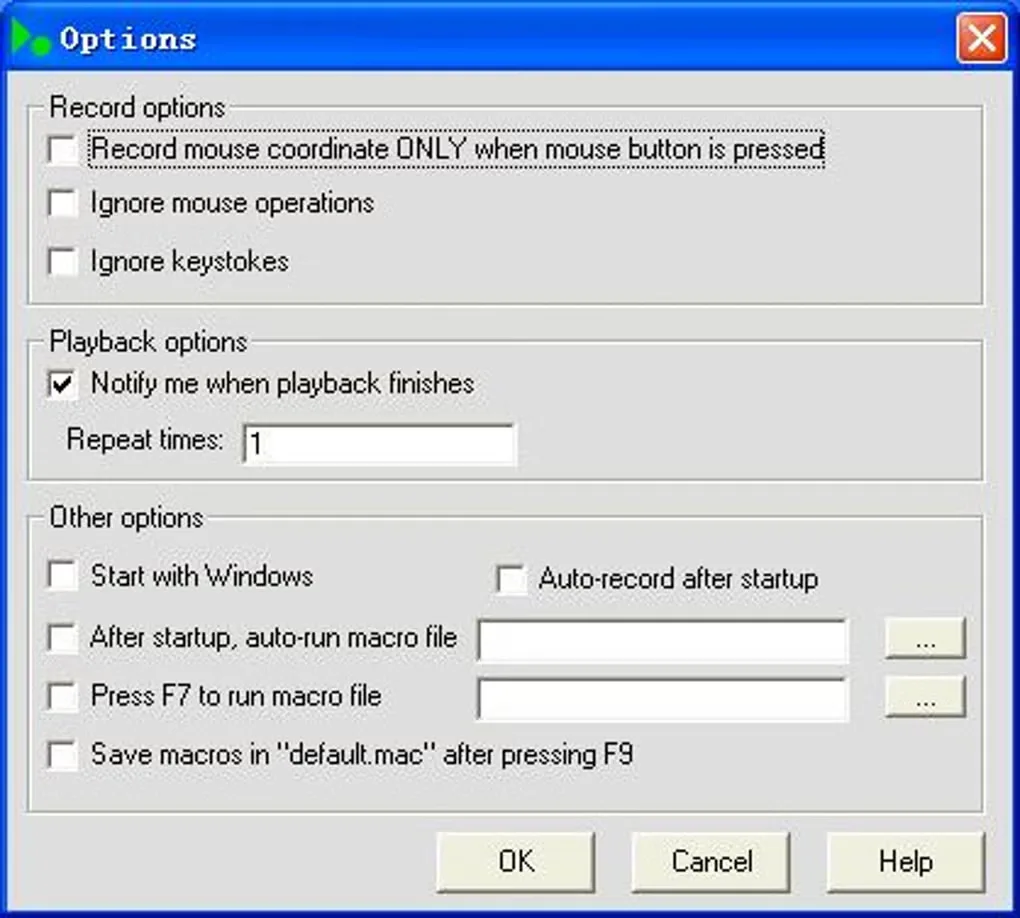
Recording filters let you exclude mouse operations or keystrokes, and playback settings control speed and repetition. The publisher warns that fast playback can move to the next action before a program has opened or an application switch has finished. Start with normal-speed playback when checking a routine.
The publisher lists version 4.9 with a July 30, 2014 release date and names Windows 2000, XP, 2003, Vista and 7 on its product download page. Windows 10/11 compatibility and package architecture are not confirmed by those sources. The gallery images show the historical Windows interface; they do not demonstrate operation on a current Windows system.
What it offers
- Save recorded mouse actions and keystrokes as reusable macros.
- Create or modify macro sequences in the built-in editor.
- Repeat playback, adjust its speed and configure recording/playback hotkeys.
- Schedule saved macros to play at a chosen time.
- Exclude mouse operations or keystrokes from a recording.
Good to know
- Trial software; paid registration is offered for continued licensed use, with one license per computer.
- Publisher documentation warns that fast playback may not leave applications enough time to complete actions.
- The publisher release listing dates version 4.9 to July 2014; Windows 10/11 compatibility is not established by the cited product documentation.
Product images
Sources
References used for this listing. Retrieval dates do not indicate hands-on testing.
- Easy Macro Recorder — publisher overview and release history ↗Retrieved
- Easy Macro Recorder — publisher download catalog ↗Retrieved
- Easy Macro Recorder — publisher license and registration ↗Retrieved
- Easy Macro Recorder — recording, hotkey and playback options ↗Retrieved
- Easy Macro Recorder - Download ↗Retrieved
- Screenshot of Easy Macro Recorder — publisher gallery ↗Retrieved
More in utilities
View category ↗
1.1.1.1 with WARP 2026.8.2115.0
Encrypt traffic from your Mac to Cloudflare’s network with WARP, or use DNS-only mode for encrypted DNS queries to the 1.1.1.1 resolver.
1.1.1.1 with WARP 2026.8.2115.0
Encrypt traffic between your Windows PC and Cloudflare, or use encrypted DNS only, with the free 1.1.1.1 with WARP app.

3uTools 9.12.005
Manage iPhone and iPad photos, music, apps and backups from Windows with 3uTools, a free utility that also includes device checks and firmware flashing tools.