

Development Windows
EasyEDA Pro for Windows
Design electronic schematics and PCB layouts with EasyEDA Pro for Windows. Its desktop client offers cloud collaboration or local project storage in half-offline and offline modes.
- Operating system
- Windows 10 or later recommended by the publisher
- Architecture
- x64 (64-bit Intel/AMD)
- Download package
- EXE installer
Publisher recommends at least 8 GB RAM and a graphics card. Windows XP is unsupported. Separate macOS and Linux packages are not this download.
Link checked · Download guidance
What is EasyEDA Pro?
EasyEDA Pro brings schematic capture and PCB layout into one electronics-design workflow. Its device libraries combine a symbol, footprint, 3D model and component attributes, while hierarchical schematics and multiple board designs can sit within one project. The Pro edition also includes built-in auto-routing and DXF import/export.
The desktop client offers three ways to manage work. Full online mode requires a login, stores projects and libraries in the cloud and supports collaboration with local project backups. Half-offline mode keeps personal projects and libraries on the computer while allowing access to cloud system libraries. Full offline mode uses local data without cloud system library access. Neither local mode supports collaboration.
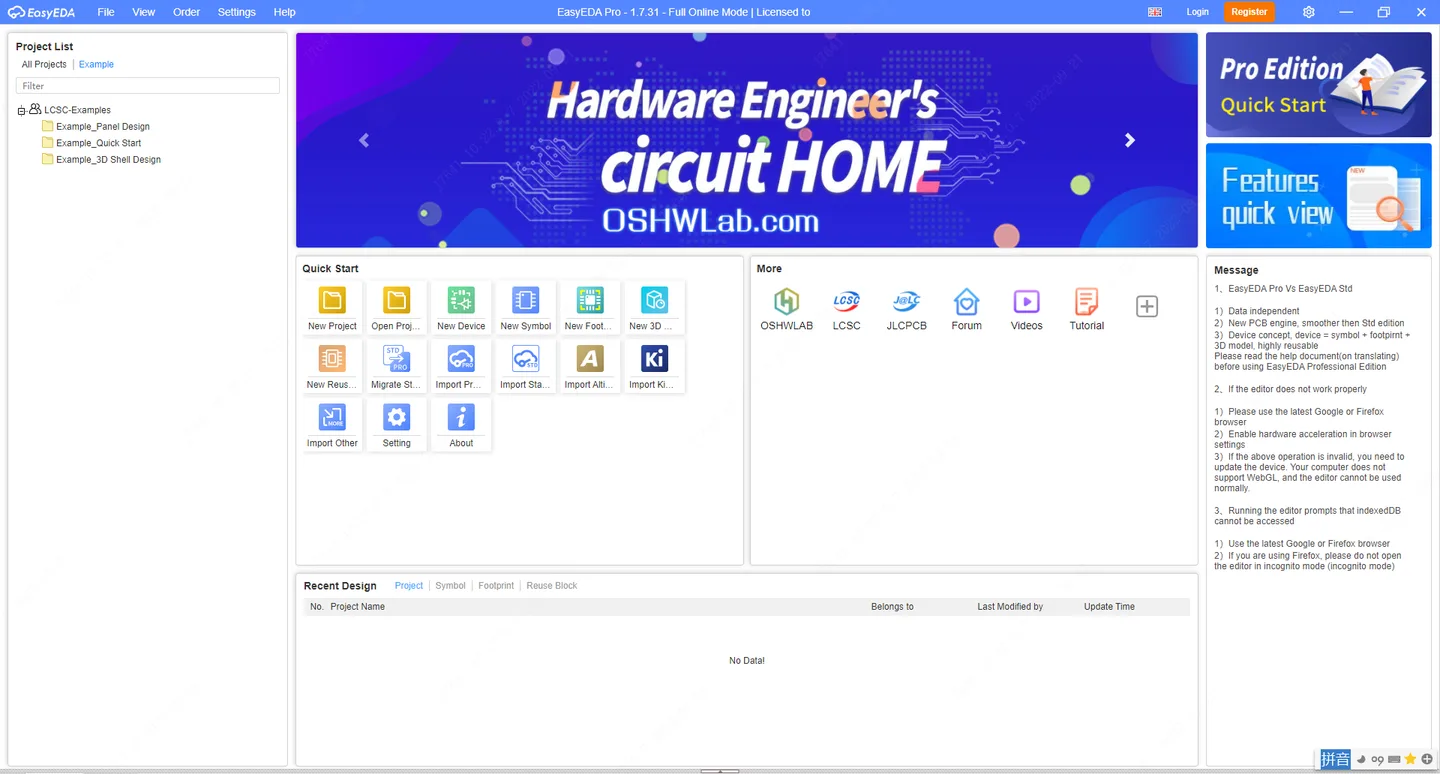
This entry links to the publisher-listed Windows x64 EXE for version 3.2.149, not the browser editor or Standard edition. The publisher documents a free activation file obtained after registration or sign-in. Standard and Pro projects are not directly interoperable; use the documented import process to move Standard projects into Pro. The accompanying publisher documentation screenshot shows an older 1.7.31 client start screen, not the selected release.
What it offers
- Create electronic schematics and PCB layouts in the Pro design environment.
- Reuse devices that combine schematic symbols, PCB footprints, 3D models and attributes.
- Organize hierarchical schematics and multiple single-board designs within one project.
- Use built-in auto-routing, DXF import/export and PDF export.
- Choose cloud collaboration with local backups, half-offline storage or full offline operation.
Good to know
- Half-offline and full offline modes do not support collaboration; full offline mode cannot access cloud system libraries.
- Initial desktop activation requires a free activation file obtained after registration or sign-in.
- Standard and Pro project data are not directly interchangeable; Standard projects require import into Pro.
Product images
Sources
References used for this listing. Retrieval dates do not indicate hands-on testing.
More in development
View category ↗
010 Editor 17.0
Inspect and edit binary files on Mac with 010 Editor, a paid text and hex editor with Binary Templates, file comparison and a 30-day trial.
010 Editor 17.0
Inspect and edit binary files with 010 Editor for Windows, a text and hex editor with Binary Templates, file comparison and scripting. Includes a 30-day trial.
10x Editor
Edit and navigate C++ projects on Windows with a built-in parser, workspace search and Visual Studio project support. A paid license is required after the 30-day trial.