

Utilities Windows
EclipseCrossword for Windows
Create custom crossword puzzles from your own words and clues with EclipseCrossword, a free Windows app for printing, sharing online and newsletter layouts.
- Operating system
- Windows 10 and 11
- Architecture
- Not specified in the inspected publisher pages
- Download package
- MSI offline installer
Publisher confirms Windows 10 and 11 support. Windows 10 S Mode needs the Microsoft Store version, not this installer.
Link checked · Download guidance
What is EclipseCrossword?
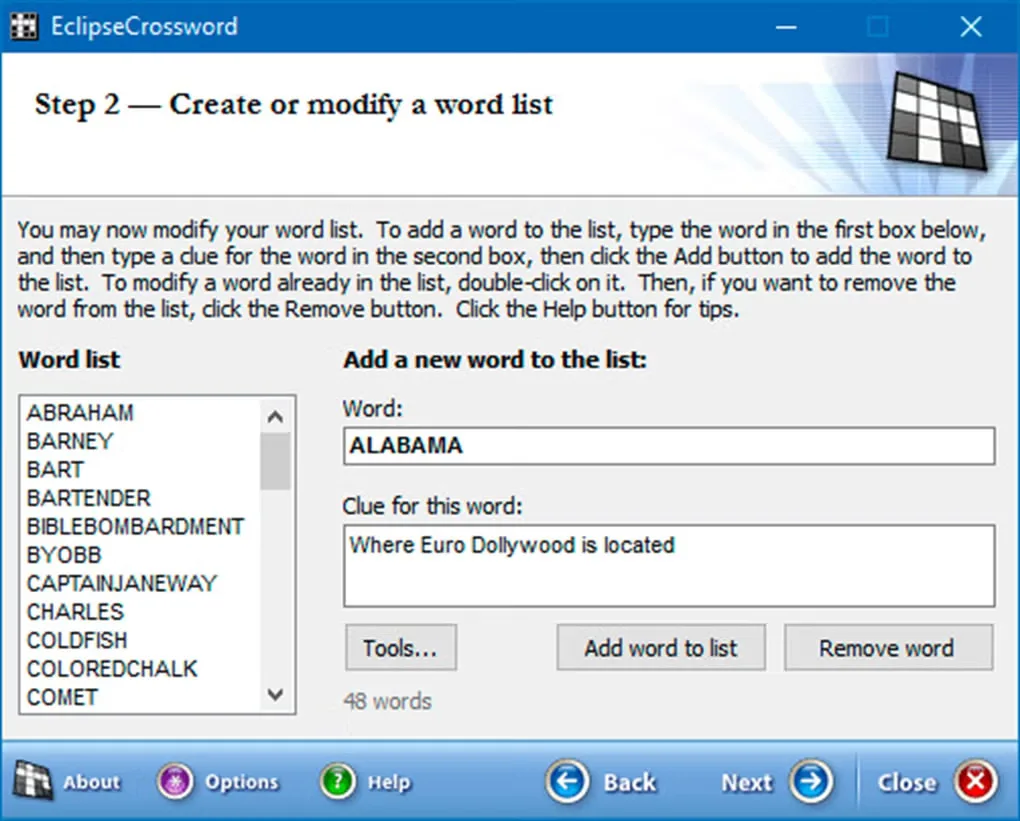
EclipseCrossword turns a list of words and clues into a custom crossword puzzle. Its step-by-step editor lets you build a word list around a lesson, a newsletter topic or a personal theme, rather than working through a fixed collection of puzzles. You can print the result or share it online.
For page layouts, export the crossword grid and clues into files for a word processor or publishing program. The grid can include answers or leave them out. Puzzle-generation settings let you adjust how compact the crossword should be.
The publisher supports Windows 10 and 11 but says the interface is not optimized for touchscreens or high-resolution displays. This entry links to the publisher’s offline MSI installer. Windows 10 S Mode requires the Microsoft Store version instead.
What it offers
- Build a custom crossword from your own words and clues in a step-by-step interface.
- Print puzzles or share them online with the publisher’s Share EclipseCrossword service.
- Export a crossword grid, with or without answers, and its clues for use in publishing software.
- Adjust puzzle-generation settings, including how compact the grid should be.
Good to know
- The interface is not optimized for touchscreens or high-resolution displays.
- The offline installer cannot be used in Windows 10 S Mode; the publisher directs those users to the Microsoft Store.
Product images
Sources
References used for this listing. Retrieval dates do not indicate hands-on testing.
More in utilities
View category ↗
1.1.1.1 with WARP 2026.8.2115.0
Encrypt traffic from your Mac to Cloudflare’s network with WARP, or use DNS-only mode for encrypted DNS queries to the 1.1.1.1 resolver.
1.1.1.1 with WARP 2026.8.2115.0
Encrypt traffic between your Windows PC and Cloudflare, or use encrypted DNS only, with the free 1.1.1.1 with WARP app.

3uTools 9.12.005
Manage iPhone and iPad photos, music, apps and backups from Windows with 3uTools, a free utility that also includes device checks and firmware flashing tools.