
Utilities Windows
EcoPaste
Search and reuse copied text, images and files with EcoPaste, a free, open-source clipboard manager for Windows with local history, notes and backups.
- Operating system
- Windows; Softonic lists Windows 11
- Architecture
- x64
- Download package
- EXE installer
Selected package is x64; a separate ARM64 installer is listed. Exact minimum Windows version/build is not established by the cited publisher documentation.
Link checked · Download guidance
What is EcoPaste?
EcoPaste keeps a searchable clipboard history so you can return to copied material after the next copy operation. It captures plain text, HTML, rich text, images, files and folders. Search the content or your notes, then narrow the list by content type or source application to find the item you need.
For repeated work, pin or favorite useful entries, add notes and organize items into custom groups. Copy an entry as plain text when you do not want its formatting, or use the preview window to inspect text, images and files. Retention and size controls help manage what is kept; .ecopastebak export and import support moving backups, including encrypted backup containers. The publisher describes clipboard data, resources and settings as local to the machine; cross-platform availability should not be read as a promise of automatic device synchronization.
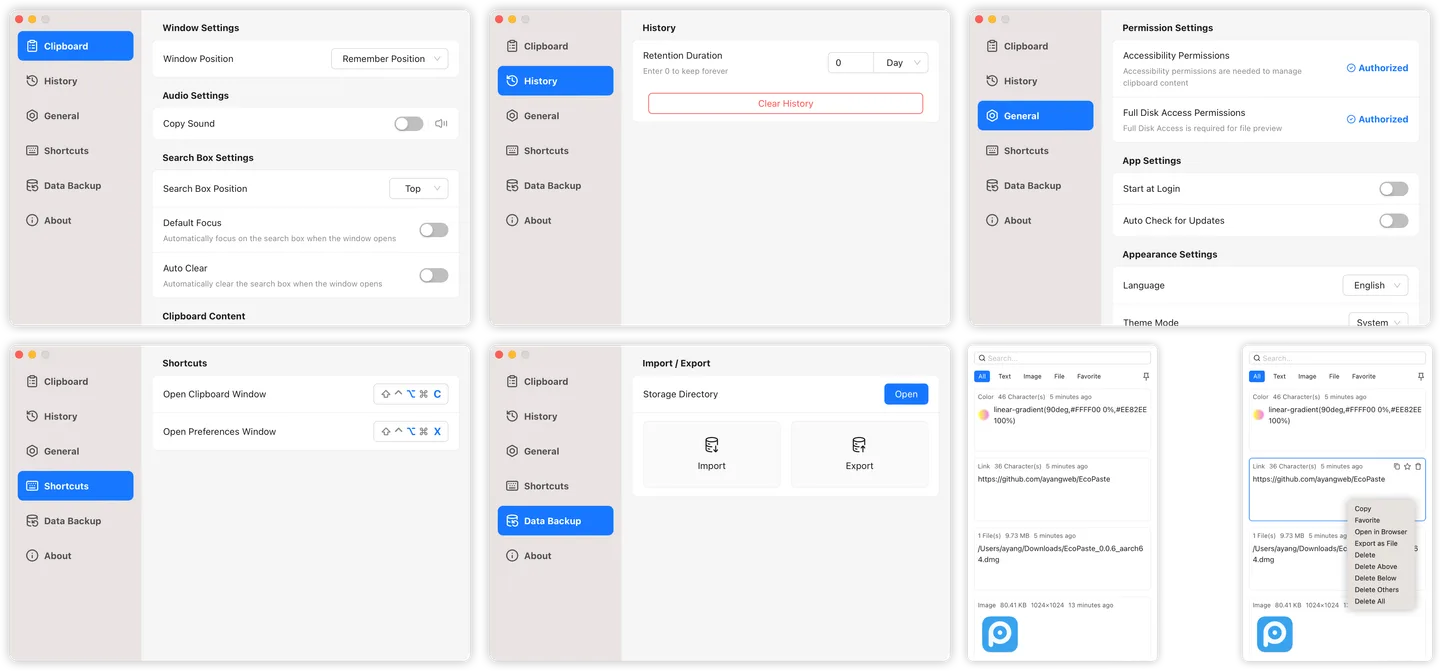
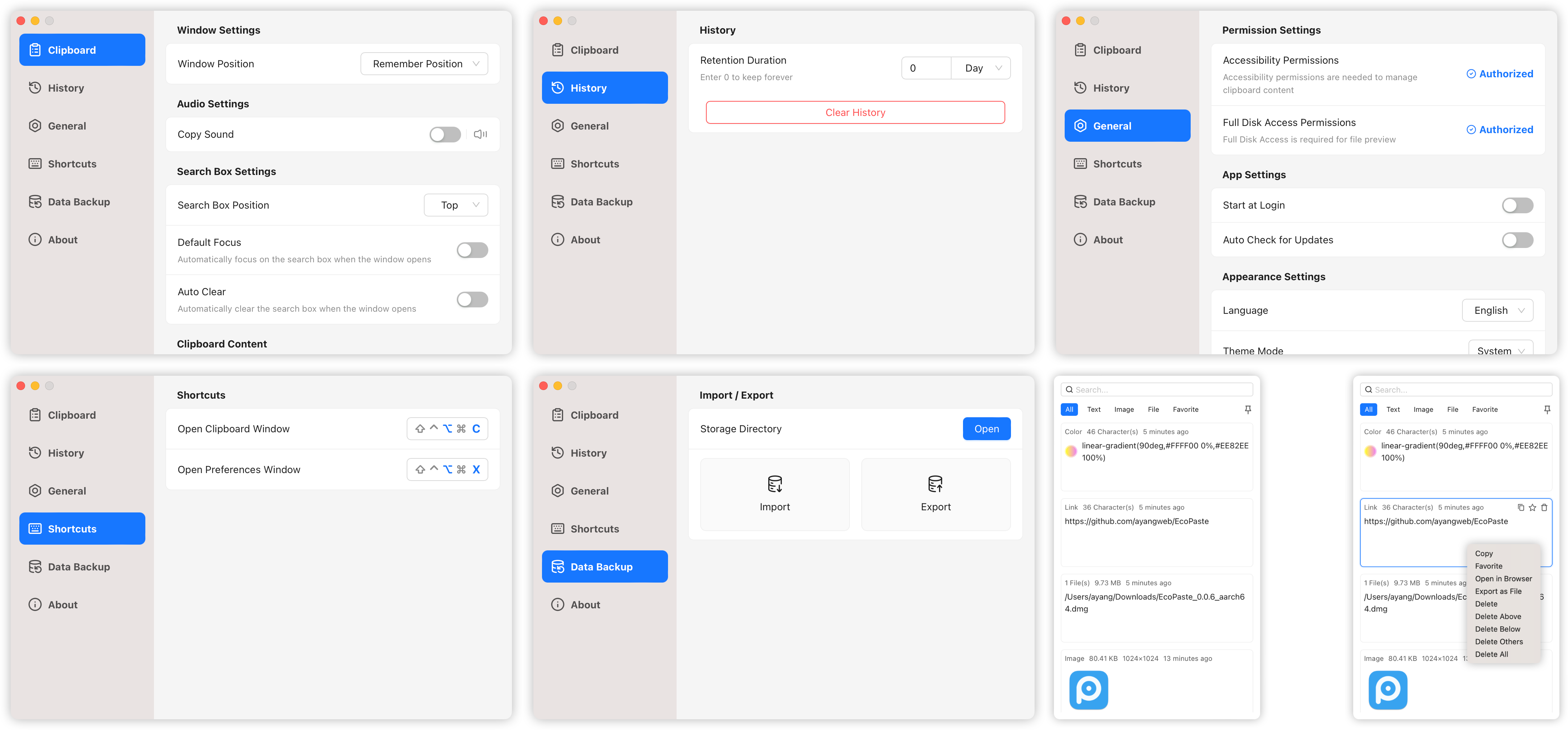
The linked package is the Windows x64 EXE installer for version 1.1.0, not the separate ARM64 build. The publisher troubleshooting guide warns that pasting into an application running as administrator may fail because of differing permissions. The accompanying publisher screenshot is a historical macOS view from the v0.5.0 documentation, not a capture of this Windows release.
What it offers
- Capture text, HTML, RTF, images, files and folders in clipboard history.
- Search clipboard content and notes; filter by content type or source application.
- Organize entries with favorites, pins, notes and custom groups.
- Preview saved entries and copy text without its original formatting.
- Control retention and size limits; export and import .ecopastebak backups, including encrypted containers.
Good to know
- Pasting into an application running as administrator may fail when privileges differ, according to the publisher troubleshooting guide.
- The selected installer is x64; ARM64 systems have a separate package. An exact minimum Windows build is not established by the cited publisher sources.
- The screenshot shows historical macOS UI from publisher v0.5.0 documentation; current Windows controls and layout can differ.
Product images
Sources
References used for this listing. Retrieval dates do not indicate hands-on testing.
- EcoPaste v1.1.0 — official English README ↗Retrieved
- EcoPaste v1.1.0 — official GitHub release metadata and assets ↗Retrieved
- EcoPaste publisher installation guide — Windows package architectures ↗Retrieved
- EcoPaste publisher troubleshooting — pasting into elevated Windows apps ↗Retrieved
- EcoPaste v0.5.0 — publisher historical screenshot reference ↗Retrieved
- EcoPaste - Download — normal browser observation ↗Retrieved
More in utilities
View category ↗
1.1.1.1 with WARP 2026.8.2115.0
Encrypt traffic from your Mac to Cloudflare’s network with WARP, or use DNS-only mode for encrypted DNS queries to the 1.1.1.1 resolver.
1.1.1.1 with WARP 2026.8.2115.0
Encrypt traffic between your Windows PC and Cloudflare, or use encrypted DNS only, with the free 1.1.1.1 with WARP app.

3uTools 9.12.005
Manage iPhone and iPad photos, music, apps and backups from Windows with 3uTools, a free utility that also includes device checks and firmware flashing tools.