

Utilities Windows
EFI Boot Editor for Windows
View and edit UEFI boot entries with EFI Boot Editor, an open-source graphical utility with JSON configuration export and import.
Version 1.5.7 · Direct publisher file
Link checked · Download guidance
What is EFI Boot Editor?
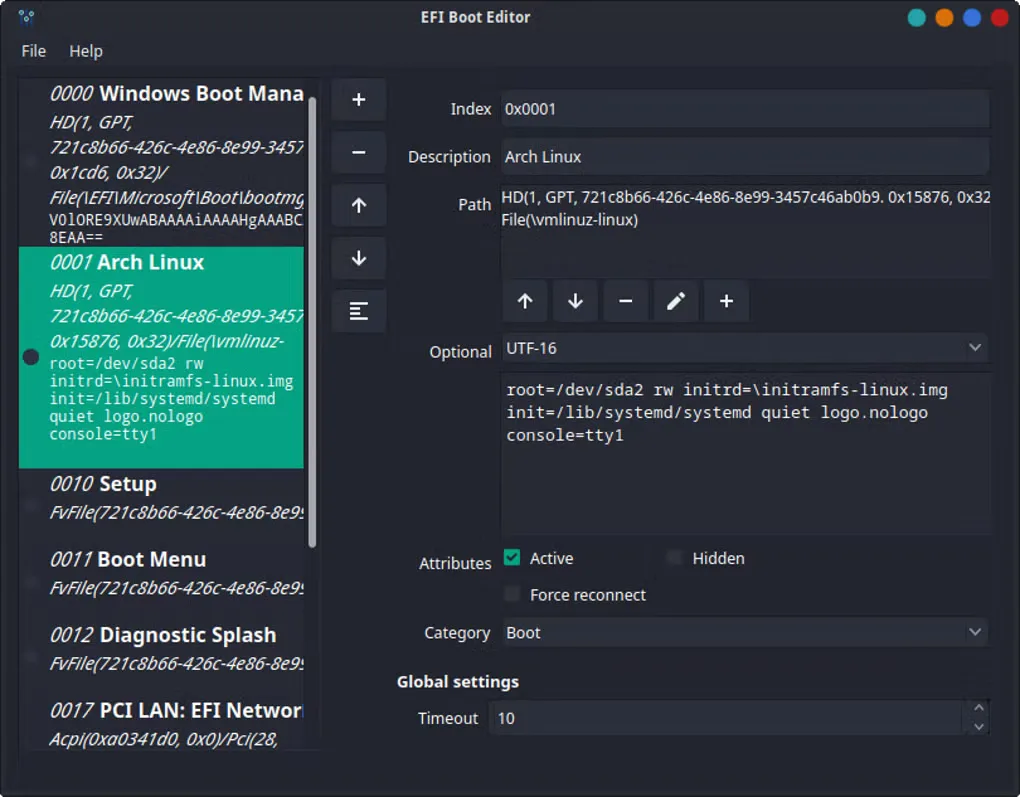
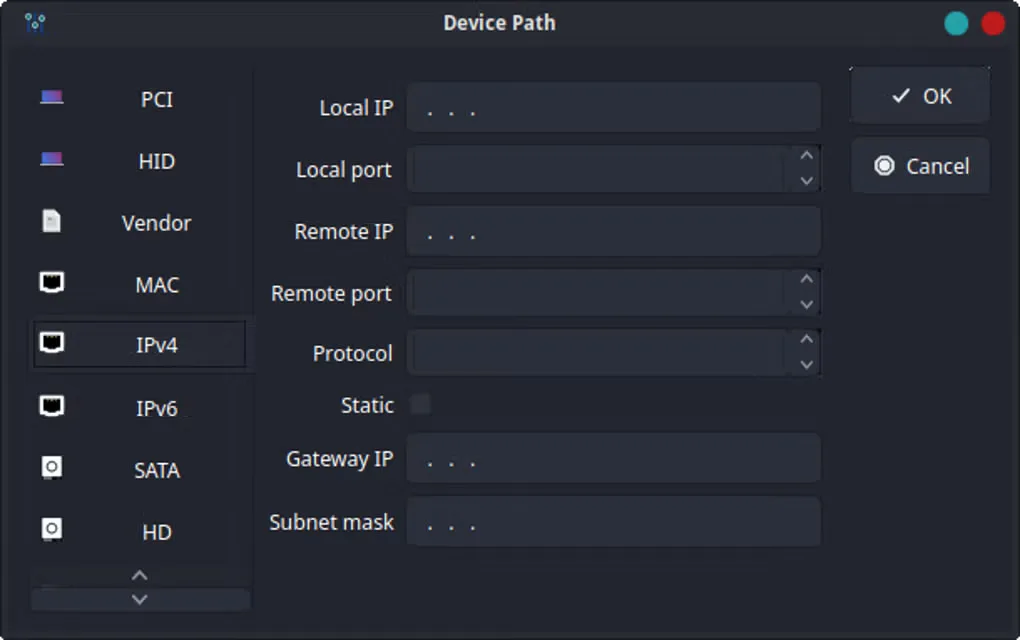
EFI Boot Editor provides a graphical interface for inspecting and changing boot entries on (U)EFI-based systems. You can review entry descriptions, device paths and attributes, adjust the entry order and inspect global settings such as the boot timeout. It is aimed at users who already understand their firmware boot configuration, rather than a one-click Windows repair tool.
The publisher also documents a command-line interface for exporting configuration, dumping raw EFI data and importing configuration from JSON. Those options support saving and restoring boot configuration without relying solely on the graphical editor.
The linked download is the publisher’s version 1.5.7 Windows MSI package built with Qt 5.15.2 and MSVC in the windows-2022 environment. That build label does not establish a minimum supported Windows release. The publisher warns that pre-built packages can inherit requirements from their build environment. Boot configuration changes are technically sensitive; review the entries and retain a configuration backup before making changes.
What it offers
- Inspect boot entry descriptions, device paths, category and active or hidden attributes in a graphical interface.
- Add or remove entries and change their order using the boot entry list controls.
- Review global settings such as the boot timeout.
- Export configuration, dump raw EFI data and import JSON configuration using the documented command-line interface.
Good to know
- Boot entry modification requires technical knowledge; incorrect changes can disrupt startup.
- Pre-built packages can inherit build-environment requirements; the publisher does not provide a comprehensive Windows compatibility guarantee in the installation notes.
Product images
Sources
References used for this listing. Retrieval dates do not indicate hands-on testing.
More in utilities
View category ↗
1.1.1.1 with WARP 2026.8.2115.0
Encrypt traffic from your Mac to Cloudflare’s network with WARP, or use DNS-only mode for encrypted DNS queries to the 1.1.1.1 resolver.
1.1.1.1 with WARP 2026.8.2115.0
Encrypt traffic between your Windows PC and Cloudflare, or use encrypted DNS only, with the free 1.1.1.1 with WARP app.

3uTools 9.12.005
Manage iPhone and iPad photos, music, apps and backups from Windows with 3uTools, a free utility that also includes device checks and firmware flashing tools.