

Development Windows
EmEditor for Windows
Edit text, code and large files on Windows with EmEditor. Professional adds CSV tools and scripting; a 7-day trial switches to a personal-use Free edition.
- Operating system
- Windows 11, Windows 10, Windows 8.1; Windows Server 2012 R2 or later
- Architecture
- 64-bit (x64)
- Download package
- Legacy MSI installer
This download is the publisher’s 64-bit legacy MSI. Microsoft Store and MSIX packages are separate; legacy MSI Update Checker retires after March 31, 2027 UTC.
Link checked · Download guidance
What is EmEditor?
EmEditor is a Windows text editor for working with source code, logs and delimited data. Syntax highlighting, Unicode support and Find/Replace cover everyday editing, while tabbed documents and multiple selections help when working across files or making repeated changes.
EmEditor Professional adds CSV tools, sorting, filtering, scriptable macros and plug-ins. Those capabilities make it useful for inspecting tabular data and automating repeated text operations, but they are not all included in the Free edition. The same program starts with a 7-day Professional trial and then switches to Free unless you license Professional. Free is limited to personal use at home or school, not organizational use.
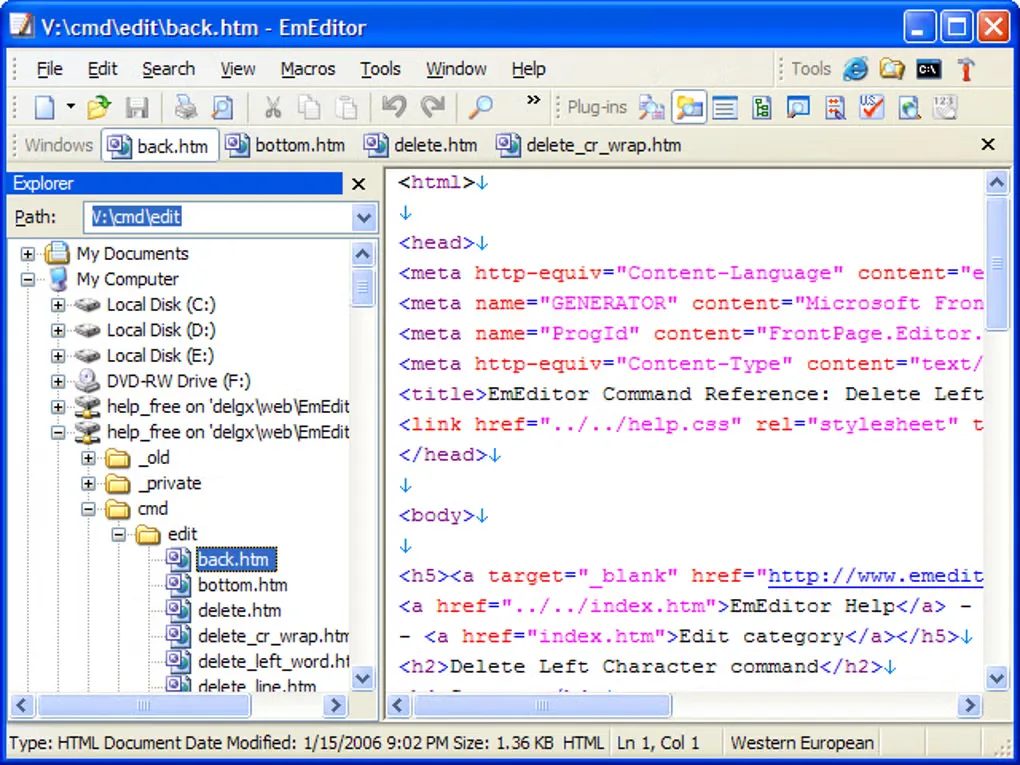
This entry links to the publisher’s 64-bit legacy MSI installer, version 26.4.0. Emurasoft also offers Microsoft Store and newer MSIX packages and recommends those alternatives. The legacy MSI Update Checker retires after March 31, 2027 UTC. The gallery image is a historical Windows interface supplied by the source listing; it does not show the current release.
What it offers
- Edit text and source code with syntax highlighting, Unicode support and Find/Replace.
- Keep documents in tabs and edit repeated text with multiple selections.
- Use CSV tools, sorting and filtering in the Professional edition.
- Automate text tasks with Professional scripting and scriptable macros; extend the editor with plug-ins.
Good to know
- EmEditor Free is for personal use at home or school only; corporate, government and other organizational use requires Professional.
- The 7-day Professional trial switches to Free; CSV tools, sorting, filtering, plug-ins and scripting are not included in Free.
- The selected legacy MSI is 64-bit only, and its Update Checker retires after March 31, 2027 UTC.
Product images
Sources
References used for this listing. Retrieval dates do not indicate hands-on testing.
- EmEditor - Download — Windows listing and screenshot gallery ↗Retrieved
- EmEditor — Windows text, code, CSV and large-file editor ↗Retrieved
- Download — EmEditor publisher packages and trial ↗Retrieved
- EmEditor Free — edition rights and feature limitations ↗Retrieved
- EmEditor v26.4 Released — publisher announcement ↗Retrieved
More in development
View category ↗
010 Editor 17.0
Inspect and edit binary files on Mac with 010 Editor, a paid text and hex editor with Binary Templates, file comparison and a 30-day trial.
010 Editor 17.0
Inspect and edit binary files with 010 Editor for Windows, a text and hex editor with Binary Templates, file comparison and scripting. Includes a 30-day trial.
10x Editor
Edit and navigate C++ projects on Windows with a built-in parser, workspace search and Visual Studio project support. A paid license is required after the 30-day trial.