
Utilities Windows
EPUB Metadata Editor
Edit EPUB titles, authors, series details and other book metadata with Ben Chenoweth’s free Windows utility, including batch field replacements.
Version 2.0.4 · Direct publisher file
Link checked · Download guidance
What is EPUB Metadata Editor?
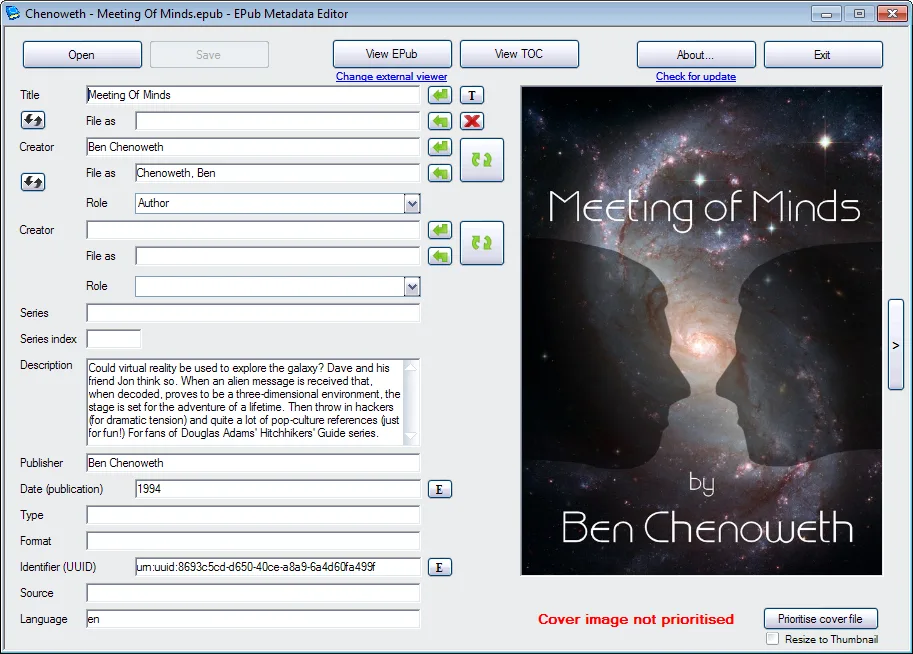
EPUB Metadata Editor puts an EPUB’s descriptive fields in a Windows editing window. Update the title and creator, adjust series information, or work with the description, publisher, publication date and language while viewing the book’s cover. It is a focused option for correcting the information attached to an existing ebook.
For repeated changes, its batch replacement tools accept field tokens, including the current field contents and series details. These can change capitalization or build a title from several fields. The publisher warns that token-based replacements can seriously alter metadata: keep an untouched copy and check the result before applying a pattern across a collection. The linked download is the standard 2.0.4 EXE installer; the publisher also provides compact and no-installer variants under the same release.
What it offers
- Edit title, creator, series, description, publisher, publication date and language fields.
- View the book cover alongside metadata fields in the Windows interface.
- Use batch field replacements with current-content, capitalization and series tokens.
- Extract individual metadata fields through the publisher’s console utility.
Good to know
- Batch replacement tokens can seriously alter metadata; review the replacement pattern and preserve original files before using it across a collection.
Product images
Sources
References used for this listing. Retrieval dates do not indicate hands-on testing.
- EPUB Metadata Editor — publisher repository and README ↗Retrieved
- Publisher release metadata — EPUB Metadata Editor v2.0.4 ↗Retrieved
- EPUB Metadata Editor — publisher usage wiki ↗Retrieved
- EPUB Metadata Editor - Download ↗Retrieved
- Publisher-hosted EPUB Metadata Editor main-window screenshot ↗Retrieved
More in utilities
View category ↗
1.1.1.1 with WARP 2026.8.2115.0
Encrypt traffic from your Mac to Cloudflare’s network with WARP, or use DNS-only mode for encrypted DNS queries to the 1.1.1.1 resolver.
1.1.1.1 with WARP 2026.8.2115.0
Encrypt traffic between your Windows PC and Cloudflare, or use encrypted DNS only, with the free 1.1.1.1 with WARP app.

3uTools 9.12.005
Manage iPhone and iPad photos, music, apps and backups from Windows with 3uTools, a free utility that also includes device checks and firmware flashing tools.