

Utilities Windows
Escrcpy for Windows
Mirror and control Android devices from a Windows PC with Escrcpy, a graphical scrcpy interface with USB and wireless connections, keyboard mapping and multi-device controls.
- Operating system
- Windows
- Architecture
- x64
- Download package
- EXE installer
Selected publisher package is win-setup-x64. ARM64 and portable packages are separate. Android debugging authorization is required; minimum Windows version was not established from publisher evidence.
Link checked · Download guidance
What is Escrcpy?
Escrcpy puts Android screen mirroring and device controls in a graphical desktop interface built around scrcpy. Use it to interact with a phone from your computer, manage several connected devices, configure keyboard mappings or start a wireless ADB connection. The embedded mirror and configurable shortcuts keep common device actions inside the application rather than requiring a command-line workflow.
This entry links to the publisher’s Windows x64 installer for version 3.3.1. Its release notes say all existing features in that version are free without activation. That policy is version-specific: the publisher plans a different billing and licensing system for 4.0.0 and later, and the public repository distinguishes private advanced extensions from its open-source core.
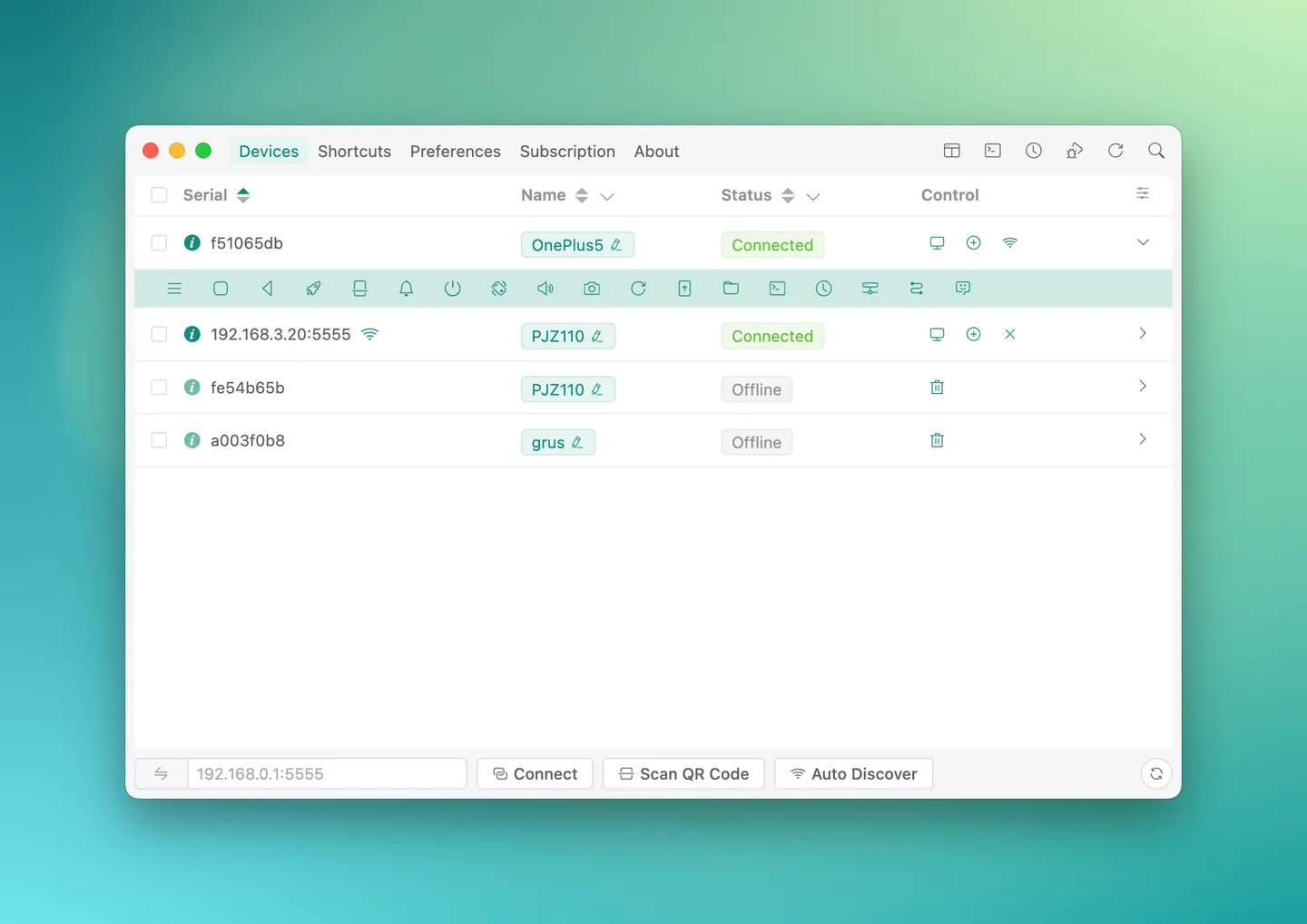
A phone still needs Android developer options and debugging enabled, with authorization granted when prompted. Wireless setup can require pairing. Copilot is not a ready-to-use included AI service: you must configure a supported model provider, which may charge for API use. The publisher overview image shows the shared application UI with macOS-style window controls; it is not a capture of this Windows build.
What it offers
- Display and control Android devices through a graphical scrcpy interface.
- Connect over USB or wireless ADB, including QR-code pairing and IP-address connections.
- Configure keyboard mappings on the embedded mirror.
- Manage multiple devices and broadcast input from one interface.
- Use customizable shortcuts and an integrated device control bar.
Good to know
- Android debugging must be enabled and authorized; wireless connections can require pairing.
- Copilot requires your own supported AI provider configuration; third-party API charges may apply.
- The free-use policy applies to existing features in 3.3.1, not a promise that future releases or private extensions are free.
Product images
Sources
References used for this listing. Retrieval dates do not indicate hands-on testing.
- Escrcpy - Download — Windows listing ↗Retrieved
- viarotel-org/escrcpy — publisher README ↗Retrieved
- Quick Start | Escrcpy ↗Retrieved
- Release v3.3.1 — publisher release notes ↗Retrieved
- Escrcpy v3.3.1 — publisher asset list ↗Retrieved
- Escrcpy public repository — Apache License 2.0 ↗Retrieved
More in utilities
View category ↗
1.1.1.1 with WARP 2026.8.2115.0
Encrypt traffic from your Mac to Cloudflare’s network with WARP, or use DNS-only mode for encrypted DNS queries to the 1.1.1.1 resolver.
1.1.1.1 with WARP 2026.8.2115.0
Encrypt traffic between your Windows PC and Cloudflare, or use encrypted DNS only, with the free 1.1.1.1 with WARP app.

3uTools 9.12.005
Manage iPhone and iPad photos, music, apps and backups from Windows with 3uTools, a free utility that also includes device checks and firmware flashing tools.