
Utilities Windows
EventLogExpert for Windows
Open exported EVTX files, combine logs in time order and monitor live Windows event channels with Microsoft's free, open-source EventLogExpert.
- Operating system
- Windows 11; Windows Server 2022 or Windows Server 2025
- Architecture
- x64 and ARM64
- Download package
- Self-contained MSIX bundle
Windows selects the matching architecture. Windows App Runtime is included; some live channels require administrator privileges.
Link checked · Download guidance
What is EventLogExpert?
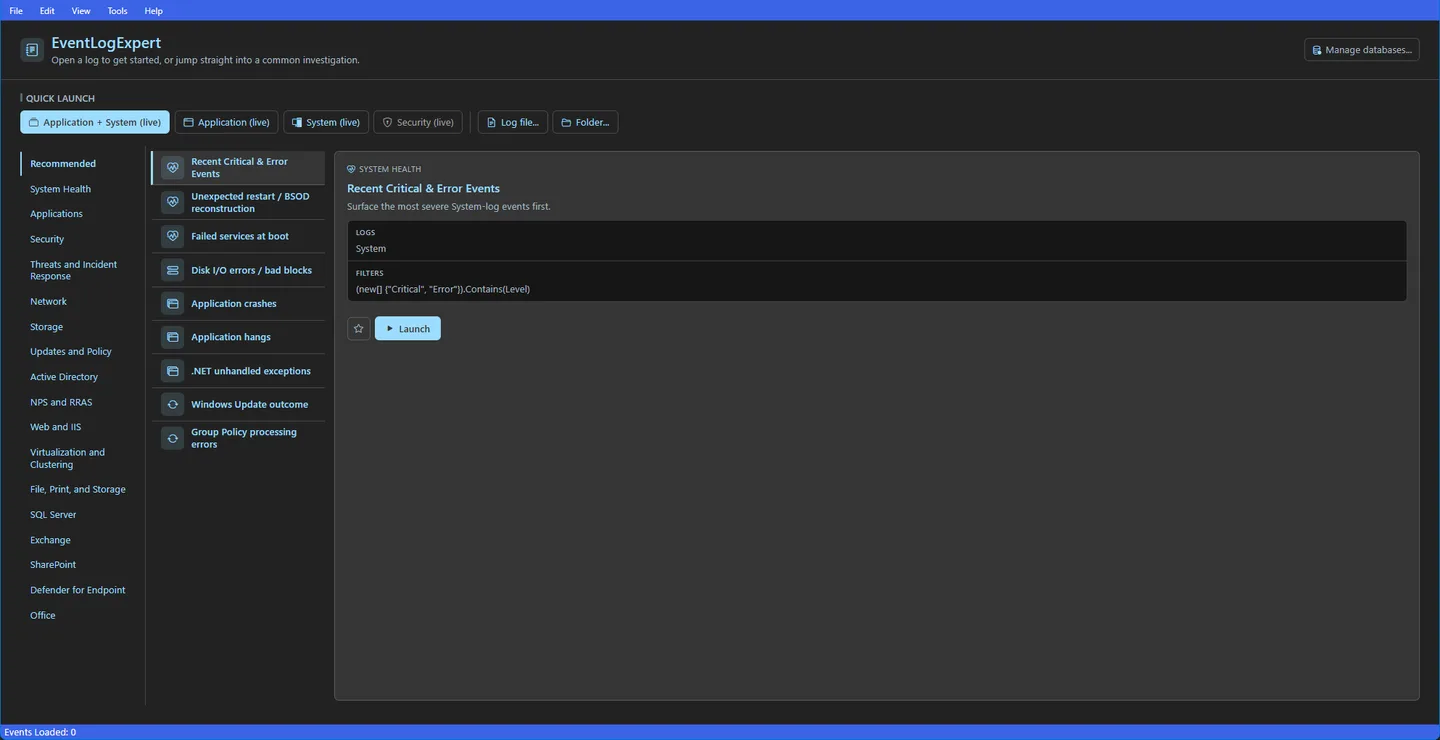
EventLogExpert is a Windows Event Log viewer for IT professionals and technical support teams investigating system problems. Open individual EVTX files, drag files into the app or load a folder of logs. A combined view interleaves events from file and live logs by time, helping you follow an investigation across logs collected from multiple machines.
Basic, date, advanced-expression and exclusion filters narrow the event table. The Filter Library saves individual filters and named sets for reuse, with favorites, tags and import/export. Live channels support continuous updates or buffered loading, while the details pane exposes event XML. The selected release also includes a timeline histogram, in-view search and activity correlation.
Access to live logs still depends on Windows permissions: restricted channels may require restarting the app as administrator. When examining EVTX files from another computer, you may need a provider database captured there to resolve event descriptions and task categories. The self-contained MSIX bundle covers x64 and ARM64 on the publisher's listed Windows versions; it includes the Windows App Runtime rather than requiring a separate runtime installation.
What it offers
- Open EVTX files individually, by drag-and-drop or from a folder, and combine file and live logs in chronological order.
- Apply basic, date, advanced and exclusion filters; save and exchange reusable filters and filter sets.
- Monitor live event channels with continuous updates or load newly buffered events on demand.
- Explore event volume in a timeline histogram, find text in the current view and follow activity correlation.
- Inspect event XML and load provider databases for descriptions and task categories from another machine.
Good to know
- Restricted live event channels require appropriate Windows permissions; accessing denied channels may require restarting as administrator.
- Descriptions and task categories in logs from another machine may require a provider database captured on that machine.
Product images
Sources
References used for this listing. Retrieval dates do not indicate hands-on testing.
- EventLogExpert - Download — protected, JavaScript-disabled browser observation ↗Retrieved
- EventLogExpert README at v26.8.24.986 — features and requirements ↗Retrieved
- EventLogExpert release v26.8.24.986 ↗Retrieved
- Publisher release asset catalog for v26.8.24.986 ↗Retrieved
- EventLogExpert MIT License ↗Retrieved
- Publisher README dashboard screenshot and trademark notice ↗Retrieved
More in utilities
View category ↗
1.1.1.1 with WARP 2026.8.2115.0
Encrypt traffic from your Mac to Cloudflare’s network with WARP, or use DNS-only mode for encrypted DNS queries to the 1.1.1.1 resolver.
1.1.1.1 with WARP 2026.8.2115.0
Encrypt traffic between your Windows PC and Cloudflare, or use encrypted DNS only, with the free 1.1.1.1 with WARP app.


3uTools 9.12.005
Manage iPhone and iPad photos, music, apps and backups from Windows with 3uTools, a free utility that also includes device checks and firmware flashing tools.