
Utilities Windows
EverythingToolbar
Search files and folders from the Windows taskbar with EverythingToolbar, a free, open-source interface powered by the separate Everything search application.
- Operating system
- Windows 10 and Windows 11
- Architecture
- x64
- Download package
- EXE installer
Selected download is x64; ARM64 is listed separately. Requires .NET Desktop Runtime 8.0+ and running Everything 1.4.1+ (not Everything Lite).
Link checked · Download guidance
What is EverythingToolbar?
EverythingToolbar brings Everything file search to the Windows taskbar. It is an integration utility, not the Everything indexing application itself. It suits users who already rely on Everything and want a taskbar entry point for finding and opening files without starting a separate search workflow.
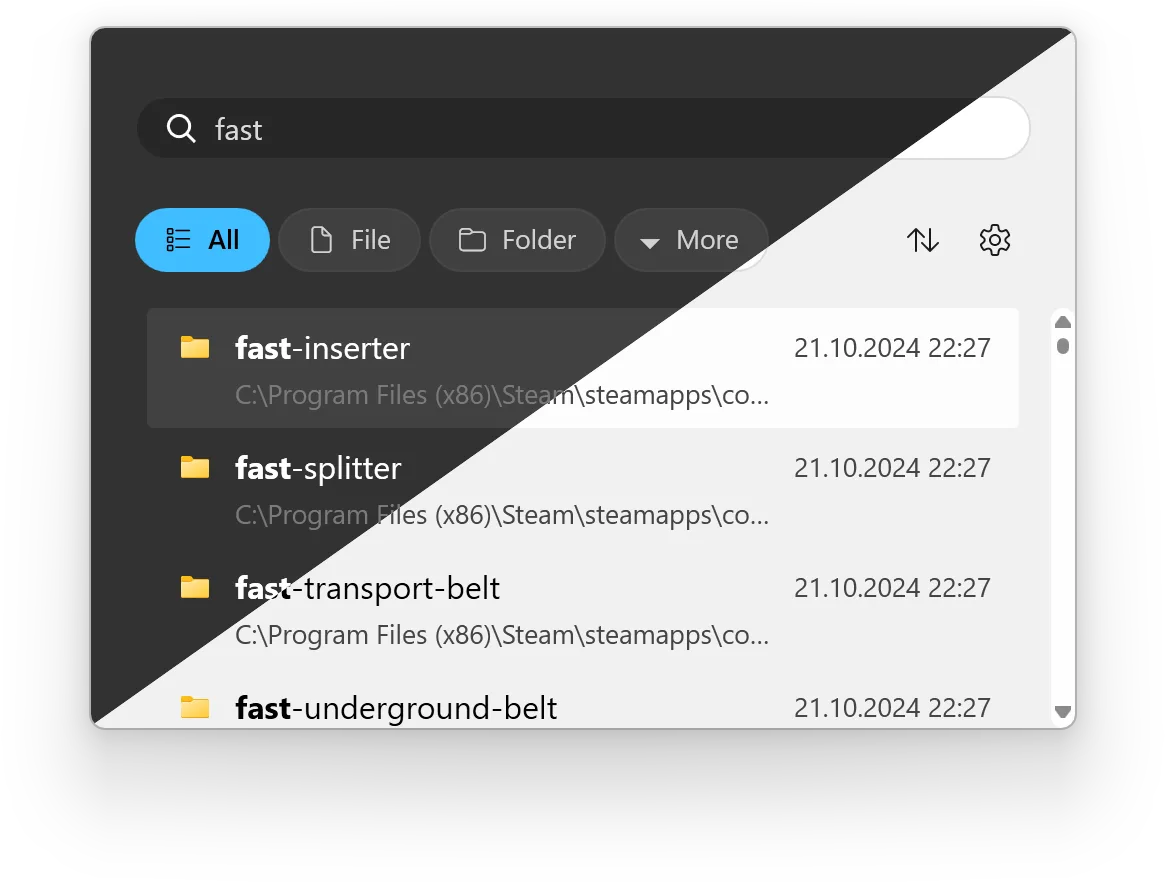
On Windows 11, the setup assistant offers an embedded taskbar search box or a pinned icon that opens the search window. Windows 10 users can enable the native deskband from the taskbar Toolbars menu. Results can be narrowed with file and folder filters, matching options or regular expressions. Keyboard actions open a result, open its containing folder or copy its full path.
The toolbar depends on Everything 1.4.1 or later being installed and running, plus .NET Desktop Runtime 8.0 or later. Everything Lite is not supported. The linked installer is the Windows x64 package; the publisher lists ARM64 separately. These are publisher-documented capabilities and requirements, not results of an installation or performance test.
What it offers
- Reach Everything search through a Windows 11 taskbar search box or pinned icon, or a Windows 10 deskband.
- Filter results by files and folders, or enable synchronization with custom Everything filters.
- Toggle match case, whole word, match path and regular-expression search options.
- Open a containing folder with Ctrl+Enter and copy a full path with Ctrl+Shift+C.
- Use light and dark themes, a customizable global shortcut and drag-and-drop from search results.
Good to know
- Requires the separate Everything application, version 1.4.1 or later, installed and running; Everything Lite is unsupported.
- Requires Windows 10 or 11 and .NET Desktop Runtime 8.0 or later.
- The launcher taskbar search box is Windows 11-only; Windows 10 users should use the deskband. Windows 11 full deskband integration relies on additional taskbar tools.
Product images
Sources
References used for this listing. Retrieval dates do not indicate hands-on testing.
More in utilities
View category ↗
1.1.1.1 with WARP 2026.8.2115.0
Encrypt traffic from your Mac to Cloudflare’s network with WARP, or use DNS-only mode for encrypted DNS queries to the 1.1.1.1 resolver.
1.1.1.1 with WARP 2026.8.2115.0
Encrypt traffic between your Windows PC and Cloudflare, or use encrypted DNS only, with the free 1.1.1.1 with WARP app.

3uTools 9.12.005
Manage iPhone and iPad photos, music, apps and backups from Windows with 3uTools, a free utility that also includes device checks and firmware flashing tools.