
Utilities Windows
Evoluent Mouse Manager
Customize buttons, keyboard shortcuts and scrolling on supported Evoluent VerticalMouse models. This Windows download is for USB VerticalMouse 4 and D on Intel or AMD PCs, not Windows on ARM.
- Operating system
- Windows 7, 8, 10 and 11
- Architecture
- Intel and AMD processors; not Windows on ARM
- Download package
- MSI installer
Selected v6.0.9.3 package is for USB VerticalMouse 4 and D. VerticalMouse 3/C use another package. Publisher documents button-function problems after some 2025 Windows updates.
Link checked · Download guidance
What is Evoluent Mouse Manager?
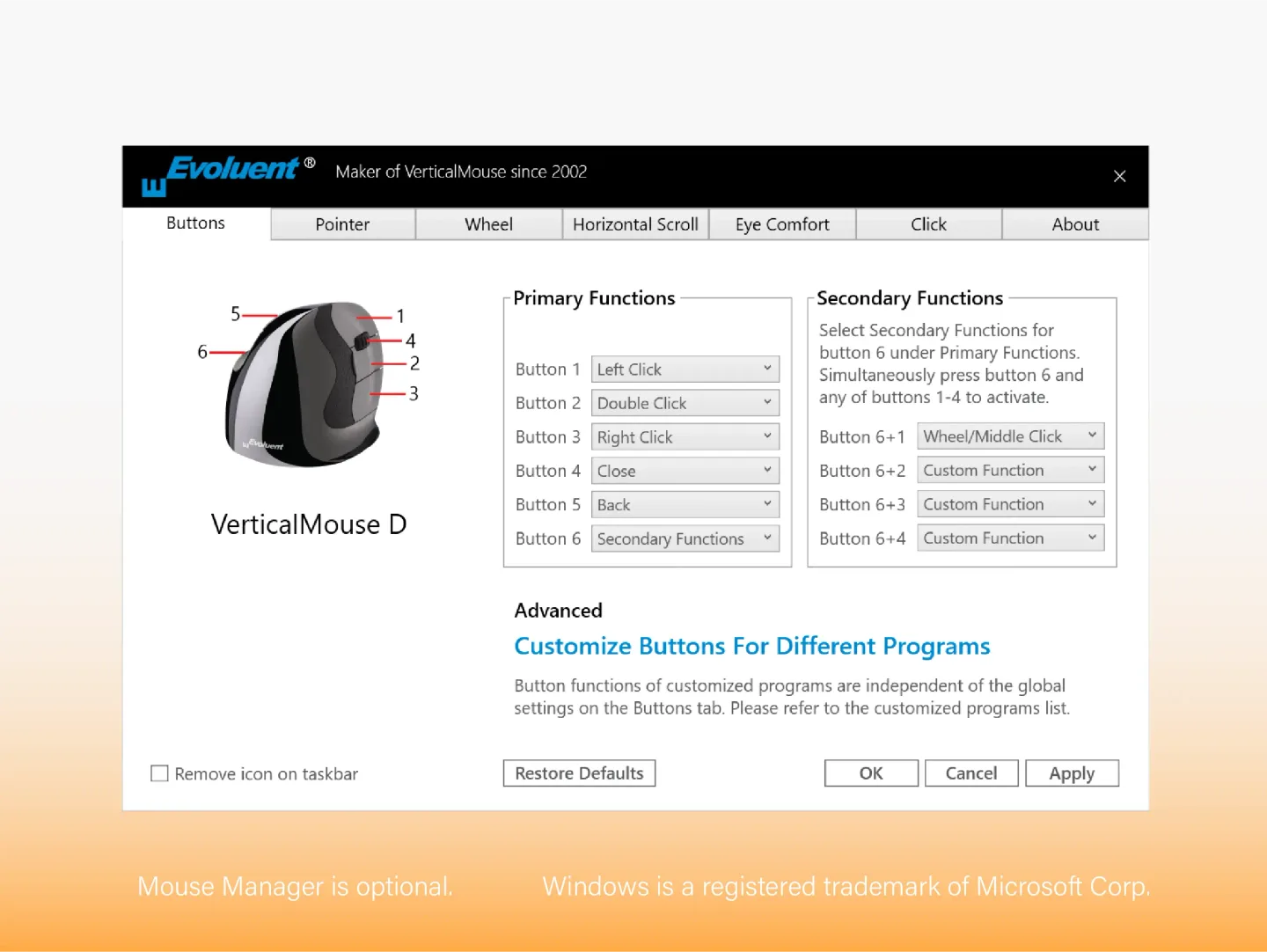
Evoluent Mouse Manager adds button and wheel customization to supported Evoluent mice. Assign actions such as double-click, copy or paste to a button, record a keyboard shortcut, or give the same button different functions in different programs. Primary and secondary assignments provide up to nine functions without adding physical buttons. The software is optional; it is for customizing a supported mouse rather than providing basic pointing alone.
The publisher manual also describes adjustable accelerated scrolling: slow wheel movements provide fine control, while faster movements scroll more lines. Application-specific assignments are useful when a shortcut used for editing documents should behave differently in a browser or another program.
Choose the package for your hardware. This entry links to version 6.0.9.3 for USB versions of VerticalMouse 4 and D on Windows 7, 8, 10 or 11 with an Intel or AMD processor. VerticalMouse 3 and C use a separate package, and this version does not support Windows on ARM. Evoluent documents cases where some 2025 Windows updates disable button assignments or prevent them from working; consult its support page if that occurs.
What it offers
- Remap supported mouse buttons to mouse actions, keyboard keys or shortcut combinations.
- Use primary and secondary assignments for up to nine functions.
- Configure different button functions for individual applications.
- Adjust accelerated wheel scrolling for fine control at slow speeds and more lines at faster speeds.
Good to know
- Version 6.0.9.3 is offered for USB VerticalMouse 4 and D; VerticalMouse 3 and C require a different package, and Bluetooth models are not supported by Mouse Manager.
- Windows on ARM, including Snapdragon PCs, is not supported by version 6.0.9.3.
- Some 2025 Windows updates can disable button assignments or stop programmed functions from taking effect on some computers.
Product images
Sources
References used for this listing. Retrieval dates do not indicate hands-on testing.
More in utilities
View category ↗
1.1.1.1 with WARP 2026.8.2115.0
Encrypt traffic from your Mac to Cloudflare’s network with WARP, or use DNS-only mode for encrypted DNS queries to the 1.1.1.1 resolver.
1.1.1.1 with WARP 2026.8.2115.0
Encrypt traffic between your Windows PC and Cloudflare, or use encrypted DNS only, with the free 1.1.1.1 with WARP app.


3uTools 9.12.005
Manage iPhone and iPad photos, music, apps and backups from Windows with 3uTools, a free utility that also includes device checks and firmware flashing tools.