
Utilities Windows
Executor
Launch Windows apps, files, folders and websites with typed keywords, indexed results and hotkeys. Executor also provides clipboard history and quick calculations.
- Operating system
- Windows 7 or later (publisher requirement)
- Architecture
- 64-bit
- Download package
- ZIP archive
This link is the publisher’s 64-bit ZIP archive. A separate 32-bit ZIP and EXE setup are listed in the release assets.
Link checked · Download guidance
What is Executor?
Executor is a keyboard launcher for Windows that brings application shortcuts, file paths and web searches into one input field. It can index the Start Menu, Control Panel and folders you choose, so everyday launching does not require manually naming every item. Custom keywords add control over names, parameters, hotkeys and launch behavior.
For repeatable workflows, a keyword can open several programs, paths or websites using the || separator. Appearance, indexing and input behavior are configurable, and built-in tools cover clipboard text history, calculations and system commands. Version 2.4.5 also adds a command for launching keywords that share a tag.
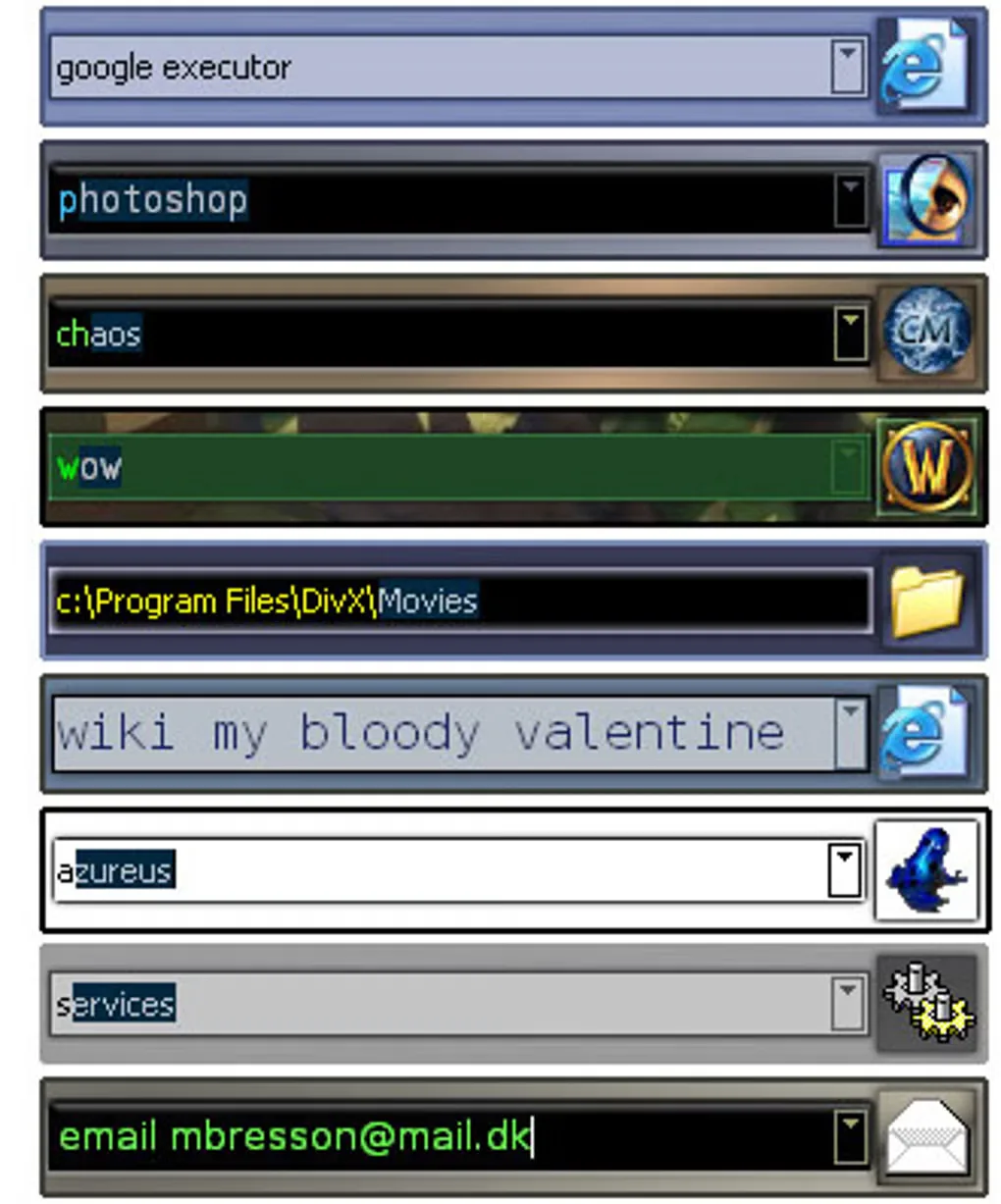
Indexed-name commands depend on the item remaining indexed under the same name; renaming or removing an indexed item can break that workflow. The optional internal browser also uses additional resources and is not loaded by default. Executor is Windows-only. The gallery image illustrates historical launcher skins, rather than confirming the appearance of version 2.4.5.
What it offers
- Find apps and other items indexed from the Start Menu, Control Panel and selected folders.
- Create keywords with custom names, parameters, hotkeys and launch options.
- Launch several apps, paths or websites from one command using the || separator.
- Recall clipboard text history and perform quick calculations.
- Customize skins, input behavior and indexing; version 2.4.5 adds launching keywords by tag.
Good to know
- Workflows that refer to indexed names can stop resolving if those items are renamed or no longer indexed.
- The optional internal browser adds resource use; the publisher says it is not loaded by default.
- Windows-only; this publisher does not provide a macOS, Linux or Android edition.
Product images
Sources
References used for this listing. Retrieval dates do not indicate hands-on testing.
More in utilities
View category ↗
1.1.1.1 with WARP 2026.8.2115.0
Encrypt traffic from your Mac to Cloudflare’s network with WARP, or use DNS-only mode for encrypted DNS queries to the 1.1.1.1 resolver.
1.1.1.1 with WARP 2026.8.2115.0
Encrypt traffic between your Windows PC and Cloudflare, or use encrypted DNS only, with the free 1.1.1.1 with WARP app.

3uTools 9.12.005
Manage iPhone and iPad photos, music, apps and backups from Windows with 3uTools, a free utility that also includes device checks and firmware flashing tools.