
Development Windows
eXeLearning
Build interactive educational resources with eXeLearning for Windows. Organize lessons into pages, add media and activities, and export content for the web or an LMS.
Version 4.0.5 · Direct publisher file
Link checked · Download guidance
What is eXeLearning?
eXeLearning is a free, open-source authoring tool for teachers and other creators of educational resources. The Windows desktop edition lets you create materials without an internet connection and save projects on your own computer. It is useful when you want to assemble a structured lesson rather than manage a whole online learning service.
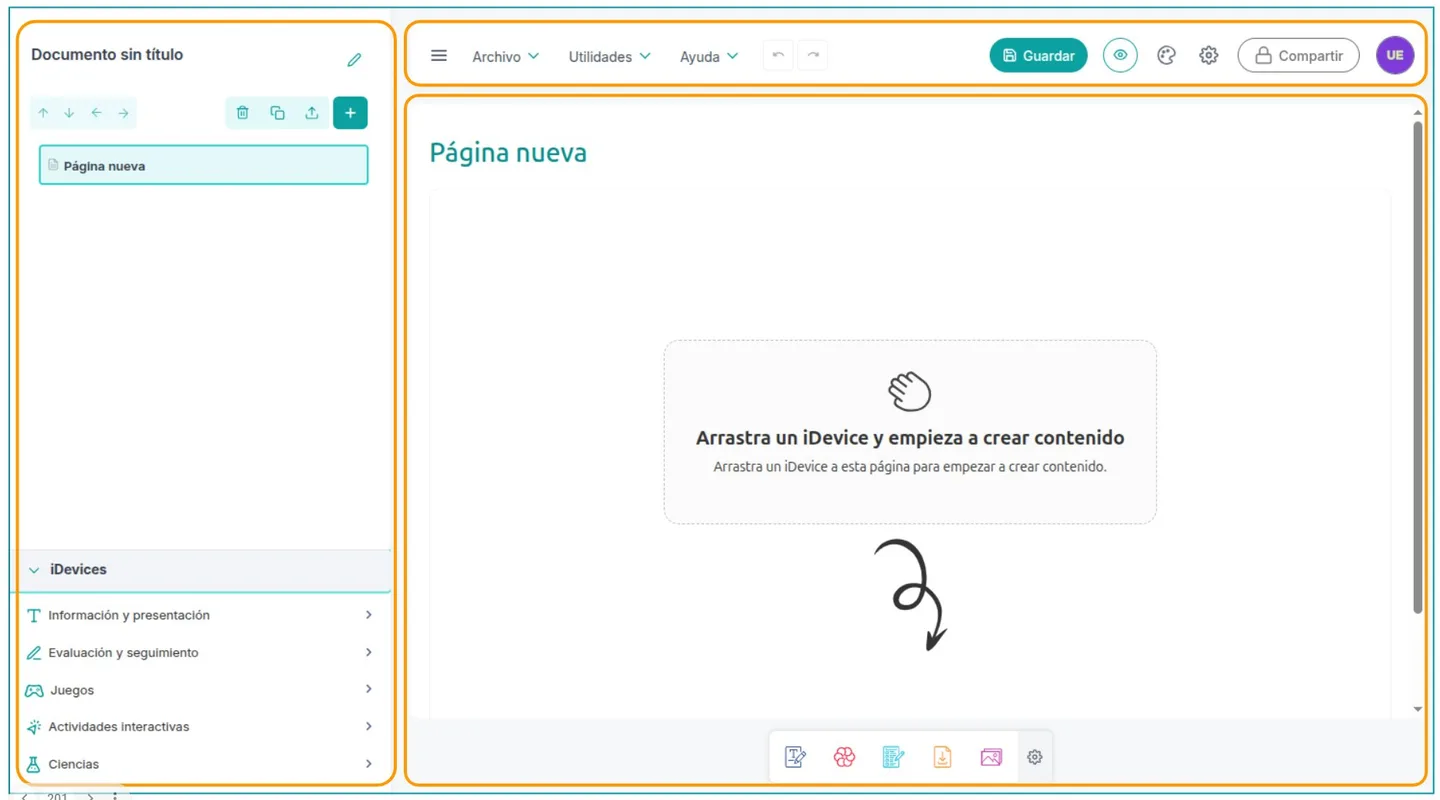
Start with pages and subpages in the project outline, then add iDevices: content blocks for text, images, video, assessment and interactive activities. Styles control the presentation, while the preview shows the website export. The documented utilities also include a file manager, resource reports, link validation and image optimization, helping you organize the files used across a larger lesson.
Export options include HTML for websites, EPUB for electronic books, and SCORM or IMS for compatible educational platforms. The selected publisher-linked download is the Windows EXE installer for version 4.0.5. The screenshot is an annotated Spanish-language editor image from the official manual, not a capture from a local Windows installation.
Choose the desktop edition for individual offline authoring and local project storage. Collaborative editing with persistent cloud storage is a separate eXeLearning CLOUD deployment that requires a server; it is not supplied simply by installing this Windows package. The browser-based individual edition and guest Cloud demo also require you to download work you want to keep, rather than assume it will remain stored online.
What it offers
- Arrange educational content into pages and subpages.
- Add iDevices for text, media, assessment and interactive activities.
- Customize resource presentation with styles and preview the website output.
- Export educational materials as HTML, EPUB, SCORM or IMS.
- Work offline and save projects locally with the desktop edition.
Good to know
- Persistent shared cloud storage and collaborative project management require a separate server-based eXeLearning CLOUD installation.
- The online individual edition and guest Cloud demo do not provide permanent project storage; download work you need to retain.
Product images
Sources
References used for this listing. Retrieval dates do not indicate hands-on testing.
- Downloads and access - eXeLearning ↗Retrieved
- Home - eXeLearning ↗Retrieved
- exelearning/exelearning — official repository ↗Retrieved
- Access and installation — eXeLearning 4.0.5 manual ↗Retrieved
- Workspace — eXeLearning 4.0.5 manual ↗Retrieved
- Credits and download — eXeLearning manual ↗Retrieved
More in development
View category ↗

010 Editor 17.0
Inspect and edit binary files on Mac with 010 Editor, a paid text and hex editor with Binary Templates, file comparison and a 30-day trial.
010 Editor 17.0
Inspect and edit binary files with 010 Editor for Windows, a text and hex editor with Binary Templates, file comparison and scripting. Includes a 30-day trial.
10x Editor
Edit and navigate C++ projects on Windows with a built-in parser, workspace search and Visual Studio project support. A paid license is required after the 30-day trial.