

Utilities macOS
ExifCleaner for macOS
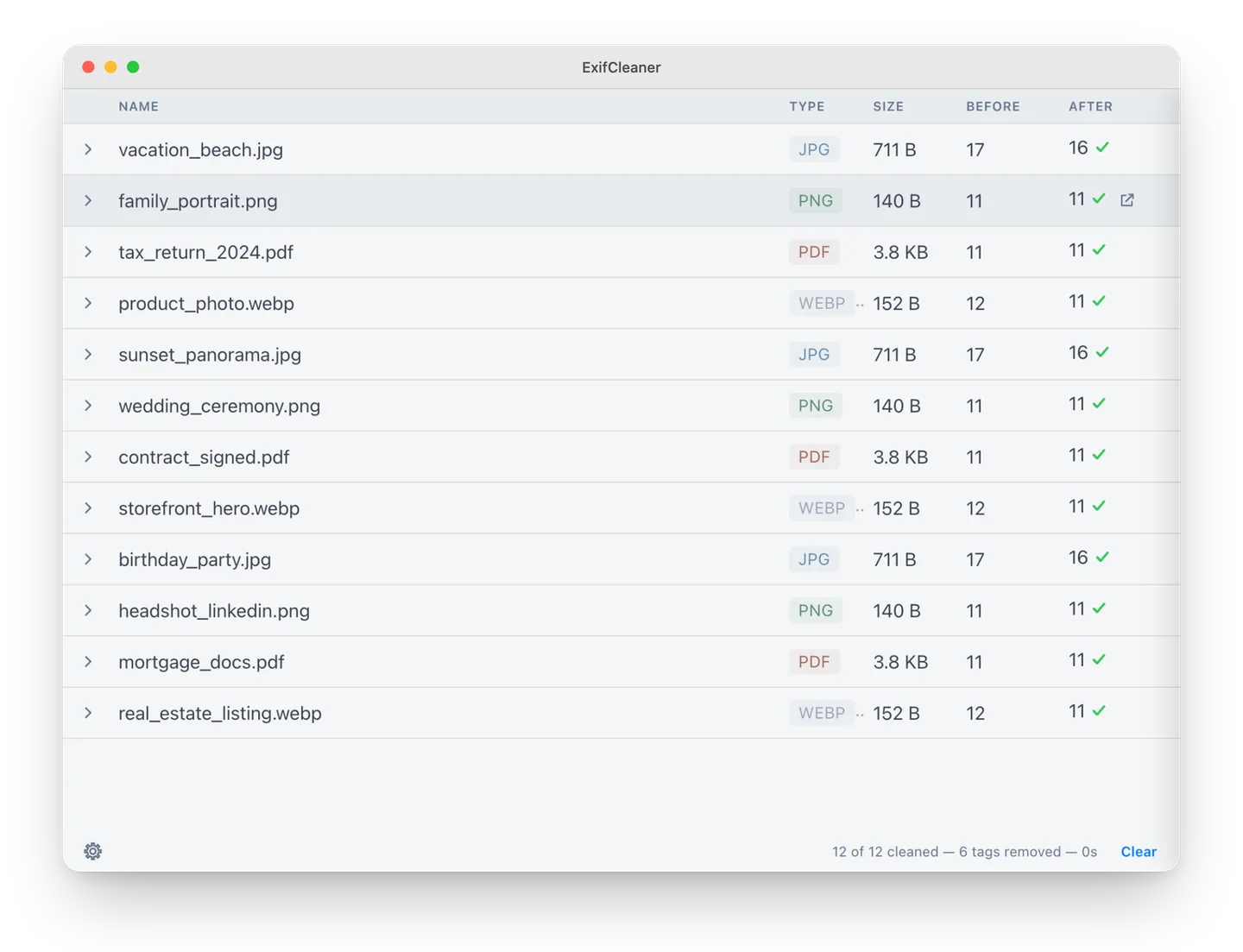
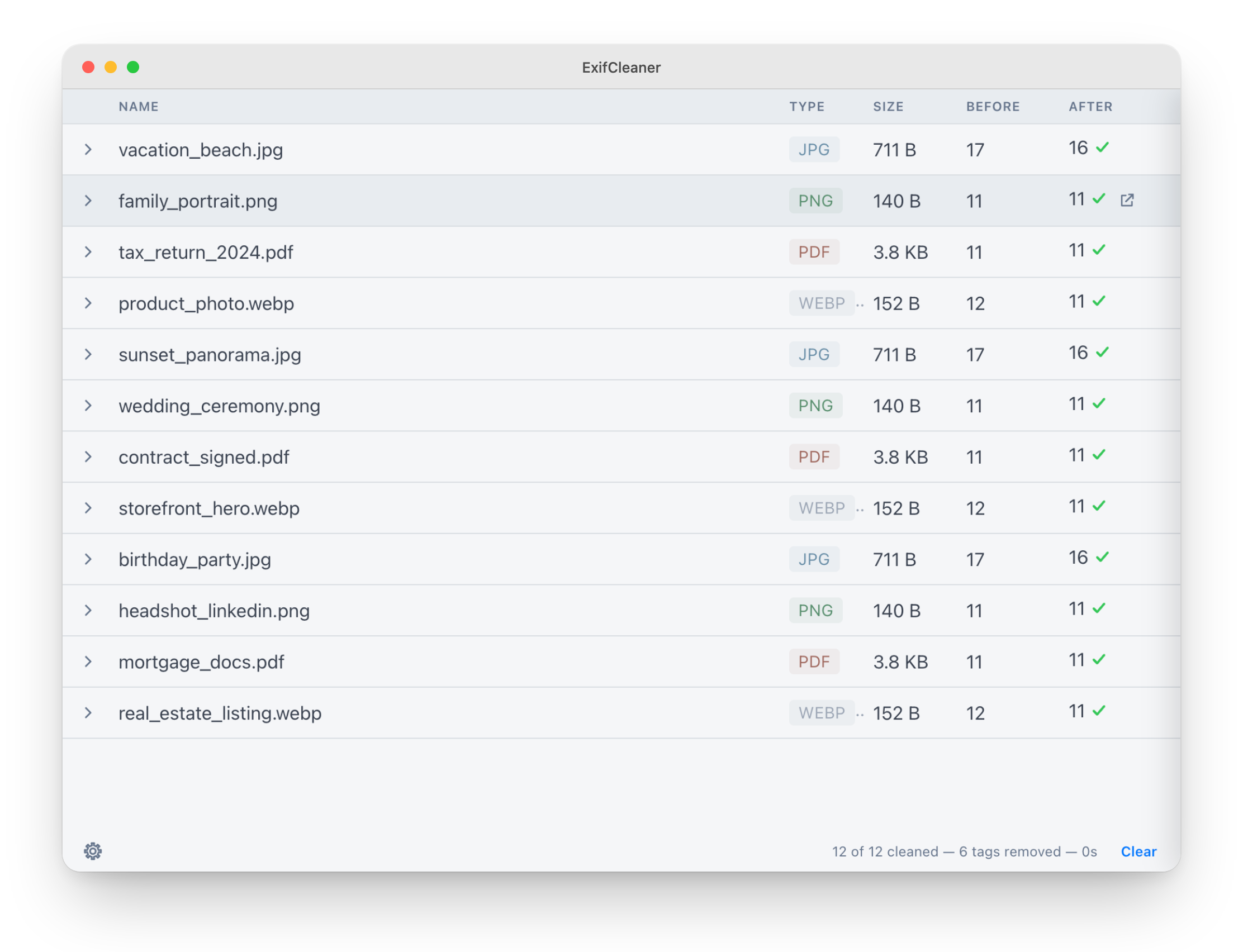
Remove metadata from supported photos, media files and PDFs with ExifCleaner for Mac. Batch processing, folder input and before/after inspection help you review what changed.
- Operating system
- macOS 13 (Ventura) or later
- Architecture
- ARM64 (Apple Silicon)
- Download package
- DMG disk image
Selected download is ExifCleaner-4.7.0-arm64.dmg. Intel DMG is separate. Publisher states builds are unsigned and macOS may warn or block first launch.
Link checked · Download guidance
What is ExifCleaner?
ExifCleaner is a free, open-source desktop utility for removing metadata from supported images, media files and PDFs. Drop files or folders into the app to process a batch, then expand a result to inspect the metadata before and after cleaning. It is useful when preparing files for sharing and checking which embedded details were removed.
Privacy controls let you save cleaned copies and preserve photo orientation or file timestamps. The supported image list includes JPEG, PNG, WebP, HEIC and AVIF, alongside selected RAW formats; media support includes MP4 and MOV. Format support is not a promise that every metadata field can be erased.
PDF changes are reversible and prior metadata can remain recoverable. Multi-page TIFF cleaning leaves metadata on later pages, RAF cleaning is refused, and cleaning iPhone HDR HEIC photos can lose Apple HDR brightness information. Keep backups rather than treating the app as a universal secure-erasure tool.
This download is the Apple Silicon DMG for version 4.7.0 and requires macOS 13 or later. Intel Macs use a separate package on the publisher release page. The publisher states that the application is unsigned and macOS can warn or block it on first launch; the download check here verifies the file endpoint, not installation or safety.
What it offers
- Batch-process supported files through drag-and-drop file or folder input.
- Expand a processed file to inspect before/after metadata details.
- Save cleaned copies and choose whether to preserve photo orientation or timestamps.
- Work with supported image, media and PDF formats, including JPEG, PNG, WebP, HEIC, AVIF, MP4 and MOV.
- Use an interface with dark mode and in-app language switching.
Good to know
- PDF updates are reversible: original metadata can remain recoverable, so this is not secure PDF metadata erasure.
- Multi-page TIFF cleaning affects only the first page; later-page metadata and some first-page fields remain.
- RAF cleaning is refused and MKV is unsupported; some RAW maker-note fields cannot be removed.
- Cleaning an iPhone HDR HEIC can lose Apple HDR brightness information; some HEIC, HEIF and AVIF copies retain embedded color profiles when ExifTool handles them.
- Version 4.7.0 requires macOS 13 or later and is unsigned; macOS may warn or block first launch. The linked DMG is for Apple Silicon, not Intel.
Product images
Sources
References used for this listing. Retrieval dates do not indicate hands-on testing.
More in utilities
View category ↗
1.1.1.1 with WARP 2026.8.2115.0
Encrypt traffic from your Mac to Cloudflare’s network with WARP, or use DNS-only mode for encrypted DNS queries to the 1.1.1.1 resolver.
1.1.1.1 with WARP 2026.8.2115.0
Encrypt traffic between your Windows PC and Cloudflare, or use encrypted DNS only, with the free 1.1.1.1 with WARP app.

3uTools 9.12.005
Manage iPhone and iPad photos, music, apps and backups from Windows with 3uTools, a free utility that also includes device checks and firmware flashing tools.