

Utilities macOS
ExifTool for macOS
Read, edit and remove image, audio and video metadata with ExifTool, a free command-line utility for Mac.
Version 13.60 · Direct publisher file
Link checked · Download guidance
What is ExifTool?
ExifTool reads and changes metadata embedded in photos, audio and video files. On a Mac, its command-line interface runs in Terminal rather than a dedicated graphical editor. It is useful for inspecting camera settings, correcting capture times, copying tags between files and processing folders of media. Supported metadata includes EXIF, IPTC, XMP, GPS and camera maker notes.
The macOS PKG installs the command-line application and libraries in /usr/local/bin. It does not include the HTML documentation and other extras in the full Perl distribution. The publisher warns that macOS may block the package with an unidentified-developer or verification message; this listing does not establish signing, notarization or malware-test status.
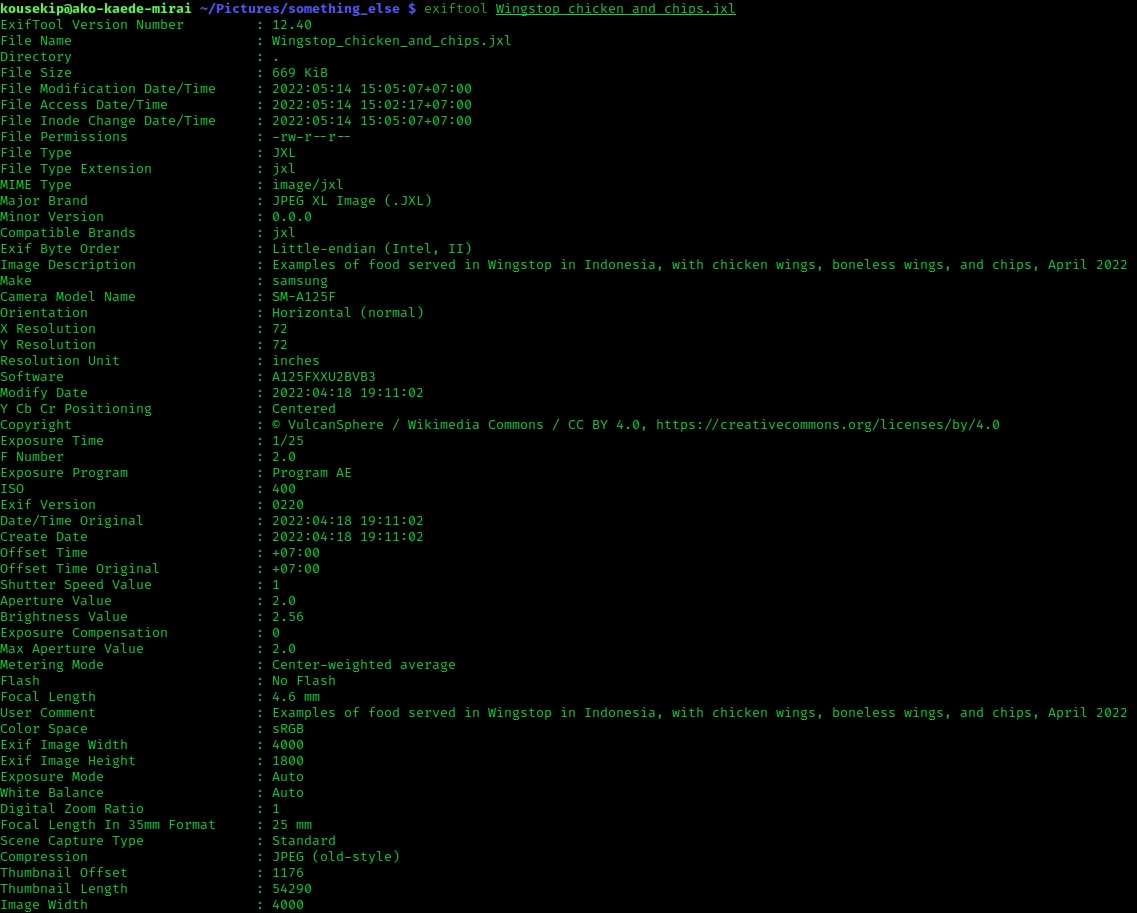
Read and write support varies by file format and metadata type, so a tag that ExifTool can display is not necessarily editable. Consult the publisher's support table before changing files. The screenshot illustrates the cross-platform command-line output in an older release; it is not a capture of the current macOS package.
What it offers
- Read and write supported EXIF, IPTC, XMP, GPS and camera maker-note metadata.
- Copy metadata between files, adjust date and time tags, and rename files using metadata.
- Process directory trees and export metadata in formats including JSON, XML and tab-delimited text.
- Extract embedded thumbnails and preview images from supported files.
Good to know
- Command-line operation requires Terminal commands; the macOS package is not a graphical metadata editor.
- Reading a file format or tag does not guarantee write support; capabilities differ by format and metadata type.
- The macOS package omits the full distribution's HTML documentation, and macOS may display developer-verification warnings.
Product images
Sources
References used for this listing. Retrieval dates do not indicate hands-on testing.
More in utilities
View category ↗
1.1.1.1 with WARP 2026.8.2115.0
Encrypt traffic from your Mac to Cloudflare’s network with WARP, or use DNS-only mode for encrypted DNS queries to the 1.1.1.1 resolver.
1.1.1.1 with WARP 2026.8.2115.0
Encrypt traffic between your Windows PC and Cloudflare, or use encrypted DNS only, with the free 1.1.1.1 with WARP app.



3uTools 9.12.005
Manage iPhone and iPad photos, music, apps and backups from Windows with 3uTools, a free utility that also includes device checks and firmware flashing tools.