

Utilities Windows
ExifTool for Windows
Read, edit and remove image metadata with ExifTool, a free command-line utility for Windows with support for EXIF, IPTC, XMP and GPS tags.
- Operating system
- Windows; minimum OS version not established by the cited sources
- Architecture
- 64-bit
- Download package
- ZIP archive containing Windows executable and bundled Perl
Separate 32-bit download available. Keep exiftool_files beside the executable. The Windows ZIP omits HTML documentation and other files supplied in the full Perl distribution.
Link checked · Download guidance
What is ExifTool?
ExifTool reads and changes metadata stored in photos and other supported files. Use it to inspect camera settings, correct capture dates, copy tags between files or process a whole folder from the Windows command line. Its output options include JSON, XML and tab-delimited text for use in other workflows.
This download is the publisher-linked 64-bit Windows ZIP for version 13.60. It includes Perl, so a separate Perl installation is not required for this package. Extract the archive before use. You can drag files onto exiftool(-k).exe to view metadata, or rename it to exiftool.exe for command-line use. Keep the accompanying exiftool_files folder beside the executable if you move it.
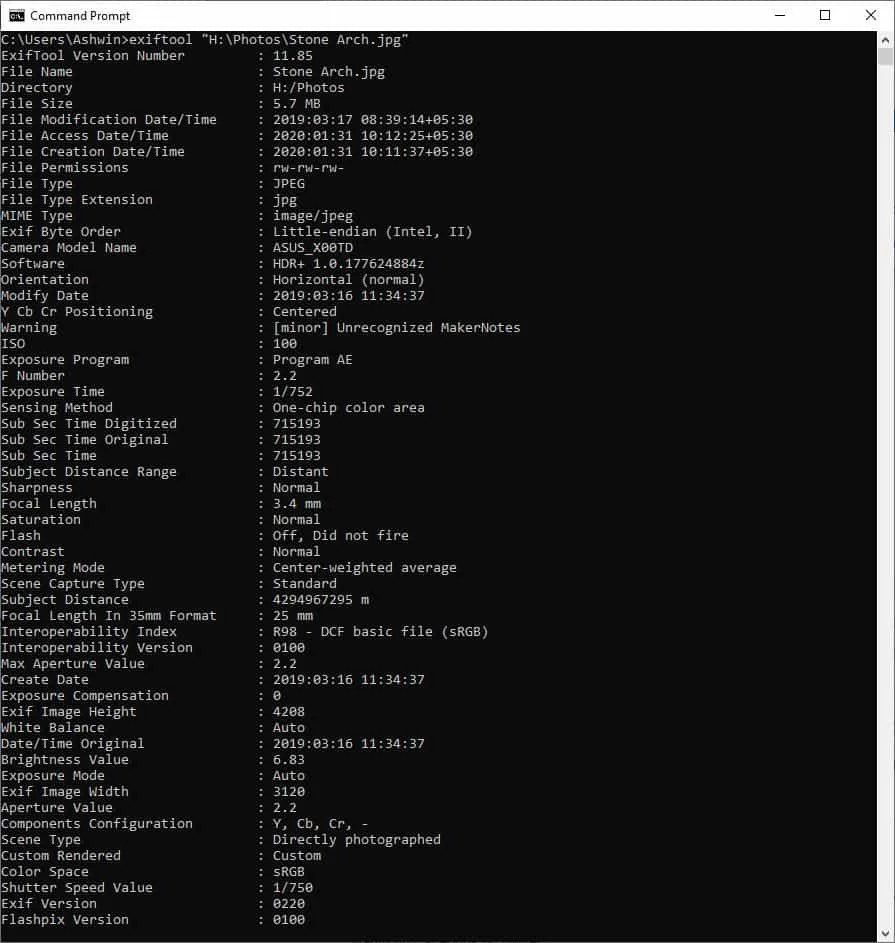
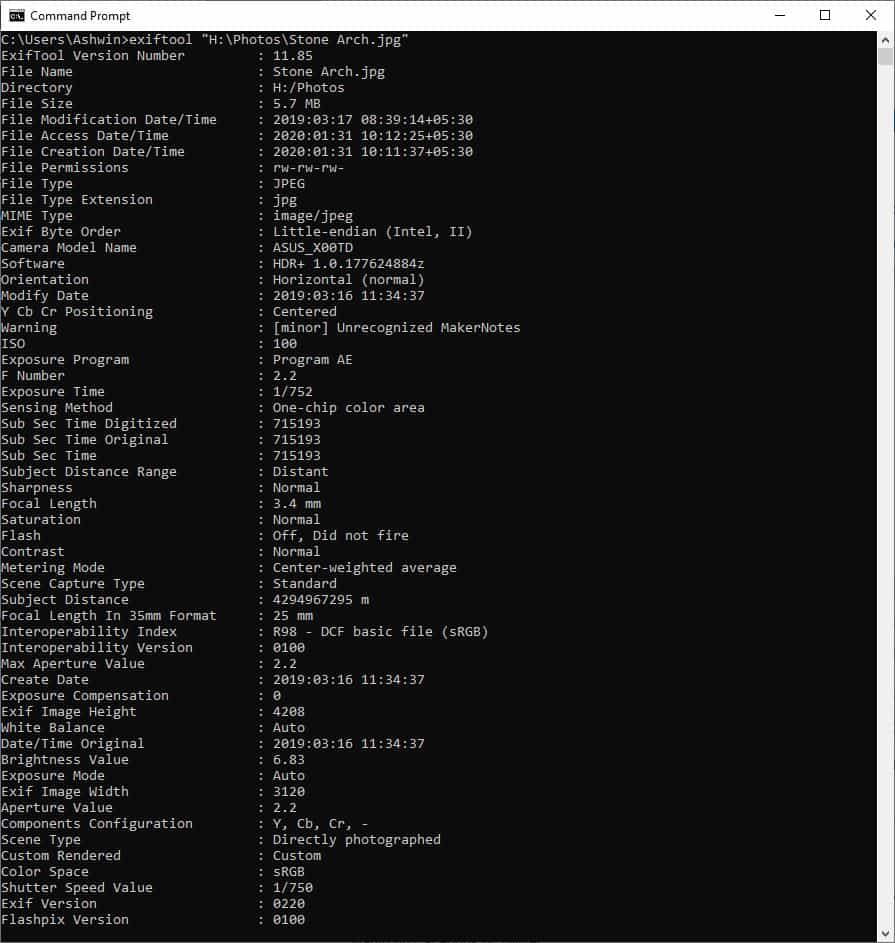
ExifTool itself is not a graphical photo editor; separately distributed front ends are not included in this download. Read and write support varies by file format and tag. Keep backups before editing, and do not assume that deleting all metadata removes every trace from every supported format. The screenshot shows an older ExifTool 11.85 session in Windows Command Prompt, not the downloaded release.
What it offers
- Read EXIF, GPS, IPTC, XMP and camera maker-note metadata in supported files.
- Write supported tags, copy metadata between files and remove selected metadata groups.
- Process entire directory trees and conditionally select files by metadata values.
- Shift capture timestamps and rename or organize files using metadata.
- Export metadata as JSON, XML, HTML or tab-delimited text.
Good to know
- The Windows package is a command-line utility, not a bundled graphical metadata editor.
- Reading a file format does not mean every tag in that format can be written; consult the publisher's support table.
- The publisher does not guarantee complete metadata removal for every format and warns that writing can corrupt some files; keep backups.
Product images
Sources
References used for this listing. Retrieval dates do not indicate hands-on testing.
More in utilities
View category ↗
1.1.1.1 with WARP 2026.8.2115.0
Encrypt traffic from your Mac to Cloudflare’s network with WARP, or use DNS-only mode for encrypted DNS queries to the 1.1.1.1 resolver.
1.1.1.1 with WARP 2026.8.2115.0
Encrypt traffic between your Windows PC and Cloudflare, or use encrypted DNS only, with the free 1.1.1.1 with WARP app.

3uTools 9.12.005
Manage iPhone and iPad photos, music, apps and backups from Windows with 3uTools, a free utility that also includes device checks and firmware flashing tools.