

Utilities Windows
Explorer++ for Windows
Browse folders in tabs, bookmark working locations and split or merge files with Explorer++, a free, portable Windows file manager.
- Operating system
- Windows 7, 8, 10 and 11; Windows PE
- Architecture
- x64 (64-bit)
- Download package
- ZIP archive; extract the executable, no installer
This link selects stable 1.4.0 x64. A separate stable x86 ZIP is available; ARM64 is listed among development builds, not the stable downloads.
Link checked · Download guidance
What is Explorer++?
Explorer++ is a Windows file manager for keeping several folders open in one tabbed window. Bookmarks help you return to working locations, while file-name and attribute search and file filtering help narrow a directory. You can switch between detail, thumbnail, icon and other views, change file dates and attributes, or save a directory listing.
The linked download is the publisher’s stable 1.4.0 x64 ZIP, not its development build or the older beta listed by Softonic. Extract the executable to use it without an installer. To keep settings portable alongside the program, choose the configuration-file option rather than saving settings in the registry.
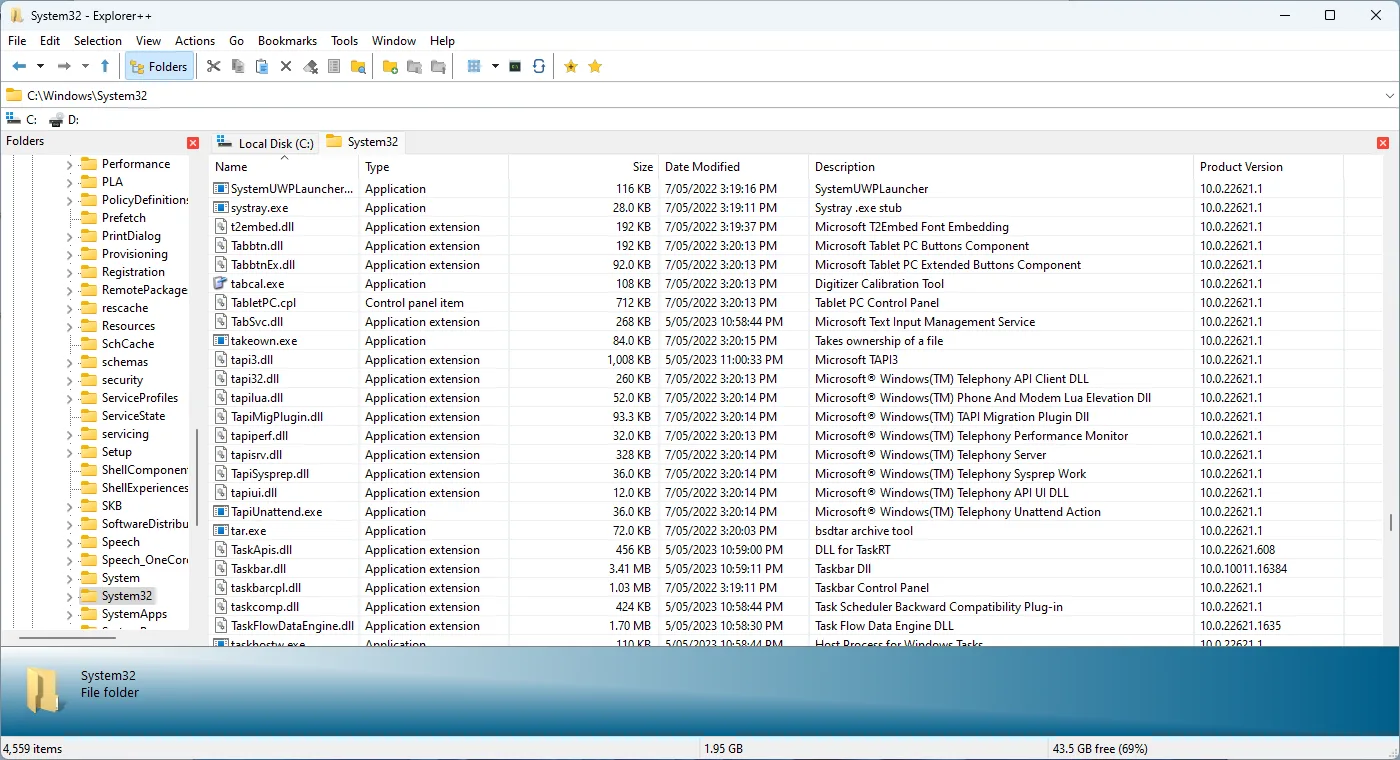
There is an important removal step if you make Explorer++ the default file manager: select “Don’t replace Explorer” before deleting it. The publisher also recommends backing up settings before using multiple versions. The screenshot is the publisher’s Details view; it is not evidence that the downloaded archive was installed or tested.
What it offers
- Keep multiple folders open with tabbed browsing and bookmark tabs for reuse.
- Search by file name and attributes, or filter the current file list.
- Switch between detail, thumbnail, icon, list and tile views.
- Split and merge files, change dates and attributes, and save directory listings.
- Store settings in a configuration file for portable use, or choose the Windows registry.
Good to know
- If Explorer++ is the default file manager, select “Don’t replace Explorer” before deleting the application.
- Back up existing settings before running multiple versions; use a separate folder and configuration file to keep settings independent.
Product images
Sources
References used for this listing. Retrieval dates do not indicate hands-on testing.
- Explorer++ - Download ↗Retrieved
- Explorer++ - Features ↗Retrieved
- Explorer++ - FAQ ↗Retrieved
- derceg/explorerplusplus — official source repository ↗Retrieved
- Explorer++ — publisher Readme ↗Retrieved
- Explorer++ - Screenshots ↗Retrieved
- Explorer++ - Download — normal browser observation ↗Retrieved
More in utilities
View category ↗
1.1.1.1 with WARP 2026.8.2115.0
Encrypt traffic from your Mac to Cloudflare’s network with WARP, or use DNS-only mode for encrypted DNS queries to the 1.1.1.1 resolver.
1.1.1.1 with WARP 2026.8.2115.0
Encrypt traffic between your Windows PC and Cloudflare, or use encrypted DNS only, with the free 1.1.1.1 with WARP app.

3uTools 9.12.005
Manage iPhone and iPad photos, music, apps and backups from Windows with 3uTools, a free utility that also includes device checks and firmware flashing tools.