

Utilities Windows
Express Schedule for Windows
Plan employee shifts, record time off and share weekly rosters with Express Schedule for Windows. NCH offers a separate free version for non-commercial use.
What is Express Schedule?
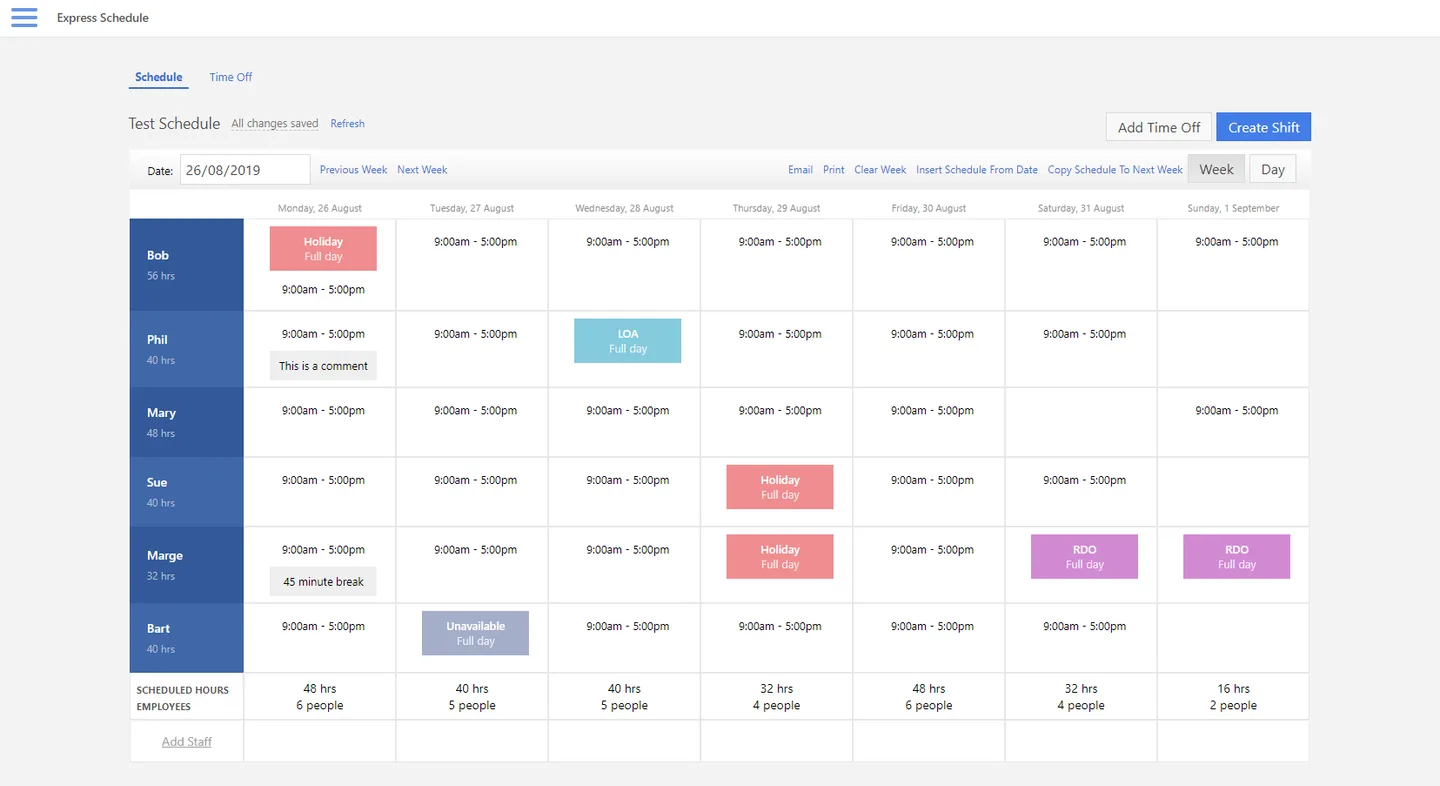
Express Schedule is a staff roster planner for creating, editing and sharing work schedules. Enter shifts directly in the grid or use drag and drop, copy a previous week, and set up recurring schedules instead of starting each roster from scratch. It also records breaks and different kinds of leave alongside shifts.
Schedules can be printed or emailed to individual employees or the whole staff. NCH lists support for working offline and sending email through an existing client such as Outlook or Thunderbird. The publisher lists Windows 7, 8, 8.1, 10 and 11.
The free version is limited to non-commercial use; it is not advertised as a free business license. The download linked here is the publisher’s standard Windows installer, not its separate non-commercial free installer. The publisher also provides a purchase option.
What it offers
- Enter shifts in the calendar grid or create and copy them with drag and drop.
- Copy previous weeks and create recurring schedules.
- Record multiple shifts, breaks and leave entries for one employee on the same day.
- Print rosters or email them to individual employees or the whole staff through an existing email client.
- Work on schedules offline and add comments, reminders and notices.
Good to know
- The separate free version is for non-commercial use; business use is not covered by that free-use offer.
- Email sharing uses an existing email client such as Outlook or Thunderbird.
Product images
Sources
References used for this listing. Retrieval dates do not indicate hands-on testing.
More in utilities
View category ↗
1.1.1.1 with WARP 2026.8.2115.0
Encrypt traffic from your Mac to Cloudflare’s network with WARP, or use DNS-only mode for encrypted DNS queries to the 1.1.1.1 resolver.
1.1.1.1 with WARP 2026.8.2115.0
Encrypt traffic between your Windows PC and Cloudflare, or use encrypted DNS only, with the free 1.1.1.1 with WARP app.

3uTools 9.12.005
Manage iPhone and iPad photos, music, apps and backups from Windows with 3uTools, a free utility that also includes device checks and firmware flashing tools.