
Utilities Windows
eza
List files in your Windows terminal with colour-coded entries, directory trees and Git status using eza, a free, open-source alternative to ls.
- Operating system
- Windows; minimum version/build not specified in the reviewed publisher sources
- Architecture
- x86-64 (x86_64-pc-windows-gnu)
- Download package
- ZIP archive
Selected publisher asset is the Windows GNU build. No installation or execution was performed; the publisher also documents Winget and Scoop.
Link checked · Download guidance
What is eza?
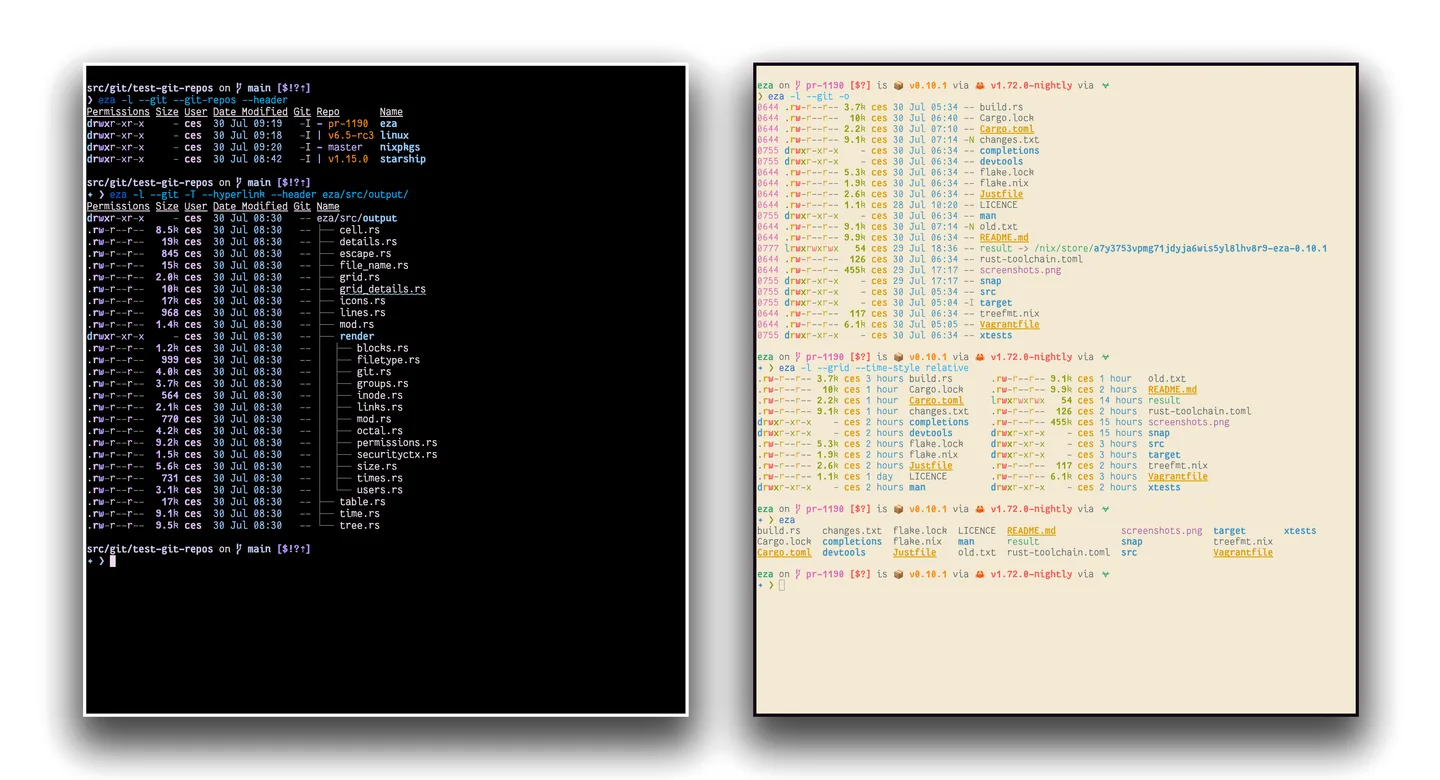
eza is a command-line file lister for people who work in a terminal. Instead of opening a graphical file manager, you can display a compact grid, switch to a detailed listing or expand a directory as a tree. Colours distinguish file types and metadata, while Git options add tracked-file or repository status to the listing.
Use eza --tree --level=2 to inspect a directory hierarchy without expanding every nested folder, or eza -l --git for a detailed view with Git status. Sorting, hidden-file filters and directory-first grouping let you tailor the output to the folder you are examining. The publisher also documents Winget and Scoop installation options for Windows.
The linked download is the publisher’s Windows x86-64 GNU ZIP for version 0.23.5, released on July 9, 2026. It is an archive rather than an installer. The sources reviewed do not specify a minimum Windows version or build, so compatibility with a particular Windows release is not claimed. Some advertised features are platform-specific: mount details are documented for Linux and macOS, not Windows. The screenshot is the publisher’s illustrative terminal demo, not a verified Windows capture of the selected release.
What it offers
- Choose grid, one-entry-per-line, detailed or recursive tree listings.
- Distinguish file types and metadata with terminal colours.
- Show tracked-file Git status or directory-level repository status.
- Filter hidden files, limit tree depth and group directories before files.
- Sort entries by fields such as name, size or modification time.
Good to know
- The publisher’s mount-details option is limited to Linux and macOS; it is not a Windows feature.
- The reviewed publisher sources do not specify a minimum supported Windows version or build.
- This download is a Windows x86-64 ZIP archive, not an installation wizard or an ARM64 package.
Product images
Sources
References used for this listing. Retrieval dates do not indicate hands-on testing.
More in utilities
View category ↗
1.1.1.1 with WARP 2026.8.2115.0
Encrypt traffic from your Mac to Cloudflare’s network with WARP, or use DNS-only mode for encrypted DNS queries to the 1.1.1.1 resolver.
1.1.1.1 with WARP 2026.8.2115.0
Encrypt traffic between your Windows PC and Cloudflare, or use encrypted DNS only, with the free 1.1.1.1 with WARP app.

3uTools 9.12.005
Manage iPhone and iPad photos, music, apps and backups from Windows with 3uTools, a free utility that also includes device checks and firmware flashing tools.