

Utilities Windows
f.lux for Windows
Adjust your Windows display's color temperature automatically with f.lux: warmer colors at night and daylight colors during the day. Free for personal use.
- Operating system
- Windows 10 and Windows 11 discussed in publisher support and release notes
- Architecture
- Not specified on the publisher download page
- Download package
- EXE installer (flux-setup.exe)
Display behavior depends on graphics drivers and monitor support. Installer architecture and embedded version were not inspected.
Link checked · Download guidance
What is f.lux?
f.lux changes the color temperature of your Windows display to follow the time of day. Set your location and preferred lighting, and it shifts toward warmer colors after sunset before returning to daylight colors in the morning. Its settings let you adjust the color temperature to suit your room rather than relying only on a brightness control.
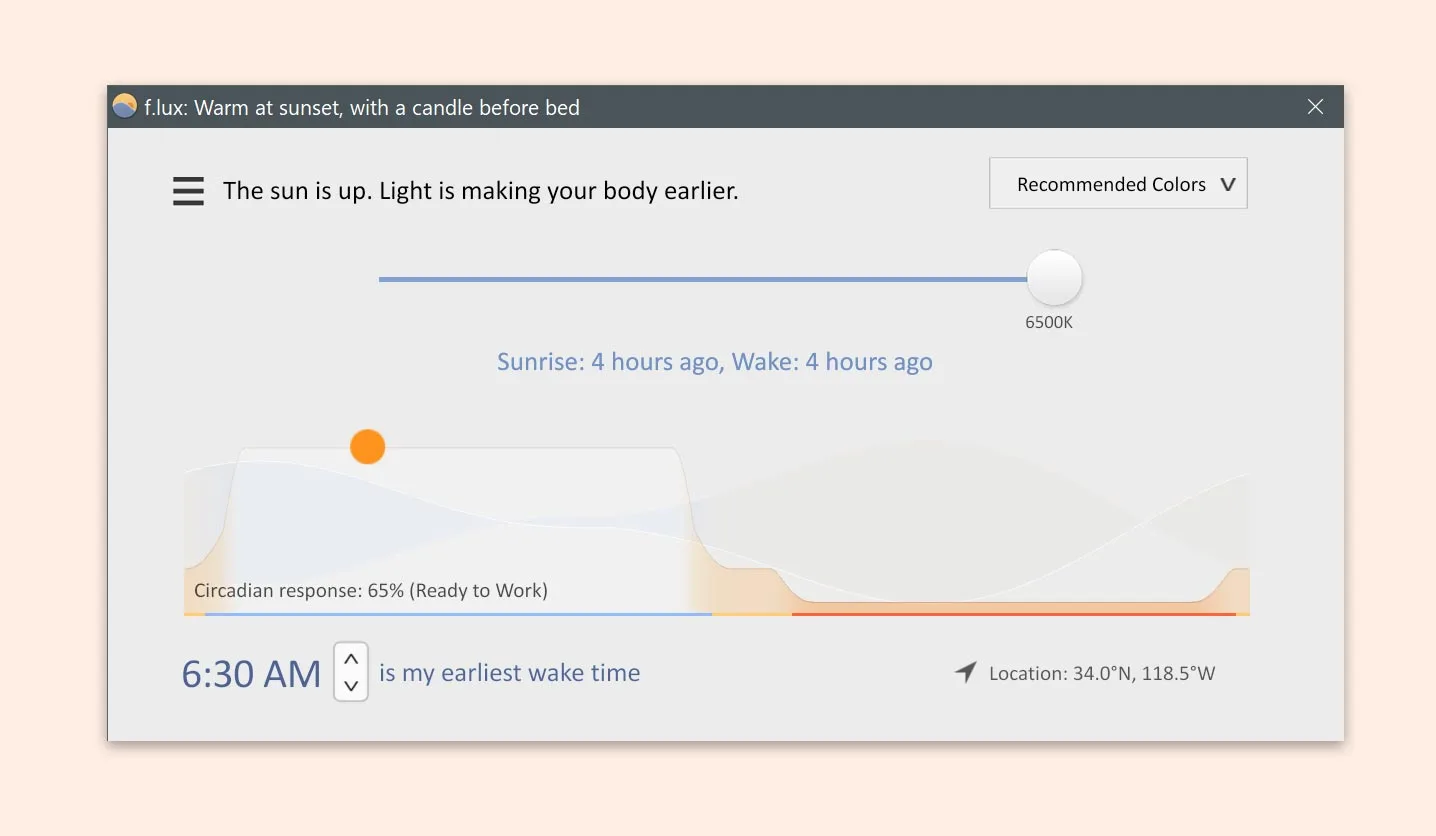
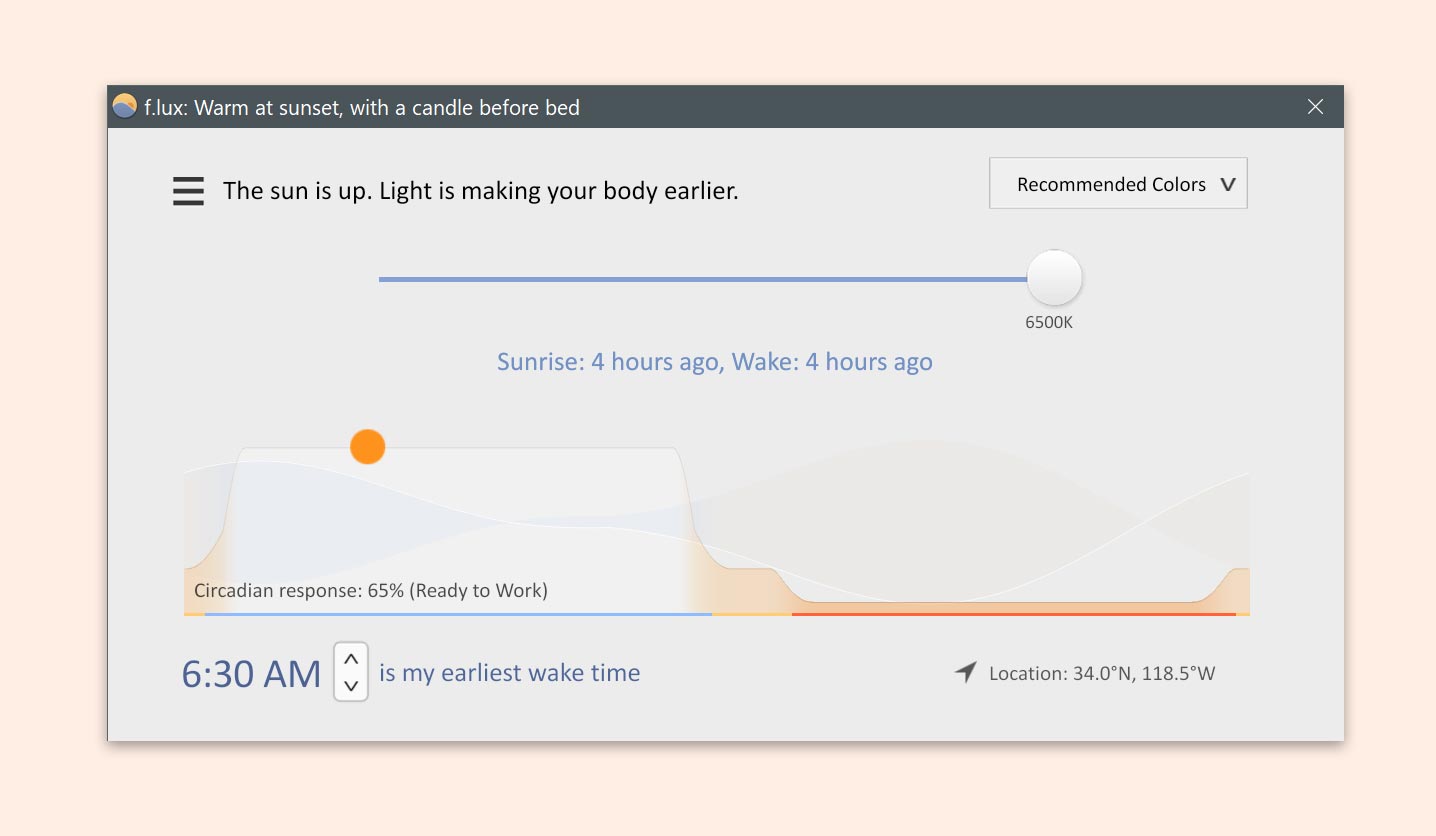
The Windows interface combines a color-temperature slider, a daily lighting graph and a wake-time setting. Settings are available from the taskbar notification area. For photography, design or other color-critical work, disable the tint to return to normal display colors; the publisher explicitly says f.lux is not designed for advanced color work.
The personal edition is free under the publisher's proprietary license. Use on a work computer requires employer permission, while centrally managed deployments and company-recommended use require a separate corporate license. The download below links directly to the publisher's flux-setup.exe; its headers were checked without downloading or running the installer.
What it offers
- Automatically shift between daylight colors and warmer night-time colors using your location and the time of day.
- Adjust color-temperature settings to match your preferred indoor lighting.
- Set a wake time and view the day's lighting schedule in the Windows interface.
- Temporarily disable the color adjustment for one hour when normal display colors are needed.
Good to know
- Not designed for advanced color-critical work; disable f.lux when accurate color reproduction is required.
- Display-driver compatibility matters. The publisher documents Windows display issues and recommends driver updates; Windows Night Light can also cause flickering when used alongside f.lux.
- The free personal license does not cover centrally managed corporate deployment; a separate corporate license is required for that use.
Product images
Sources
References used for this listing. Retrieval dates do not indicate hands-on testing.
- f.lux — publisher product overview ↗Retrieved
- f.lux — publisher Windows download handoff ↗Retrieved
- f.lux support — Windows settings and limitations ↗Retrieved
- f.lux End User License Agreement ↗Retrieved
- What's new with f.lux — Windows release notes ↗Retrieved
- Download F.lux - Free - latest version — normal-browser observation ↗Retrieved
More in utilities
View category ↗
1.1.1.1 with WARP 2026.8.2115.0
Encrypt traffic from your Mac to Cloudflare’s network with WARP, or use DNS-only mode for encrypted DNS queries to the 1.1.1.1 resolver.
1.1.1.1 with WARP 2026.8.2115.0
Encrypt traffic between your Windows PC and Cloudflare, or use encrypted DNS only, with the free 1.1.1.1 with WARP app.

3uTools 9.12.005
Manage iPhone and iPad photos, music, apps and backups from Windows with 3uTools, a free utility that also includes device checks and firmware flashing tools.