
Utilities Windows
Fast Screen Recorder
Record your Windows screen or a custom area with microphone and system audio. Fast Screen Recorder includes hotkeys and an auto-stop timer, with a free trial and paid full version.
- Operating system
- Windows 11, 10, 8.1 and 8
- Architecture
- Not specified on the publisher product page
- Download package
- EXE installer
Windows versions are publisher-listed requirements, not independently tested compatibility. Installer version and CPU architecture were not established by the HEAD check.
Link checked · Download guidance
What is Fast Screen Recorder?
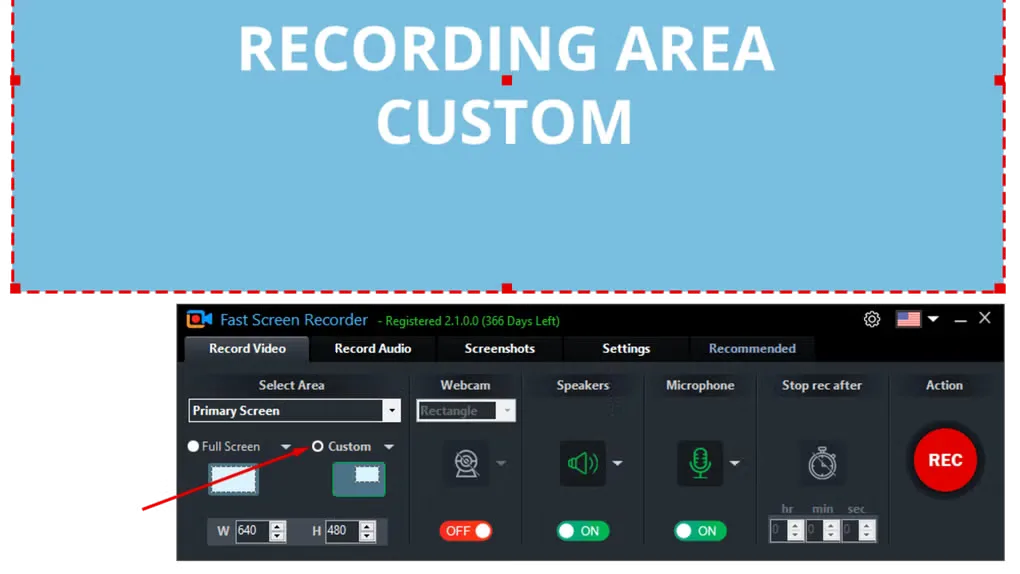
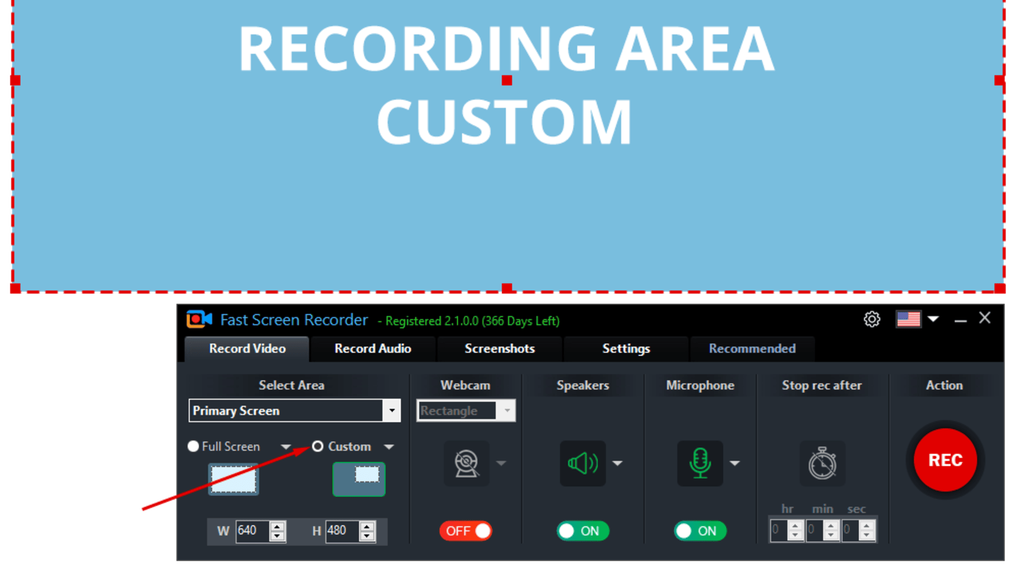
Fast Screen Recorder captures on-screen activity for tutorials, presentations, meetings and gameplay clips. Choose the full screen or a custom rectangular area, then record microphone sound, system audio, both together or no audio. Keyboard shortcuts control recording, and an auto-stop timer ends a session after the duration you set. The application also takes still screenshots during or outside a recording.
The publisher describes MKV recording with conversion to formats including MP4 and AVI. This is a Windows desktop application; the publisher's browser-based recorder is a separate product.
The download is a free trial, not an assurance of unrestricted free recording. The publisher sells a full version and lists unlimited recording time and no watermark among its paid features. Its product page does not specify the desktop trial's exact time or watermark limits, so check those terms before relying on it for a long recording.
What it offers
- Capture the full screen, multiple screens or a custom rectangular recording area.
- Record microphone audio, system audio, both simultaneously or video without sound.
- Set an auto-stop duration and use customizable start, pause, resume and stop hotkeys.
- Take still screenshots during or outside a recording session.
- Save recordings in MKV and convert to formats including MP4 and AVI.
Good to know
- A paid license unlocks the full version; the publisher lists unlimited recording time and no watermark as paid features without specifying the desktop trial's exact limits.
- The linked installer is for Windows; the publisher's online recorder is a separate product.
Product images
Sources
References used for this listing. Retrieval dates do not indicate hands-on testing.
More in utilities
View category ↗
1.1.1.1 with WARP 2026.8.2115.0
Encrypt traffic from your Mac to Cloudflare’s network with WARP, or use DNS-only mode for encrypted DNS queries to the 1.1.1.1 resolver.
1.1.1.1 with WARP 2026.8.2115.0
Encrypt traffic between your Windows PC and Cloudflare, or use encrypted DNS only, with the free 1.1.1.1 with WARP app.

3uTools 9.12.005
Manage iPhone and iPad photos, music, apps and backups from Windows with 3uTools, a free utility that also includes device checks and firmware flashing tools.