

Utilities Windows
Febooti Automation Workshop for Windows
Build scheduled and event-driven Windows workflows without writing code. Febooti Automation Workshop combines file monitoring, file operations, email and background task execution, with a 15-day trial.
- Operating system
- Windows 10 and 11; Windows Server 2016, 2019, 2022 and 2025
- Architecture
- 64-bit only for version 10
- Download package
- Universal EXE setup file
Version 10 release notes discontinue 32-bit support despite older generic compatibility text. Manager requires UAC elevation.
Link checked · Download guidance
What is Febooti Automation Workshop?
Febooti Automation Workshop automates recurring Windows work through tasks built from triggers and actions. A schedule or a change in a watched folder can start a sequence that copies files, launches a program or sends an email. The visual task editor and Variable Wizard connect workflow inputs without requiring scripts. A Windows service runs configured tasks in the background, including when nobody is logged in.
The manager provides task organization, execution logs and access to monitoring tools. It suits repeatable file-handling and administration workflows rather than a single manual operation. This is paid software: the free evaluation lasts 15 days, and continued use requires a license. Version 10 is 64-bit only and its manager requires UAC elevation; the publisher’s general pages still mention 32-bit support, but its version-specific release notes explicitly discontinue it.
What it offers
- Create tasks visually from schedules, folder-change triggers and actions without writing code.
- Copy, move or rename files, start applications and send email from a workflow.
- Run configured tasks unattended through a Windows service, without an interactive login.
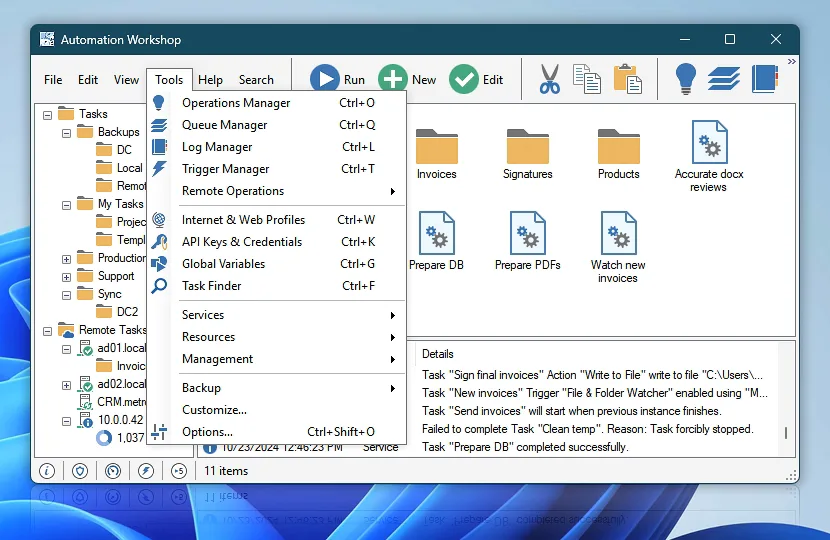
- Inspect task activity with log, queue, trigger and operations managers.
Good to know
- The free trial lasts 15 days; continued use requires a paid subscription or one-time license.
- Version 10 does not support 32-bit Windows, and Automation Workshop Manager requires UAC elevation.
- Some cloud and secure file-transfer features depend on the purchased plan; check the publisher’s edition comparison.
Product images
Sources
References used for this listing. Retrieval dates do not indicate hands-on testing.
- Febooti Automation Workshop - Download ↗Retrieved
- No-code Windows Automation with Febooti Automation Workshop ↗Retrieved
- Getting started with Automation Workshop—no code tool ↗Retrieved
- Plans & pricing · Automation Workshop ↗Retrieved
- History of Automation Workshop ↗Retrieved
- Download Center ↗Retrieved
- Automation Workshop screenshot ↗Retrieved
More in utilities
View category ↗
1.1.1.1 with WARP 2026.8.2115.0
Encrypt traffic from your Mac to Cloudflare’s network with WARP, or use DNS-only mode for encrypted DNS queries to the 1.1.1.1 resolver.
1.1.1.1 with WARP 2026.8.2115.0
Encrypt traffic between your Windows PC and Cloudflare, or use encrypted DNS only, with the free 1.1.1.1 with WARP app.

3uTools 9.12.005
Manage iPhone and iPad photos, music, apps and backups from Windows with 3uTools, a free utility that also includes device checks and firmware flashing tools.