
Utilities Windows
FileLocator Pro
Search inside documents, source code and archives on Windows with FileLocator Pro, with highlighted matches, optional indexes and a 30-day Pro trial.
- Operating system
- Windows 10/11; Windows Server 2016 or higher in the detailed requirements
- Architecture
- Publisher supports 32-bit and 64-bit Windows; selected installer architecture not independently established
- Download package
- EXE installer
Publisher lists 150 MB free disk space and a 1024×768 or higher display. Detailed requirements used rather than the overview’s broader server list.
Link checked · Download guidance
What is FileLocator Pro?
FileLocator Pro finds information inside files rather than relying only on file names. It is useful when you remember a phrase in a document, need to inspect matching lines in source code or want to search a collection of archived material. Its viewer shows highlighted hits and surrounding text, so you can judge whether a result contains the passage you need before opening an external editor.
Professional features include indexed and non-indexed searching, PDF and Office document support, compressed-archive searching, Outlook PST searching, and reports and exports. Regular expressions and Boolean expressions let you make a more specific query than a single word. Frequently used searches can be saved for reuse.
The Pro edition is paid software with a 30-day free trial. A free Lite mode is available, but it does not include all Professional capabilities: the publisher comparison excludes indexing and compressed-archive searching from Lite. FileLocator Pro and Agent Ransack share the same code base and functionality under different branding, so this is one product entry rather than separate pages for ProLite and Lite aliases.
What it offers
- Search file names and contents with regular expressions and Boolean expressions.
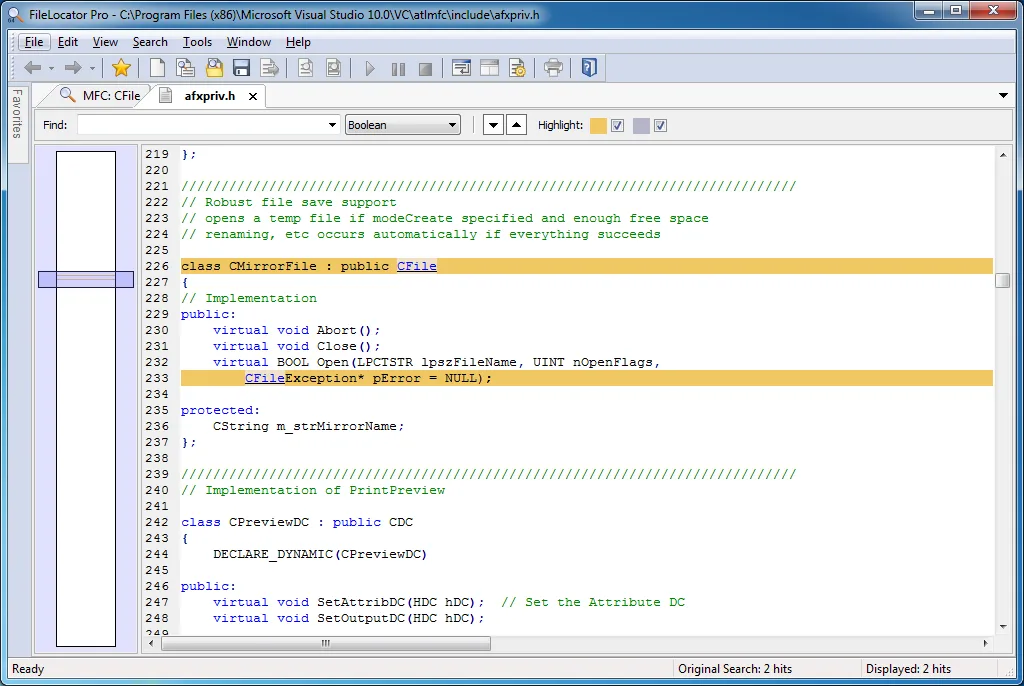
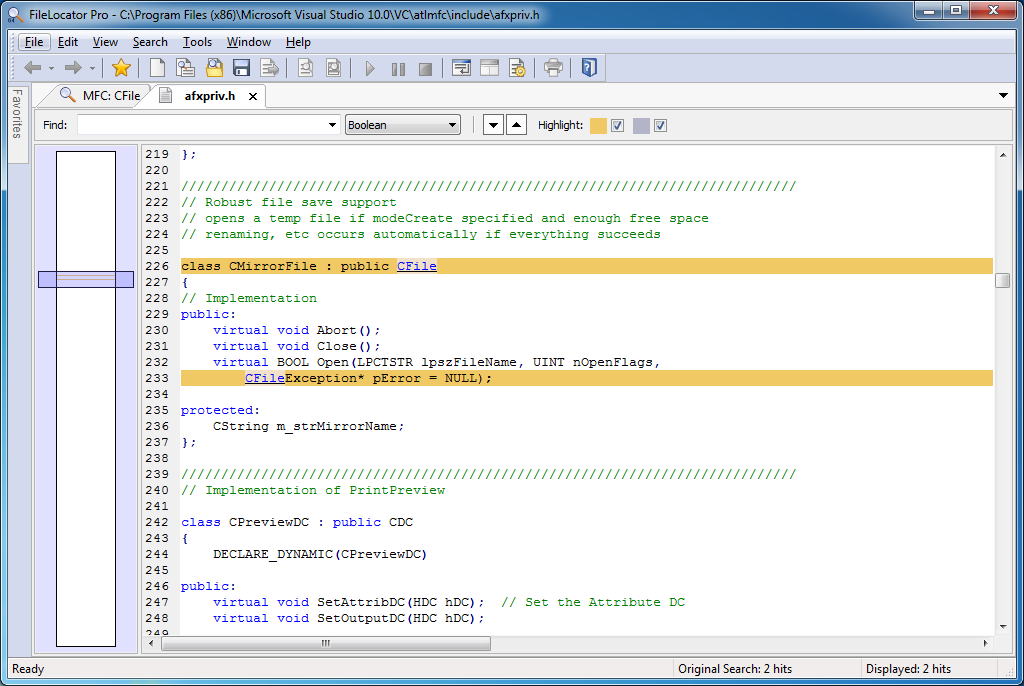
- Review highlighted matches, surrounding lines and source-code syntax highlighting.
- Search PDF and Office documents, compressed archives and Outlook PST files with Professional features.
- Choose non-indexed searches or create user-defined indexes that can be shared over network drives.
- Save frequently used searches and export results in formats including Text and CSV.
Good to know
- Professional features require a paid license after the 30-day trial; the free Lite mode excludes indexing and compressed-archive searching.
- The illustrated publisher screenshot shows an older interface; it demonstrates the source-code viewer, not the appearance of build 3566 on Windows 11.
Product images
Sources
References used for this listing. Retrieval dates do not indicate hands-on testing.
- FileLocator ProLite - Download ↗Retrieved
- Filelocator Pro – Mythicsoft ↗Retrieved
- FileLocator Pro – Information – Mythicsoft ↗Retrieved
More in utilities
View category ↗
1.1.1.1 with WARP 2026.8.2115.0
Encrypt traffic from your Mac to Cloudflare’s network with WARP, or use DNS-only mode for encrypted DNS queries to the 1.1.1.1 resolver.
1.1.1.1 with WARP 2026.8.2115.0
Encrypt traffic between your Windows PC and Cloudflare, or use encrypted DNS only, with the free 1.1.1.1 with WARP app.

3uTools 9.12.005
Manage iPhone and iPad photos, music, apps and backups from Windows with 3uTools, a free utility that also includes device checks and firmware flashing tools.