

Utilities Windows
Files for Windows
Organize Windows files with tabs, side-by-side folders and color tags in Files, an open-source file manager that runs alongside File Explorer.
- Operating system
- Windows; exact minimum OS build not confirmed in the retrieved publisher guidance
- Architecture
- x64 and ARM64 bundle; dependencies are processor-specific
- Download package
- MSIX bundle
Use the publisher's Offline install instructions and matching dependency files before installing the bundle. Windows Update and Delivery Optimization are required.
Link checked · Download guidance
What is Files?
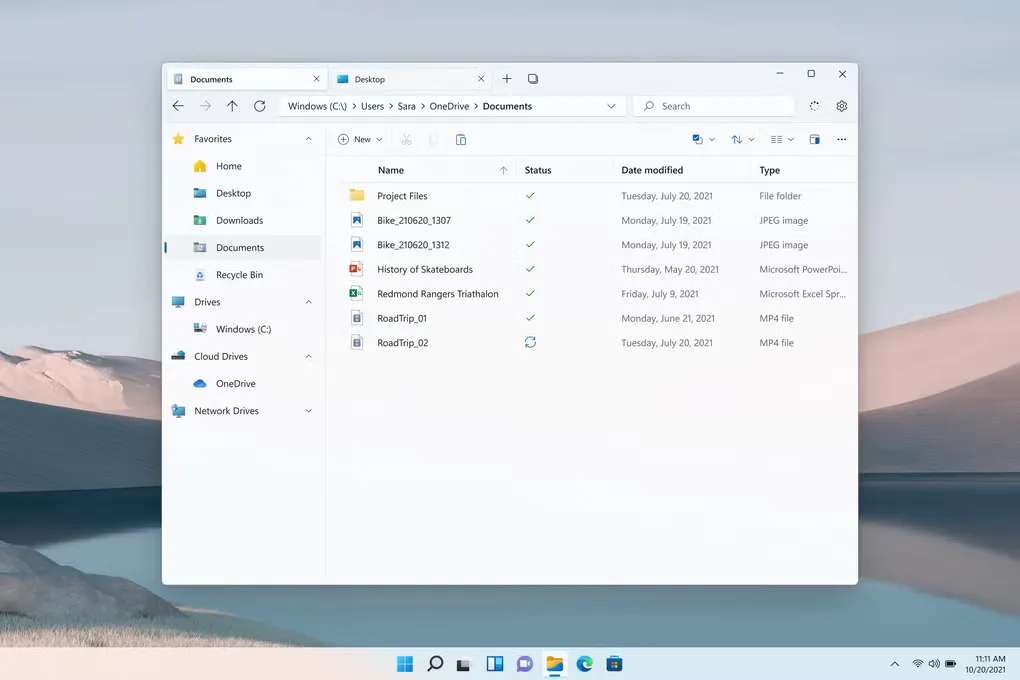
Files is a Windows file manager for browsing and organizing folders without putting every location in a separate window. Tabs keep several locations open, while dual-pane mode puts two folders next to each other for moving files between them. Color tags group related files and folders, and the columns layout keeps a folder hierarchy visible as you navigate.
The publisher also documents a command palette, customizable toolbar and Git integration. These make Files useful for people who want more control over navigation and file organization while continuing to use File Explorer alongside it. File Explorer context-menu commands are not interchangeable with Files commands; third-party context menus need their own integration.
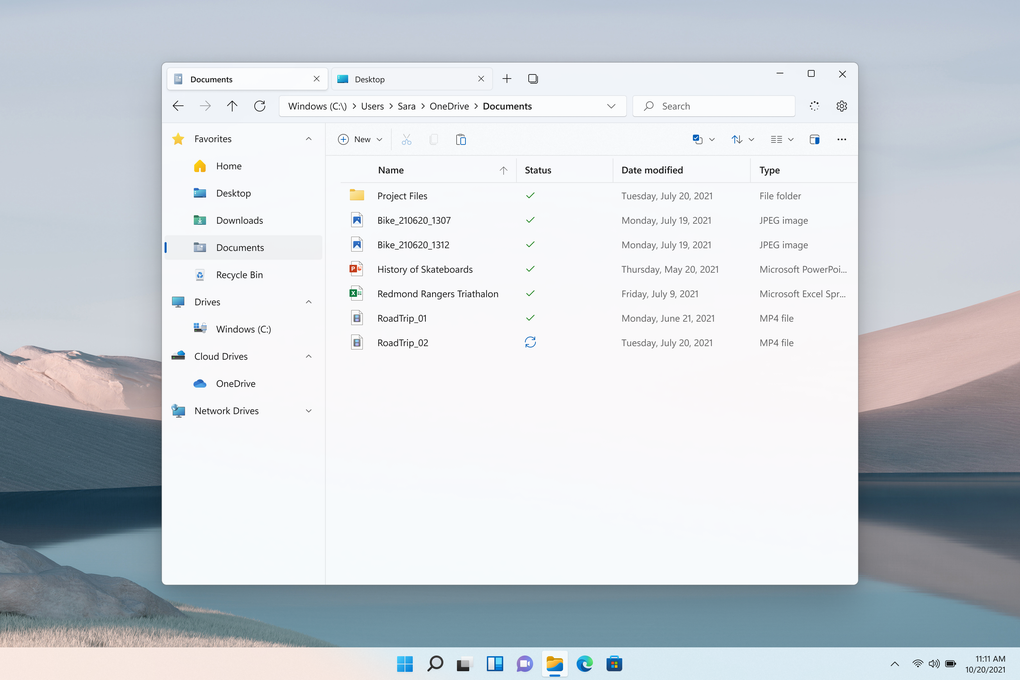
This entry links to the publisher's stable MSIX bundle, not a Microsoft Store purchase or a preview build. The publisher offers offline installation free of charge, while Store purchases support development. For the offline route, install the processor-specific dependencies listed on the official download page before the bundle. Installation requires Windows Update and Delivery Optimization; modified Windows installations that remove these components are not supported. The gallery image shows an older Files interface and is not a screenshot of version 4.3.0.0.
What it offers
- Keep multiple folder locations open in tabs, or show two folders side by side in dual-pane mode.
- Apply color tags to files and folders and browse tagged items from the sidebar.
- Use columns layout to keep successive folders visible while navigating a hierarchy.
- Find commands through the command palette and customize frequently used toolbar actions.
- View changed files and commit details in Git repositories, with branch switching, pull and push controls.
Good to know
- The offline bundle is not the complete dependency set: install the processor-specific prerequisites from the publisher's download page first.
- Installation needs Windows Update and Delivery Optimization; Windows modifications that remove required components are unsupported.
- File Explorer context-menu commands are not directly interchangeable with Files commands; third-party menus require integration.
Product images
Sources
References used for this listing. Retrieval dates do not indicate hands-on testing.
- Files - Download — normally accessed Windows page and gallery ↗Retrieved
- Files • Home ↗Retrieved
- Files • Download — stable offline installation options ↗Retrieved
- Files • Docs - Frequently Asked Questions ↗Retrieved
- Files • Docs - Troubleshooting ↗Retrieved
- Files Community — MIT License ↗Retrieved
- Files — Third Party Notices ↗Retrieved
More in utilities
View category ↗
1.1.1.1 with WARP 2026.8.2115.0
Encrypt traffic from your Mac to Cloudflare’s network with WARP, or use DNS-only mode for encrypted DNS queries to the 1.1.1.1 resolver.
1.1.1.1 with WARP 2026.8.2115.0
Encrypt traffic between your Windows PC and Cloudflare, or use encrypted DNS only, with the free 1.1.1.1 with WARP app.

3uTools 9.12.005
Manage iPhone and iPad photos, music, apps and backups from Windows with 3uTools, a free utility that also includes device checks and firmware flashing tools.