

Utilities Windows
FileVoyager for Windows
Browse two folders side by side, manage archives and compare files with FileVoyager, a free Windows file manager. This download is the 64-bit Lite installer without VLC codecs.
- Operating system
- Windows 10 and Windows 11
- Architecture
- x64 (64-bit)
- Download package
- EXE installer — Lite edition
Lite omits VLC codecs. Separate x86, Full and portable packages are listed by the publisher. Older Windows versions are untested.
Link checked · Download guidance
What is FileVoyager?
FileVoyager puts two folder views in one window so you can browse a source and destination while copying, moving or organizing files. Its Windows file manager also browses network shares, FTP/FTPS locations and supported archives, with report and thumbnail views for different kinds of content.
Built-in tools go beyond file transfers: compare files, compare and synchronize folders, or preview documents and source code before opening another application. Archive handling uses the 7-Zip engine; ZIP and 7z are among the formats it can create, while RAR support is for extraction.
The linked package is the x64 Lite EXE installer for version 26.9.6.0. It omits the VLC codecs included in the Full edition, so media playback depends on the available codecs and playback components. The publisher lists Windows 10 and 11; older Windows versions are described as untested. The publisher also warns that the application is not digitally signed by a trusted certificate authority and may trigger Microsoft SmartScreen.
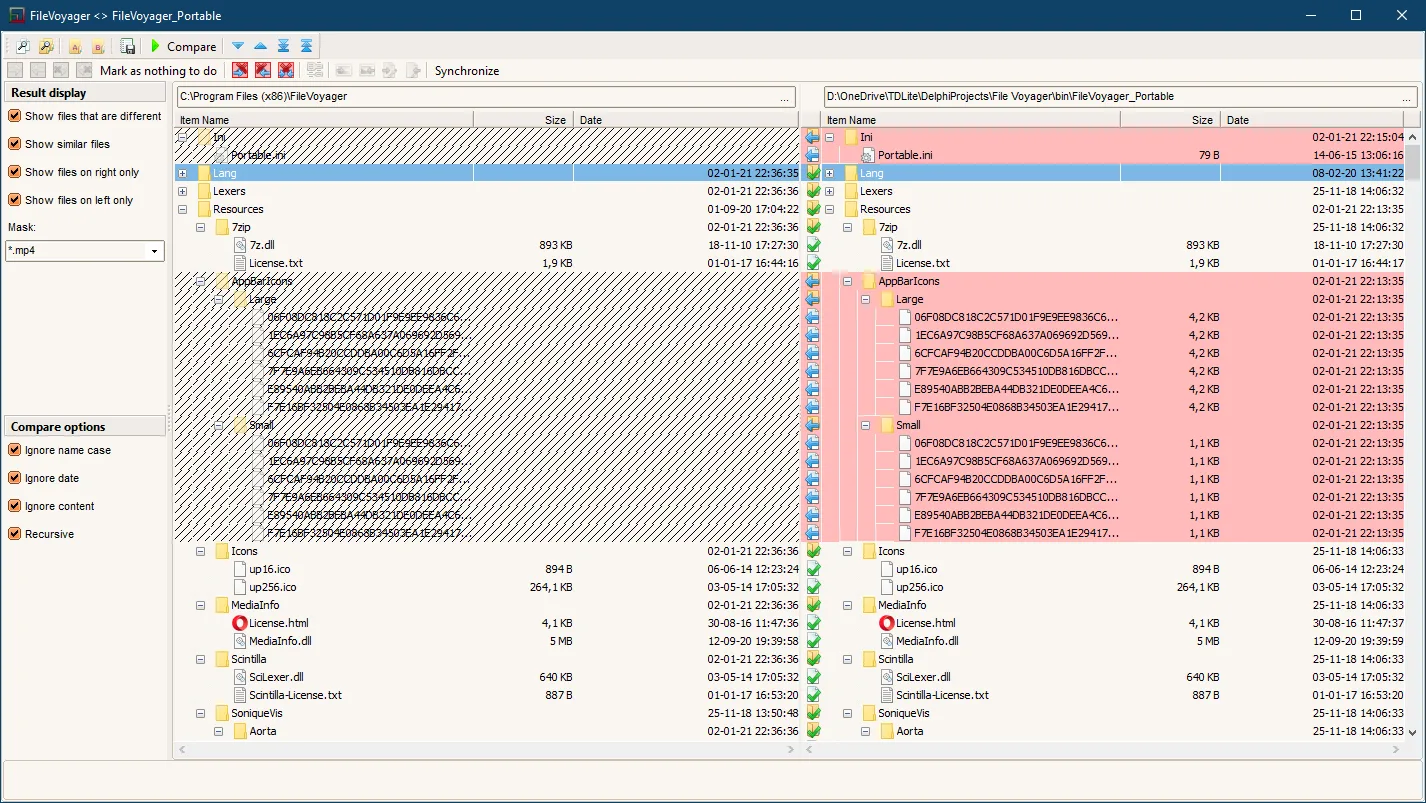
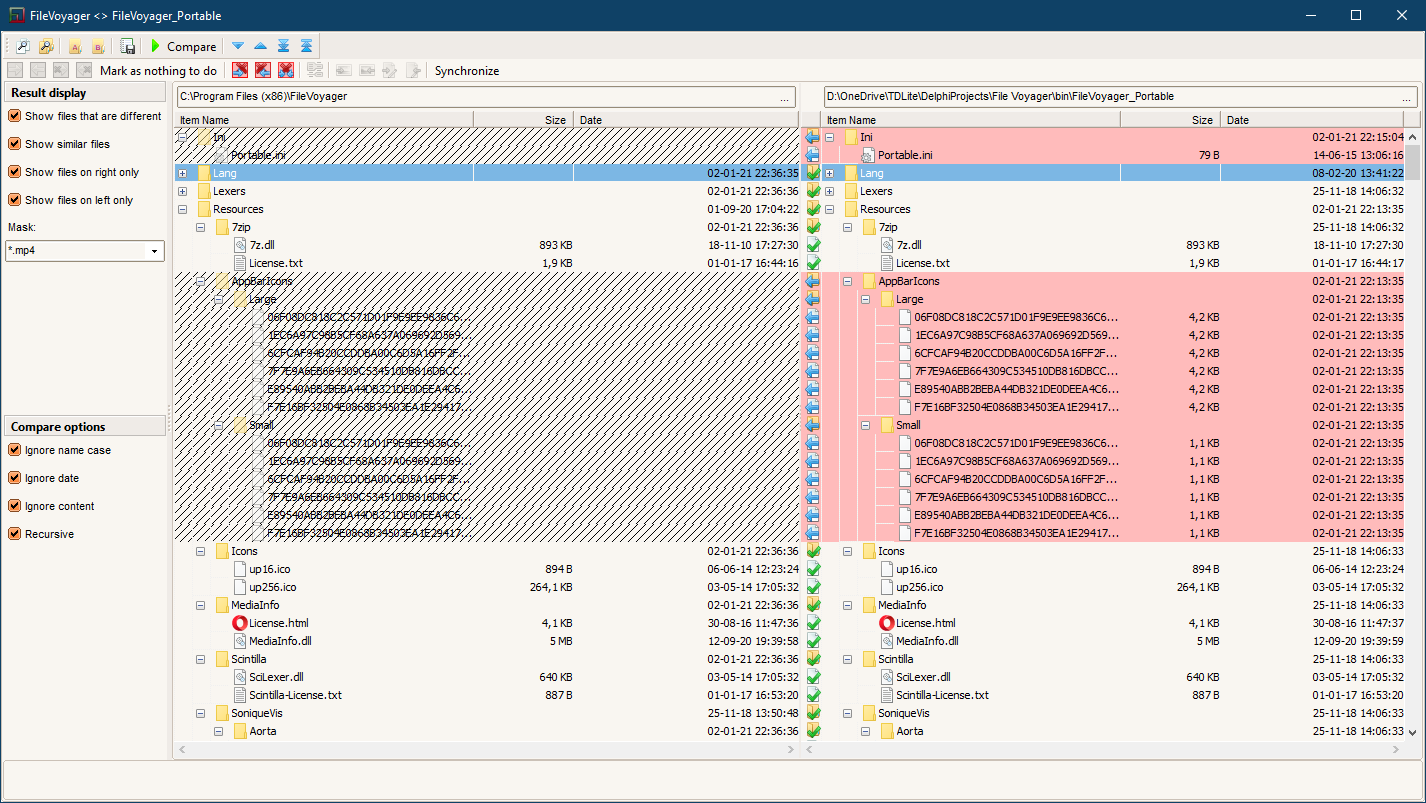
The screenshot is the publisher’s older Folder Sync example, showing side-by-side folder trees and highlighted differences; it is not a capture of version 26.9.6.0.
What it offers
- Browse folders, network shares, FTP/FTPS locations and supported archives in a dual-pane interface.
- Copy, move, rename and organize files with report or thumbnail views.
- Create and extract supported archives through the 7-Zip engine, including ZIP and 7z; extract RAR archives.
- Compare files and compare or synchronize folders.
- Preview PDF and other supported documents, view hexadecimal data and inspect source code with syntax highlighting.
Good to know
- The selected Lite installer does not include VLC codecs; media playback depends on available codecs and playback components.
- The publisher lists Windows 10 and 11, but describes Windows Vista, 7 and 8.x compatibility as untested.
- The publisher says the application is not digitally signed by a trusted certificate authority and may trigger Microsoft SmartScreen.
Product images
Sources
References used for this listing. Retrieval dates do not indicate hands-on testing.
- About – FileVoyager ↗Retrieved
- Download – FileVoyager ↗Retrieved
- FileVoyager license – FileVoyager ↗Retrieved
- Screenshots – FileVoyager ↗Retrieved
More in utilities
View category ↗
1.1.1.1 with WARP 2026.8.2115.0
Encrypt traffic from your Mac to Cloudflare’s network with WARP, or use DNS-only mode for encrypted DNS queries to the 1.1.1.1 resolver.
1.1.1.1 with WARP 2026.8.2115.0
Encrypt traffic between your Windows PC and Cloudflare, or use encrypted DNS only, with the free 1.1.1.1 with WARP app.

3uTools 9.12.005
Manage iPhone and iPad photos, music, apps and backups from Windows with 3uTools, a free utility that also includes device checks and firmware flashing tools.