

Utilities Windows
FileZilla Client for Windows
Move files between your computer and a server using FTP, FTPS or SFTP. This FileZilla Client download is the older 3.69.3 release.
- Operating system
- Exact supported Windows versions not confirmed for this archived build
- Architecture
- x64
- Download package
- EXE installer
Older 3.69.3 release from SourceForge; not portable or the newer 3.71.1 ZIP.
Link checked · Download guidance
What is FileZilla Client?
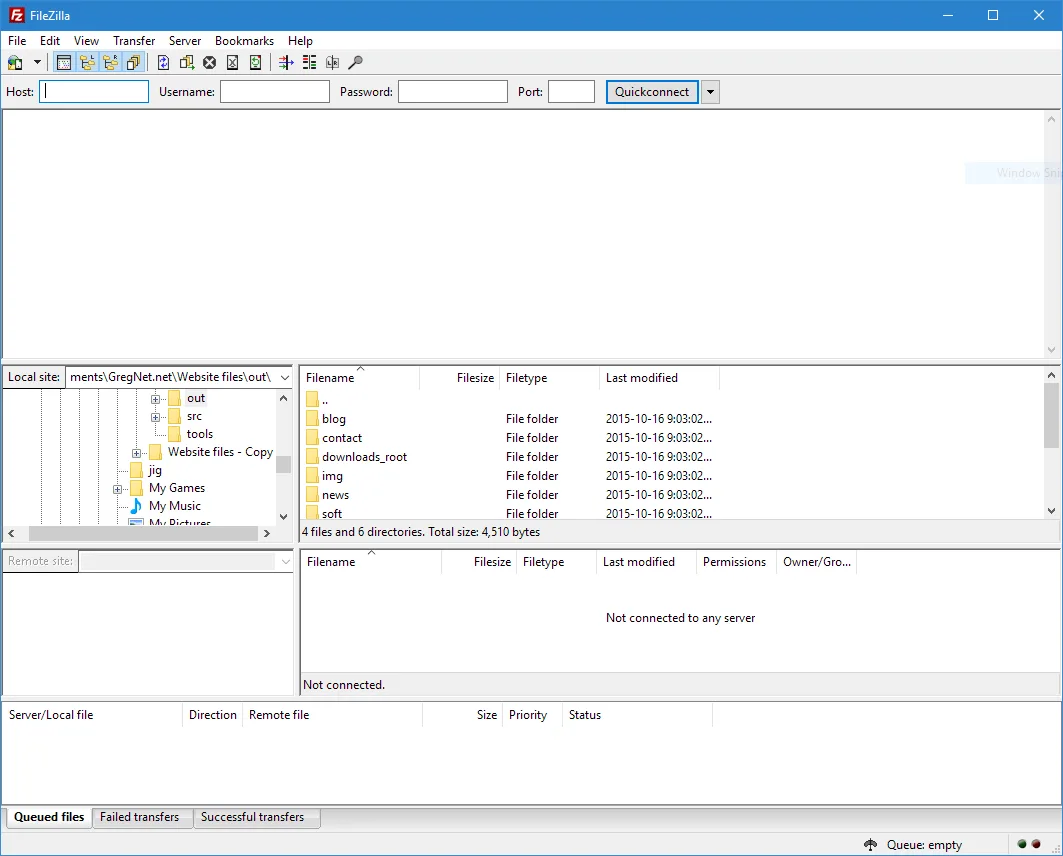
FileZilla Client transfers files between your computer and a remote server. It suits website maintenance, retrieving server exports and uploading documents. Save connections in Site Manager, browse local and remote folders, then queue the files to transfer. Directory comparison, synchronized browsing and filename filters help with larger folder trees; resumable transfers and speed limits give control over longer jobs.
You need an accessible server, connection details and suitable permissions. Client does not supply hosting and is distinct from FileZilla Server and Pro. Firewall or router settings can prevent listings and transfers. This entry deliberately retains an older release: choose it only if you need 3.69.3, and consult the publisher for newer versions. The older Windows 10 screenshot does not establish compatibility for this archived build.
What it offers
- Transfer files using FTP, FTP over TLS (FTPS) or SSH File Transfer Protocol (SFTP).
- Save connections in Site Manager and organize work in the transfer queue.
- Resume transfers and handle files larger than 4 GB.
- Compare directories and use synchronized directory browsing.
- Filter filenames, search remote files and set transfer-speed limits.
Good to know
- Client requires an accessible remote server and suitable permissions; it is not FileZilla Server or the separate Pro product.
- Firewall or router configuration can block directory listings and file transfers.
Product images
Sources
References used for this listing. Retrieval dates do not indicate hands-on testing.
More in utilities
View category ↗
1.1.1.1 with WARP 2026.8.2115.0
Encrypt traffic from your Mac to Cloudflare’s network with WARP, or use DNS-only mode for encrypted DNS queries to the 1.1.1.1 resolver.
1.1.1.1 with WARP 2026.8.2115.0
Encrypt traffic between your Windows PC and Cloudflare, or use encrypted DNS only, with the free 1.1.1.1 with WARP app.

.png)
3uTools 9.12.005
Manage iPhone and iPad photos, music, apps and backups from Windows with 3uTools, a free utility that also includes device checks and firmware flashing tools.